
BetterChatHeads
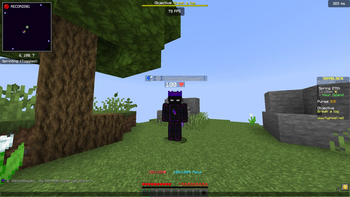
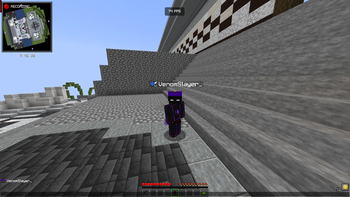
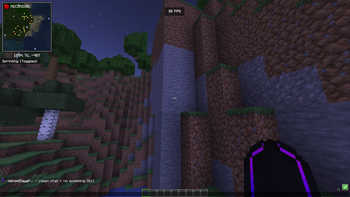
BetterChatHeads adds player heads next to chat messages, making multiplayer chat clearer, more visual, and easier to read.
Screenshots
About this Mod
Better Chat Heads
A high-performance, client-side chat visual enhancement utility for the Fabric ecosystem.




Overview
Better Chat Heads seamlessly injects real-time player head avatars next to chat messages within multiplayer environments. Engineered to enhance spatial awareness and visual readability in high-traffic chat streams, this client-side utility features intelligent skin synchronization pipelines and advanced regex pattern matching to support complex, rank-heavy server message formats without impacting frame rendering times.
Key Features
Contextual Avatar Injection — Dynamically renders player heads alongside validated multiplayer chat vectors, fully supporting secondary skin layers, overlays, hats, and hair geometry.
Smart Skin Sync+ & Live Swap — Features an automated retry pipeline for initially unresolved skin textures, transitioning smoothly from default asset fallbacks (Steve/Alex) to verified player skins in real-time.
Adaptive Pattern Ingestion — Utilizes a local learning cache to dynamically index, memorize, and parse server-specific chat prefixes, rank structures, and custom message separators.
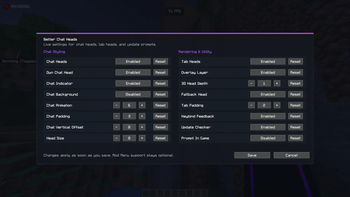
Granular UI Scaling — Includes options for compact layout modes, custom head introduction animations, and adjustable frame-timing variables.
Zero Server Overhead — Operates entirely within the local client runtime. Features an integrated configuration panel and optional Mod Menu compatibility with instant state saving.
Installation Guide
- Dependency Verification: Ensure the target environment has the correct iteration of the Fabric API installed.
- Deployment: Place the compiled
BetterChatHeadsbinary payload directly into your localmodsdirectory. - Initialization: Launch the runtime client and access the localized configuration panel layout to adjust pacing and cache rules.
Available exclusively for the Fabric Mod Loader ecosystem.
Available Versions
How to Install BetterChatHeads on Your Server
Order Server
Order a Minecraft Java server with at least 3 GB RAM (4 GB recommended).
Set fabric Loader
In the panel under "Egg", select the fabric loader and matching Minecraft version (1.21.11).
Install Mod
Open the mod browser in the dashboard and search for "BetterChatHeads". Click "Install" – done! Alternatively, upload the .jar via SFTP to the /mods folder.
Compatibility
Mod Loaders
Minecraft Versions
1.21.11, 1.21.10, 1.21.9 (+9 more)
Server-side
✗ UnsupportedRecommended RAM
4 GB(min. 3 GB)Frequently Asked Questions
BetterChatHeads server crashes on startup – what to do?
Most common cause: wrong fabric version or insufficient RAM. Check the server log (latest.log) for "OutOfMemoryError" or "Mixin" errors. With Mado Hosting: ensure at least 3 GB RAM is allocated and the loader matches the mod version (1.21.11). You can switch loaders with one click in the panel.
Is BetterChatHeads compatible with fabric?
BetterChatHeads officially supports fabric for Minecraft 1.21.11, 1.21.10, 1.21.9. The Mado dashboard automatically detects incompatible loader combinations.
Server lagging with BetterChatHeads – how to optimize performance?
Recommended RAM: 4 GB (per 8 players). Use /spark profiler to check if BetterChatHeads consumes the most tick time. Common fixes: reduce server view-distance to 8-10, install "performant" or "starlight" as supplementary mods on Forge. With Mado Hosting, your server runs on NVMe SSDs with dedicated CPU cores for minimal latency.
Similar Mods




![[ETF] Entity Texture Features](https://cdn.modrinth.com/data/BVzZfTc1/af683d206d50b05258d865b0d6e4aa2f2cee12f2_96.webp)
![[EMF] Entity Model Features](https://cdn.modrinth.com/data/4I1XuqiY/6e5bbd0d06b1741bfdab6c0cfab6de8fdaf0064c_96.webp)
Rent Modded Server
Install BetterChatHeads with just one click on your server.