Bin Slot
Delete items directly from your inventory
Screenshots
About this Mod
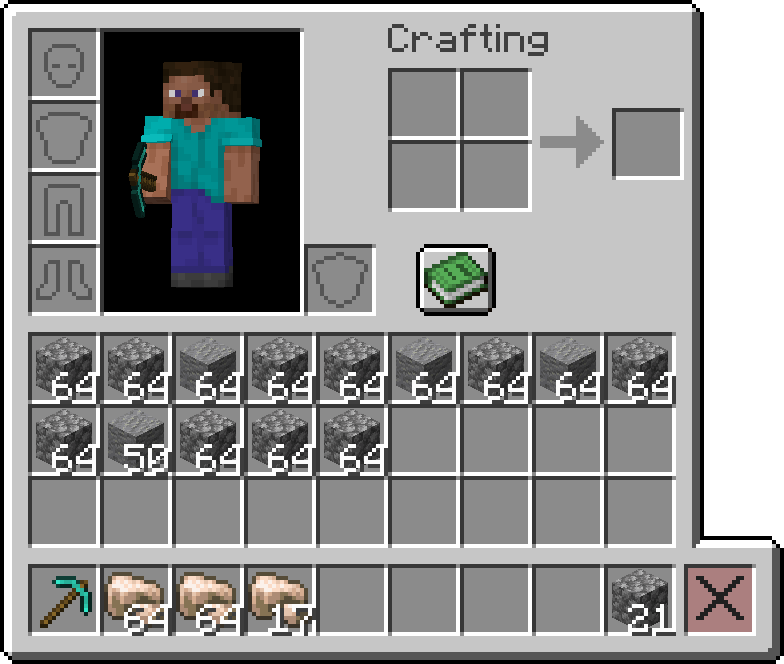
This mod adds a convenient trash bin slot to your inventory for easy item disposal.
It is required on the server, but optional on the client, meaning only the players that want to use it should install it.
Features
🗑️ Trash Bin Slot
- Adds a dedicated trash bin slot to your inventory interface
- Items placed in this slot are permanently deleted
- Seamlessly integrates with survival mode, creative mode, and all container interfaces
- Since
v1.1.0, the creative inventory built-in deletion slot mechanics now match the mod's trash bin slot functionalities
- Since
🎯 Slot Highlighting
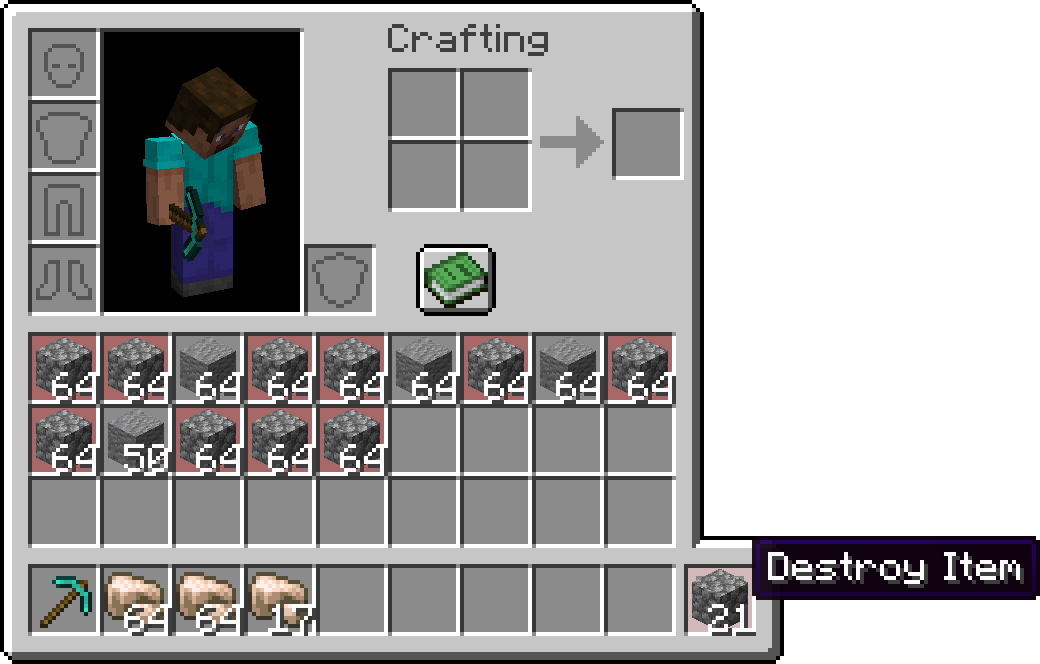
- Shift + Hover: When you hold Shift and hover over the bin slot while holding an item, the mod highlights all matching items (based on ID) in your inventory with a red overlay
- This feature helps you quickly identify which items will be deleted
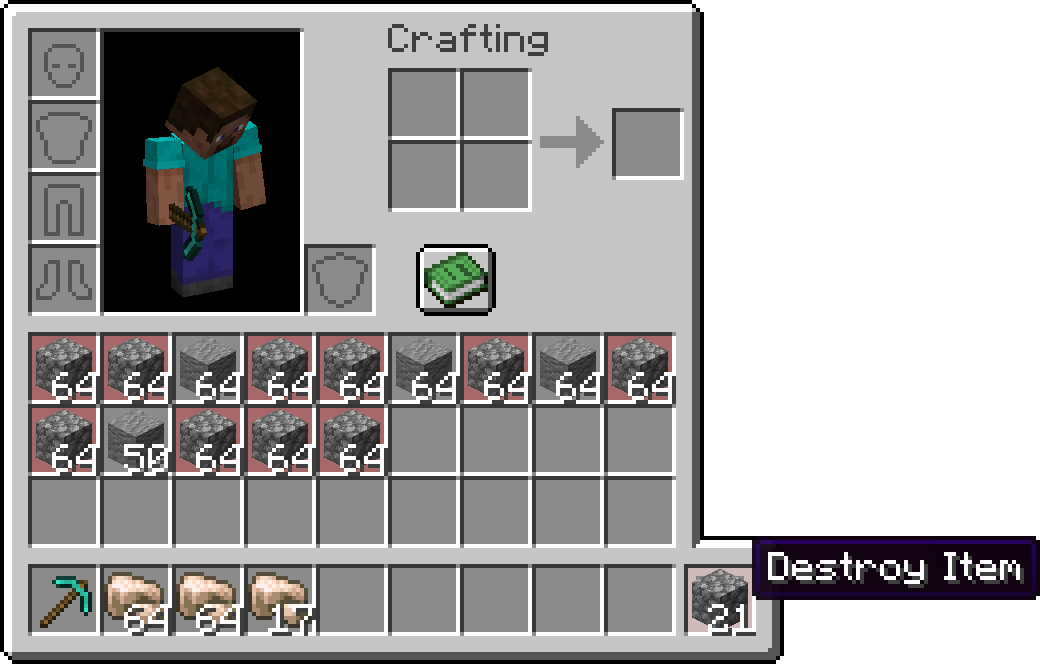
🖱️ Intuitive Controls
- Left Click: Delete items from your cursor stack
- Right Click: Delete a single item from your cursor stack
- Shift + Hover: Preview which items will be highlighted for deletion
- Shift + Click: Delete items from your cursor stack and all matching items from your inventory
- Shift + Click with empty cursor stack: Deletes every item from your creative inventory (
v1.1.0+)
🌐 Translations
- Built-in translations for all the languages in the game
Customization
🖼️ Bin Slot Texture
- The trash bin slot texture is automatically generated using built-in game textures and adapts to match your active resource pack's inventory GUI style
- Alternatively, you can customize the slot texture by using a resource pack that supports this mod
Note: This mod is designed to work seamlessly with vanilla Minecraft and most other mods. If you encounter any compatibility issues, please report them on the GitHub Issues page.
Available Versions
How to Install Bin Slot on Your Server
Order Server
Order a Minecraft Java server with at least 3 GB RAM (4 GB recommended).
Set fabric Loader
In the panel under "Egg", select the fabric loader and matching Minecraft version (26.2).
Install Mod
Open the mod browser in the dashboard and search for "Bin Slot". Click "Install" – done! Alternatively, upload the .jar via SFTP to the /mods folder.
Compatibility
Mod Loaders
Minecraft Versions
26.2, 26.1.2, 1.21.11 (+4 more)
Server-side
✓ RequiredRecommended RAM
4 GB(min. 3 GB)Frequently Asked Questions
Bin Slot server crashes on startup – what to do?
Most common cause: wrong fabric version or insufficient RAM. Check the server log (latest.log) for "OutOfMemoryError" or "Mixin" errors. With Mado Hosting: ensure at least 3 GB RAM is allocated and the loader matches the mod version (26.2). You can switch loaders with one click in the panel.
Is Bin Slot compatible with fabric?
Bin Slot officially supports fabric for Minecraft 26.2, 26.1.2, 1.21.11. The Mado dashboard automatically detects incompatible loader combinations.
Server lagging with Bin Slot – how to optimize performance?
Recommended RAM: 4 GB (per 8 players). Use /spark profiler to check if Bin Slot consumes the most tick time. Common fixes: reduce server view-distance to 8-10, install "performant" or "starlight" as supplementary mods on Forge. With Mado Hosting, your server runs on NVMe SSDs with dedicated CPU cores for minimal latency.
Similar Mods




Rent Modded Server
Install Bin Slot with just one click on your server.