
Biome Powder: Paint Biomes
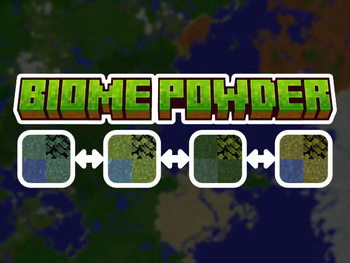
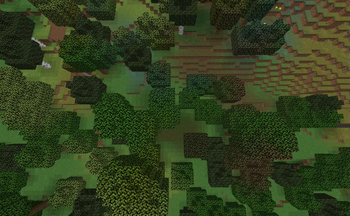
Change Biomes in your Builds to make them Extra Special! Survival-Friendly & for Creative. Modify Foliage & Grass colors into all 16 vanilla colors.
Screenshots
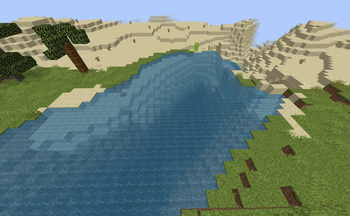
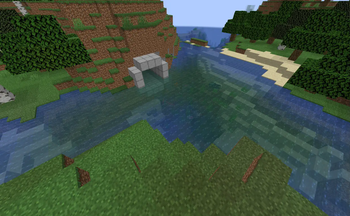
About this Mod



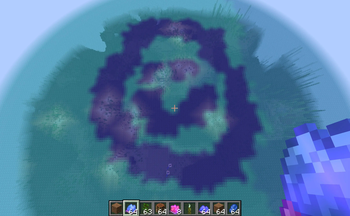
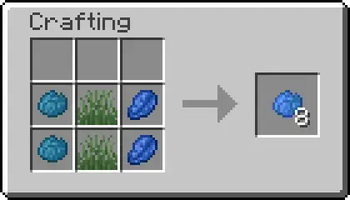

Allows you to change the biome in a Survival-Friendly way. Simply right-click with a Biome Powder to use it. The Biome Powders are also really useful for Builders in Creative Mode. You always get 8 Biome Powder from a single crafting process.
📶 Sizes
Biome Powders come in 3 different Sizes:
- Small
- Mid
- Big
Each Biome Powder has 2-3 Ingredients. The amount of times you use these Ingredients while Crafting will Change the size.
Small
Use Ingredients once for small Biome Powder. This is meant to be used for details, corrections and for pathways.
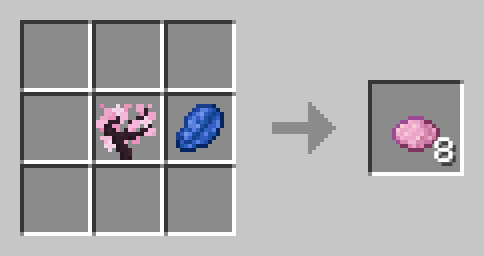
Mid
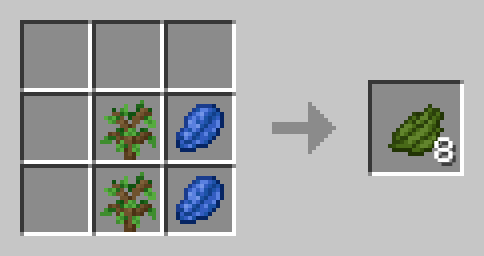
Use Ingredients twice for mid-sized Biome Powder. you can use this to fill rather small areas.
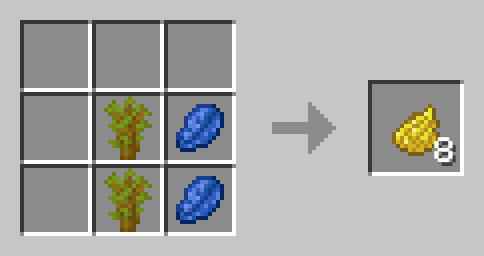
Big
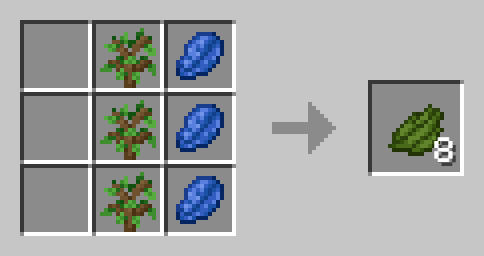
For most bigger areas, you will want to use the big biome powder. It is crafted by using the ingredients three times.
🏞️ Included Biomes
Plains
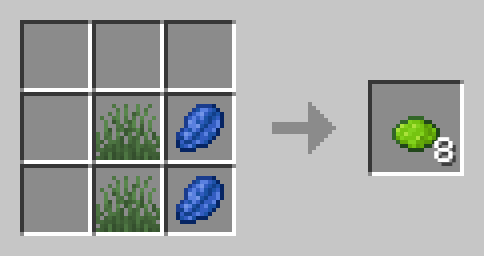
Short Grass and Lapis Lazuli
Snowy Plains
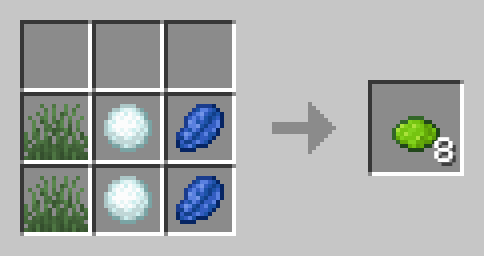
Short Grass, Snowball and Lapis Lazuli
Forest
Oak Sapling and Lapis Lazuli
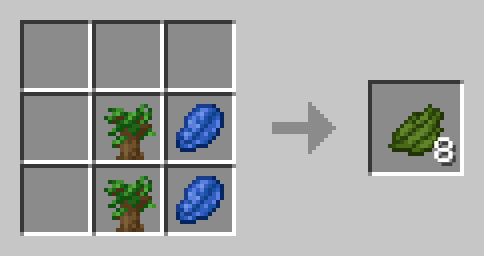
Dark Forest
Dark Oak Sapling and Lapis Lazuli
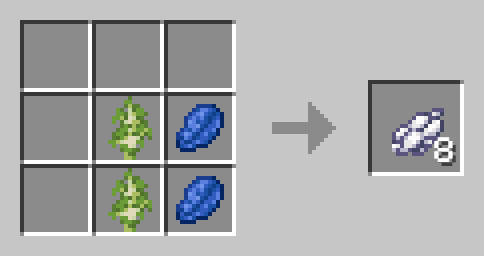
Birch Forest
Birch Sapling and Lapis Lazuli
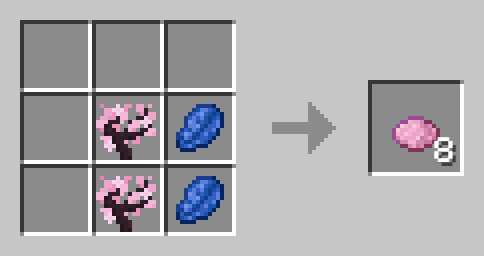
Cherry Grove
Cherry Sapling and Lapis Lazuli
Savanna
Acacia Sapling and Lapis Lazuli
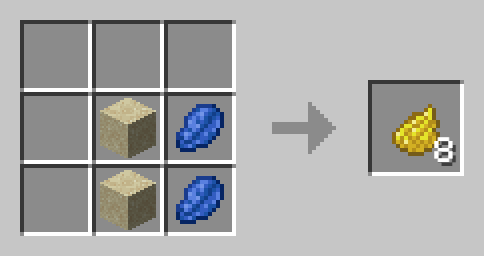
Desert
Sand and Lapis Lazuli
Badlands
Red Sand and Lapis Lazuli
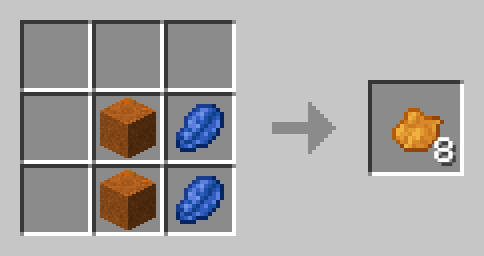
Swamp
Lily Pad and Lapis Lazuli
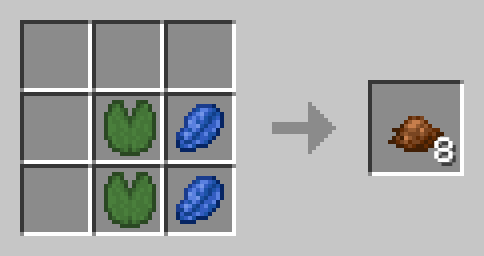
Mangrove Swamp
Mangrove Sapling and Lapis Lazuli
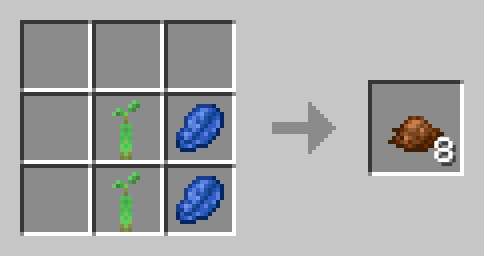
Jungle
Jungle Sapling and Lapis Lazuli
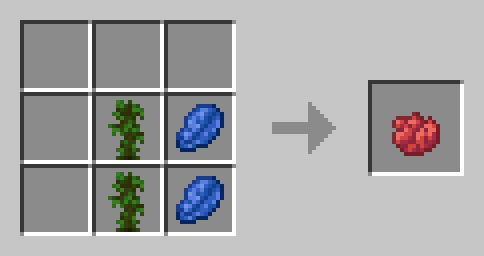
Taiga
Spruce Sapling and Lapis Lazuli
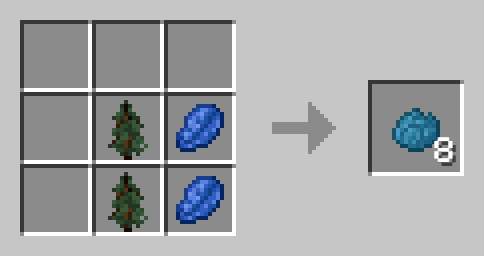
Snowy Taiga
Spruce Sapling, Snowball and Lapis Lazuli
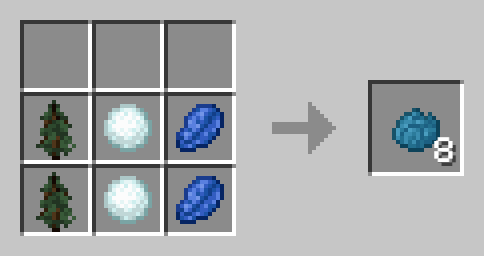
Pale Gardens
Pale Oak Sapling and Lapis Lazuli
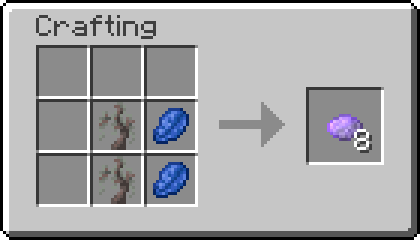
Ocean
Seagrass and Lapis Lazuli
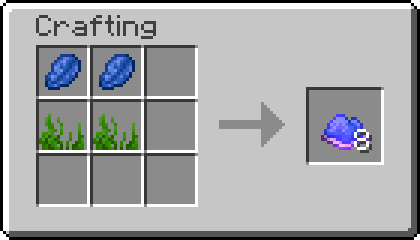
Lukewarm Ocean
2x Seagrass and Lapis Lazuli
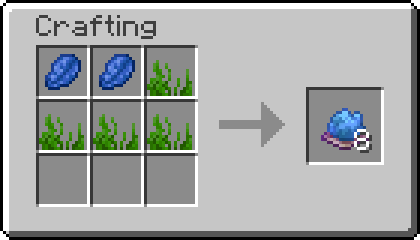 !
!
Warm Ocean
Seagrass, Sea Pickle and Lapis Lazuli
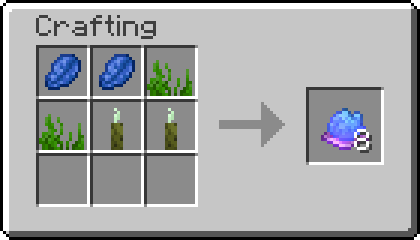 !
!
Cold Ocean
Seagrass, Snow and Lapis Lazuli
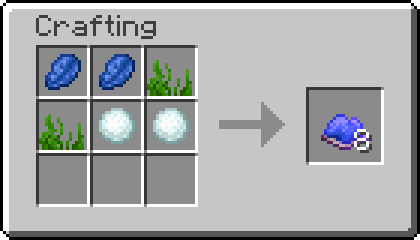
Frozen Ocean
Seagrass, Ice and Lapis Lazuli
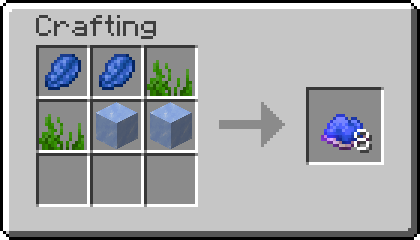
Legacy
Colored Plains (1.2-1.3 only)
Short Grass, any Dye and Lapislazuli
📗 How to add all Recipes to the Recipe Book?
Without Commands
By simply crafting and using the Biome Powder Knowledge Book you will gain all the recipes.
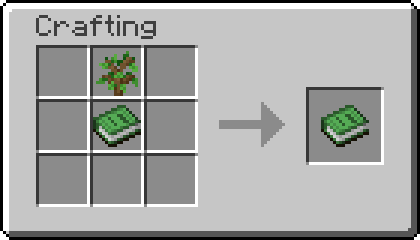
To craft Knowledge Books, you will need "Craftable Knowledge Book".
With Commands
You can add all recipes to the Recipe Book by using the command /function biome_powder:unlock_all_recipes. If you want to give all players all Recipes, use /execute as @a run function biome_powder:unlock_all_recipes instead.
🛠️ Installation
Datapack Installation Guide
Copy the .zip archive into the ".minecraft/saves/yourworldname/datapacks" folder, where yourworldname is the name of your world.
Mod installation Guide
Copy the .jar archive into the folder your Mod Loader of choice provides.
⚙️ Compatibility
Do not use an "Unlock all achievements" datapack after having installed this datapack!.
Recipes are Subject to Change in Future Versions.
🤝 Attributions
Datapack is loosely inspired by Terraria
❗Issues and Suggestions
Please report issues on My Discord.
Available Versions
How to Install Biome Powder: Paint Biomes on Your Server
Order Server
Order a Minecraft Java server with at least 4 GB RAM (6 GB recommended).
Set datapack Loader
In the panel under "Egg", select the datapack loader and matching Minecraft version (1.21.10).
Install Mod
Open the mod browser in the dashboard and search for "Biome Powder: Paint Biomes". Click "Install" – done! Alternatively, upload the .jar via SFTP to the /mods folder.
Compatibility
Mod Loaders
Minecraft Versions
1.21.10, 1.21.9, 1.21.4 (+4 more)
Server-side
✓ RequiredRecommended RAM
6 GB(min. 4 GB)Frequently Asked Questions
Biome Powder: Paint Biomes server crashes on startup – what to do?
Most common cause: wrong datapack version or insufficient RAM. Check the server log (latest.log) for "OutOfMemoryError" or "Mixin" errors. With Mado Hosting: ensure at least 4 GB RAM is allocated and the loader matches the mod version (1.21.10). You can switch loaders with one click in the panel.
Is Biome Powder: Paint Biomes compatible with datapack and fabric and forge and neoforge and quilt?
Biome Powder: Paint Biomes officially supports datapack, fabric, forge, neoforge, quilt for Minecraft 1.21.10, 1.21.9, 1.21.4. Note: Forge and Fabric mods are NOT cross-compatible – pick one loader and stick with it. The Mado dashboard automatically detects incompatible loader combinations.
Server lagging with Biome Powder: Paint Biomes – how to optimize performance?
Recommended RAM: 6 GB (per 5 players). Use /spark profiler to check if Biome Powder: Paint Biomes consumes the most tick time. Common fixes: reduce server view-distance to 8-10, install "performant" or "starlight" as supplementary mods on Forge. With Mado Hosting, your server runs on NVMe SSDs with dedicated CPU cores for minimal latency.
Similar Mods

![[ETF] Entity Texture Features](https://cdn.modrinth.com/data/BVzZfTc1/af683d206d50b05258d865b0d6e4aa2f2cee12f2_96.webp)
![[EMF] Entity Model Features](https://cdn.modrinth.com/data/4I1XuqiY/6e5bbd0d06b1741bfdab6c0cfab6de8fdaf0064c_96.webp)



Rent Modded Server
Install Biome Powder: Paint Biomes with just one click on your server.