
Biome Rings
Mod for biome controls by distance of the world center
Screenshots
About this Mod
Biome Rings
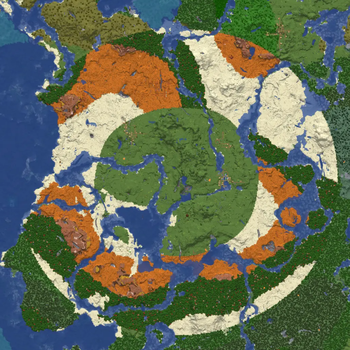
This mod aims to provide a json file to force the generation of a biome or a list of biomes in a specified range of the overworld center.
This mod DO NOT changes the terrain, it only forces the biome settings, what affects mob spawnings, structure generations and natural enviroment (trees, grass, flowers, etc).
It only works on new generations, this mod do not overwrites already existing chunks.
Note that this mod was only tested in vanilla 1.21.1, and probably has little to no compatiblity with any other custom biomes/terrain generation mods.
I (the author) have no plans of updating this mod any further than bugfixes, optimization and/or config file QoL.
If you want to add features or compatibilities you are strongly incentivated to fork/copy the repository and do your version.
How to use / What it can do
The config file is located in
~/config/biomerings.json
Note that the config file will be auto-generated with an example code in the config.
the parameters in the config are:
| Key | Description | Default |
|---|---|---|
| roundness | The deformation of the rings, where 1.0 is perfectly circular | 0.7 |
| noise | The repetition of the "stripes" of biome when there are many in the same range, a bigger number means more visible "stripes" | 0.4 |
| global_blacklist | The list of biomes that are not meant to be overrided | [...] |
| rules | The list of rules for the generation | [...] |
You can force a list of biomes to appear at certain range of the overworld center, settings minimum and maximum distances and pool weigth.
For example, you can set generation to be plains from 0 to 300, pool desert, badlands and wooded_badlands between 300 and 600, and pool forest and dark_forest between 600 and 900 blocks of distance of the world center.
Example of config file
{
  "roundness": 0.4,
  "noise": 0.5,
  "global_blacklist": [
    "minecraft:ocean",
    "minecraft:deep_ocean",
    "minecraft:warm_ocean",
    "minecraft:lukewarm_ocean",
    "minecraft:cold_ocean",
    "minecraft:deep_cold_ocean",
    "minecraft:beach",
    "minecraft:river",
    "minecraft:mushroom_fields"
  ],
  "rules": [
    {
      "biome_id": "minecraft:plains",
      "min_distance": 0.0,
      "max_distance": 300.0,
      "probability": 1.0
    },
    {
      "biome_id": "minecraft:desert",
      "min_distance": 300.0,
      "max_distance": 600.0,
      "probability": 0.4
    },
    {
      "biome_id": "minecraft:badlands",
      "min_distance": 300.0,
      "max_distance": 600.0,
      "probability": 0.3
    },
    {
      "biome_id": "minecraft:wooded_badlands",
      "min_distance": 300.0,
      "max_distance": 600.0,
      "probability": 0.3
    },
    {
      "biome_id": "minecraft:forest",
      "min_distance": 600.0,
      "max_distance": 900.0,
      "probability": 0.7
    },
    {
      "biome_id": "minecraft:dark_forest",
      "min_distance": 600.0,
      "max_distance": 900.0,
      "probability": 0.3
    }
  ]
}
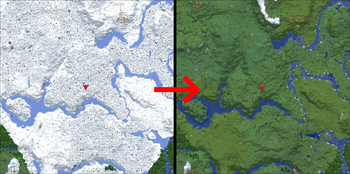
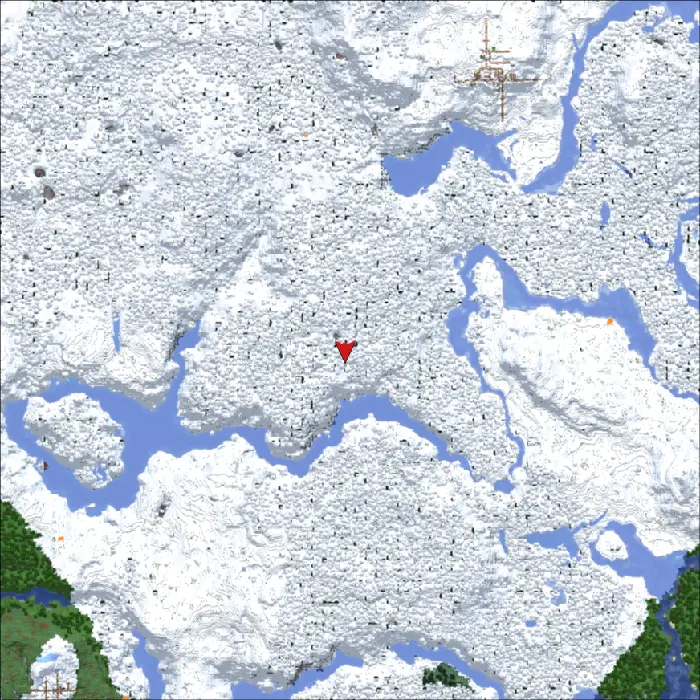
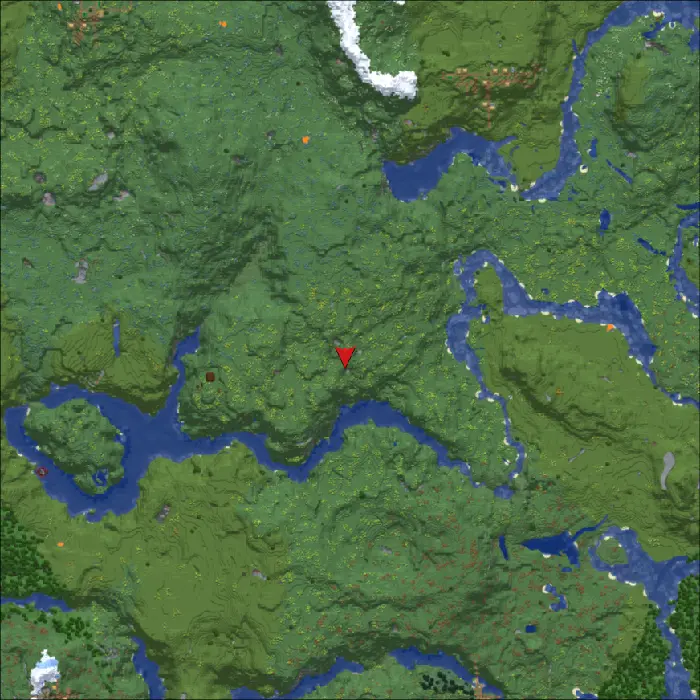
You can also overwrite unwanted biomes at range of the worldspawn by setting then as whitelist of whatever you feel like, for example here i overwrite snow biomes with plains and meadow. (also frozen rivers as rivers and etc)
| Before the rule | After the rule |
|---|---|
 |
 |
Available Versions
How to Install Biome Rings on Your Server
Order Server
Order a Minecraft Java server with at least 4 GB RAM (6 GB recommended).
Set fabric Loader
In the panel under "Egg", select the fabric loader and matching Minecraft version (1.21.1).
Install Mod
Open the mod browser in the dashboard and search for "Biome Rings". Click "Install" – done! Alternatively, upload the .jar via SFTP to the /mods folder.
Compatibility
Mod Loaders
Minecraft Versions
1.21.1
Server-side
✓ RequiredRecommended RAM
6 GB(min. 4 GB)Frequently Asked Questions
Biome Rings server crashes on startup – what to do?
Most common cause: wrong fabric version or insufficient RAM. Check the server log (latest.log) for "OutOfMemoryError" or "Mixin" errors. With Mado Hosting: ensure at least 4 GB RAM is allocated and the loader matches the mod version (1.21.1). You can switch loaders with one click in the panel.
Is Biome Rings compatible with fabric?
Biome Rings officially supports fabric for Minecraft 1.21.1. The Mado dashboard automatically detects incompatible loader combinations.
Server lagging with Biome Rings – how to optimize performance?
Recommended RAM: 6 GB (per 5 players). Use /spark profiler to check if Biome Rings consumes the most tick time. Common fixes: reduce server view-distance to 8-10, install "performant" or "starlight" as supplementary mods on Forge. With Mado Hosting, your server runs on NVMe SSDs with dedicated CPU cores for minimal latency.
Similar Mods



Rent Modded Server
Install Biome Rings with just one click on your server.