
Block'oMorph
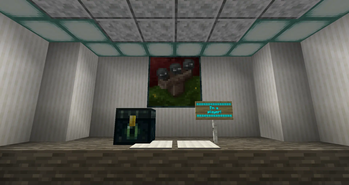
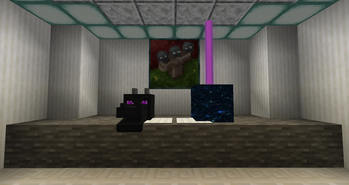
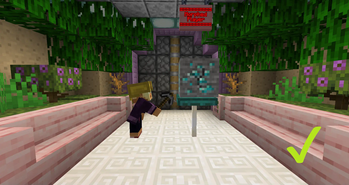
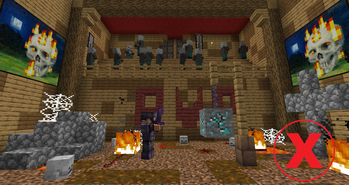
Block'oMorph - is a mod for minecraft that allows you morph into blocks like in the mini game block hunt, with it you can turn into blocks of varying complexity, from the simplest stone to a sign with text or a portal to the end.
Screenshots
About this Mod

Block'oMorph - is a mod for minecraft that allows you morph into blocks like in the mini game block hunt, with it you can turn into blocks of varying complexity, from the simplest stone to a sign with text or a portal to the end.
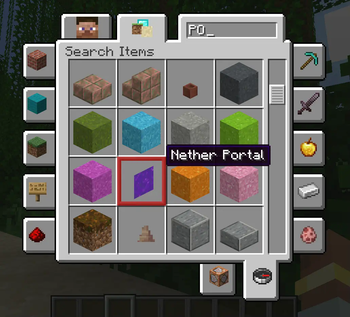
You can do this in two ways, open the GUI for transforming into a block on button Y and find the block you need in the creative tab and then configure its ready-made nbt tag and select the necessary block state, or write the /blockmorph
To morph back into the player, you need to morph into the air.
FUNCTIONS
Also, in addition to the basic transformation with a change of model, texture and hitbox, you will also have access to:
Full collisions, you will be able to step on player blocks with a complex Voxelshape shape and not fall through them or get stuck, because even though the player block will have a 1x1x1 hitbox, it will have the shape of a block.

Block breaking system, the player block can be destroyed with all the effects and mechanics, as if you were breaking a regular block, the player block will emit particles, crack, and also take into account your game mode, effects and tool.

Rendering of block entities, you will be able to see all the block entities into which the player has turned, and you can customize them through the block nbt.

Example from the game

Configuration
If you don't like any of the mod's functions, or something is missing, we recommend that you look at the configuration:
Up-to-date information about the mod configuration
For example, you can:
- Disable turning into bedrock and other indestructible blocks
- Disable the ability to interact with blocks
- Enable whitelist with allowed blocks
Available Versions
How to Install Block'oMorph on Your Server
Order Server
Order a Minecraft Java server with at least 3 GB RAM (4 GB recommended).
Set fabric Loader
In the panel under "Egg", select the fabric loader and matching Minecraft version (26.1.2).
Install Mod
Open the mod browser in the dashboard and search for "Block'oMorph". Click "Install" – done! Alternatively, upload the .jar via SFTP to the /mods folder.
Compatibility
Mod Loaders
Minecraft Versions
26.1.2, 1.21.11, 1.21.10 (+9 more)
Server-side
✓ RequiredRecommended RAM
4 GB(min. 3 GB)Frequently Asked Questions
Block'oMorph server crashes on startup – what to do?
Most common cause: wrong fabric version or insufficient RAM. Check the server log (latest.log) for "OutOfMemoryError" or "Mixin" errors. With Mado Hosting: ensure at least 3 GB RAM is allocated and the loader matches the mod version (26.1.2). You can switch loaders with one click in the panel.
Is Block'oMorph compatible with fabric and forge and neoforge and quilt?
Block'oMorph officially supports fabric, forge, neoforge, quilt for Minecraft 26.1.2, 1.21.11, 1.21.10. Note: Forge and Fabric mods are NOT cross-compatible – pick one loader and stick with it. The Mado dashboard automatically detects incompatible loader combinations.
Server lagging with Block'oMorph – how to optimize performance?
Recommended RAM: 4 GB (per 8 players). Use /spark profiler to check if Block'oMorph consumes the most tick time. Common fixes: reduce server view-distance to 8-10, install "performant" or "starlight" as supplementary mods on Forge. With Mado Hosting, your server runs on NVMe SSDs with dedicated CPU cores for minimal latency.
Similar Mods




Rent Modded Server
Install Block'oMorph with just one click on your server.