
Block Swapper
This Forge mod adds new tools that can swap placed blocks with others.
Screenshots
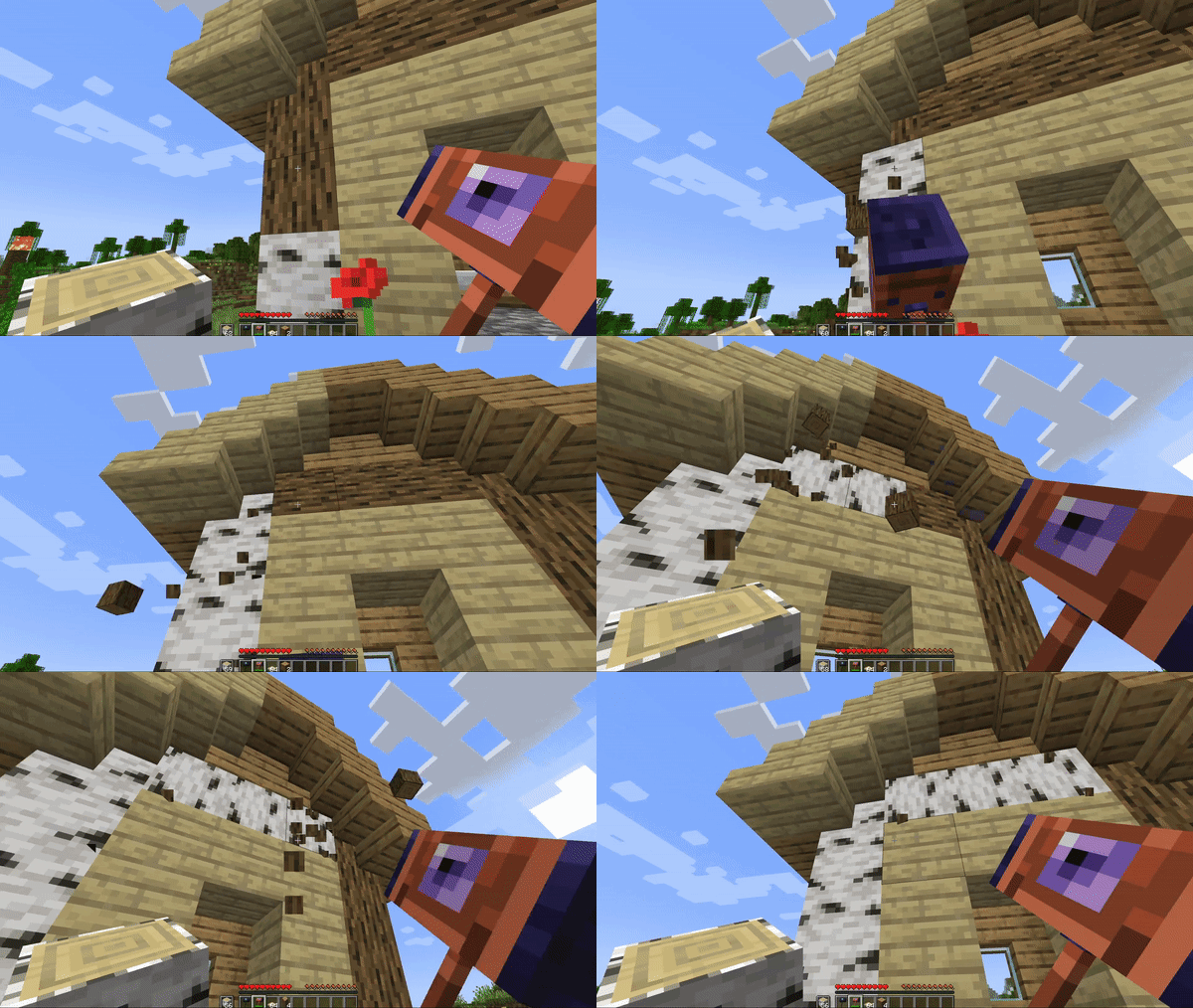
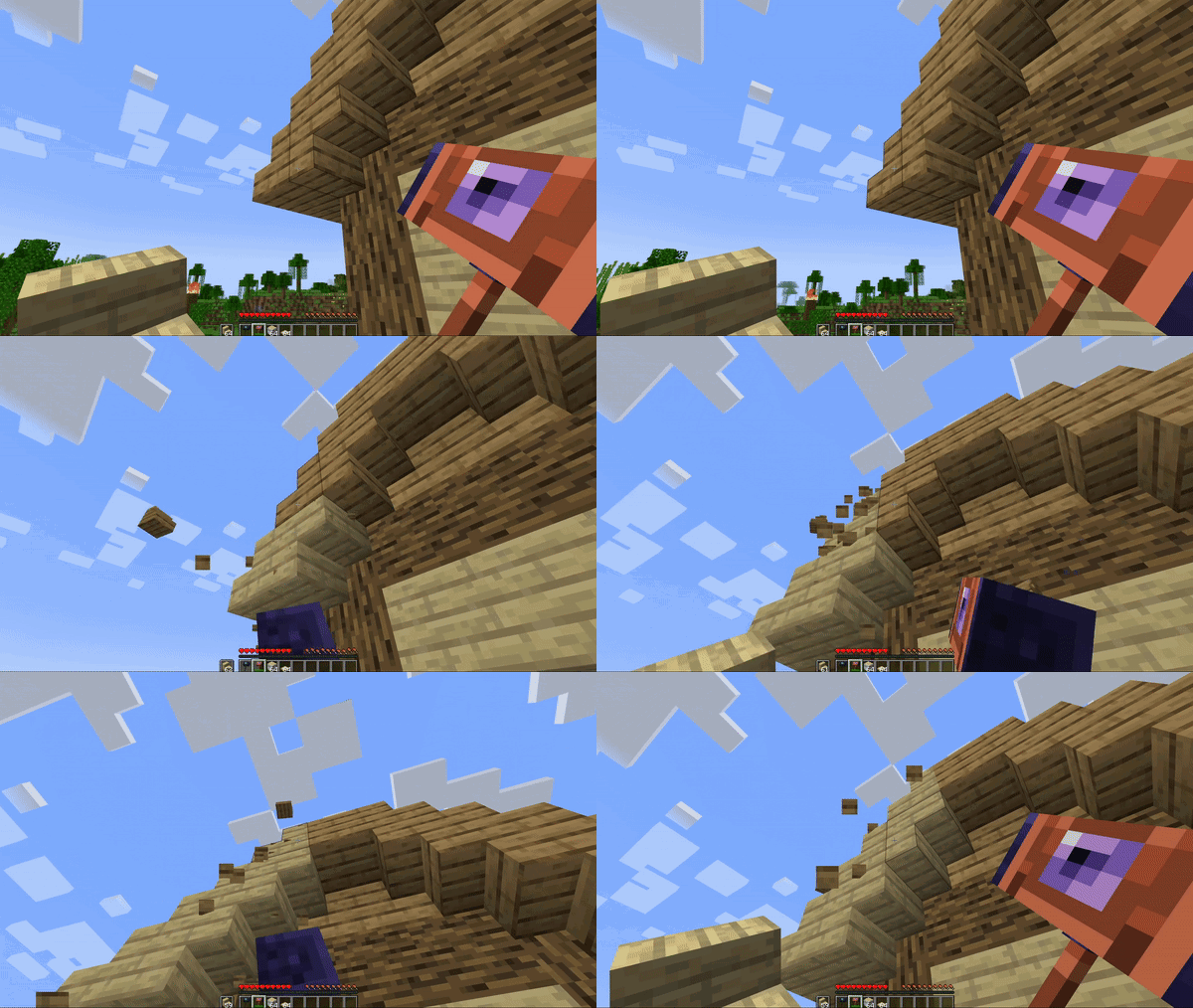
About this Mod
📖 About:
Ever built a house only to realize that you should have chosen birch instead of oak wood? Well I've been there one too many times and decided to come up with a solution: Block Swapper is a Forge mod that adds a new type of tool to your game which allows you to swap placed blocks with block items in your off-hand without losing the original properties such as orientation. Block Swappers come in two tiers, namely copper and diamond, which can swap all blocks that require stone tools and diamond tools respectively.
The Diamond Block Swapper can be further strengthened via enchantments, which the Copper Block Swapper cannot hold. These include Unbreaking, Mending, and an all-new enchantment called Excavating, which allows the Block Swapper to replace blocks with air, essentially instantly destroying any block you interact with. To balance this strong ability, the Diamond Block Swapper is not only expensive to craft, but the Excavating enchantment can only be found in treasure chests and is not compatible with the Mending enchantment.
The models, textures, and abilities in this mod have been designed with vanilla in mind - nothing should feel overly overpowered or out-of-place. Additionally, the mod generates an extensive config file so you can adjust the balancing however you like! The model and texture of the Block Swappers is directly inspired from the Hammer of Gravity from Minecraft Dungeons.
✅ Features:
- Adds Block Swappers that swap placed blocks with ones from your off-hand!
- Swapping a block will copy all of its properties onto the new one
- Makes replacing blocks in existing builds much easier
- Useful for both creative mode and survival building
- Two different Swapper tiers that each have reasonable cost and ability balancing
- Gives both Copper and Amethyst a new use
- All new treasure-only enchantment
- Models and textures heavily inspired from Minecraft Dungeons for a fitting vanilla feel while being unique
- Extensive configuration via config file to blacklist blocks, toggle Swapper abilities, and rebalance the
- enchantment!
🔧 Configuration:
- Swapping blacklist
- Excavating blacklist
- Toggling Excavating Enchantment on/off
- Toggling Excavating being treasure only
- Toggling Excavating appearing in villager trades
- Toggling creative mode affecting swapping and excavating mechanics
- Toggling mining fatigue disabling swapping
Available Versions
How to Install Block Swapper on Your Server
Order Server
Order a Minecraft Java server with at least 3 GB RAM (4 GB recommended).
Set forge Loader
In the panel under "Egg", select the forge loader and matching Minecraft version (1.20.1).
Install Mod
Open the mod browser in the dashboard and search for "Block Swapper". Click "Install" – done! Alternatively, upload the .jar via SFTP to the /mods folder.
Compatibility
Mod Loaders
Minecraft Versions
1.20.1, 1.19.4, 1.19.2
Server-side
✓ RequiredRecommended RAM
4 GB(min. 3 GB)Frequently Asked Questions
Block Swapper server crashes on startup – what to do?
Most common cause: wrong forge version or insufficient RAM. Check the server log (latest.log) for "OutOfMemoryError" or "Mixin" errors. With Mado Hosting: ensure at least 3 GB RAM is allocated and the loader matches the mod version (1.20.1). You can switch loaders with one click in the panel.
Is Block Swapper compatible with forge and neoforge?
Block Swapper officially supports forge, neoforge for Minecraft 1.20.1, 1.19.4, 1.19.2. The Mado dashboard automatically detects incompatible loader combinations.
Server lagging with Block Swapper – how to optimize performance?
Recommended RAM: 4 GB (per 8 players). Use /spark profiler to check if Block Swapper consumes the most tick time. Common fixes: reduce server view-distance to 8-10, install "performant" or "starlight" as supplementary mods on Forge. With Mado Hosting, your server runs on NVMe SSDs with dedicated CPU cores for minimal latency.
Similar Mods

![[ETF] Entity Texture Features](https://cdn.modrinth.com/data/BVzZfTc1/af683d206d50b05258d865b0d6e4aa2f2cee12f2_96.webp)
![[EMF] Entity Model Features](https://cdn.modrinth.com/data/4I1XuqiY/6e5bbd0d06b1741bfdab6c0cfab6de8fdaf0064c_96.webp)



Rent Modded Server
Install Block Swapper with just one click on your server.