
Block Durability
A Minecraft mod that allows you to customize block durability, supporting both individual blocks and region settings, with visualization features.
Screenshots
About this Mod
Block Durability
A Minecraft mod that allows you to customize block durability, supporting both individual blocks and region settings, with visualization features.
Some code generated by AI
Features
- Custom block durability settings
- Set blocks to be unbreakable
- Support for individual block and batch region settings
- WorldEdit selection integration
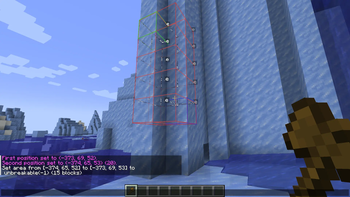
- Visual highlighting of blocks with custom durability
- Rich client-side configuration options
Dependencies
- Required: Minecraft 1.20.1 Forge 47.4.10+
- Optional: WorldEdit Forge (CurseForge|Modrinth) (for selection integration)
- Server and client side
Commands
All commands require OP level 2 permission.
Basic Commands
Single Block Settings
- Set durability for a specific block coordinate. Durability of -1 means unbreakable
/bd set <x> <y> <z> <durability> - Remove custom durability settings for a specific block coordinate, restoring vanilla properties
/bd remove <x> <y> <z> - View durability settings for a specific block coordinate
/bd get <x> <y> <z>
Region Settings
- Set durability for all blocks between two diagonal coordinates
/bd set <pos1> <pos2> <durability> - Remove custom durability settings for all blocks between two diagonal coordinates
/bd remove <pos1> <pos2>
WorldEdit Integration
Requires WorldEdit Forge mod to be installed.
- Set block durability using WorldEdit selection
/bd we set <durability> - Remove custom durability settings for all blocks in WorldEdit selection
/bd we remove
Visualization Settings
- Toggle block protection visualization on/off
/bd visual toggle <true|false> - Set visualization render range (1-64 blocks)
/bd visual range <range> - Toggle whether to show visualization only when holding a stick
/bd visual stick <true|false>
Usage Examples
Set a Single Block to Unbreakable
/bd set 100 64 200 -1
Set Region Durability to 10
/bd set 100 64 200 150 70 250 10
Using WorldEdit Selection
Create a selection using WorldEdit selection tools
Set blocks in selection to unbreakable:
/bd we set -1Remove custom durability from blocks in selection:
/bd we remove
FAQ
Q: Command shows "An unexpected error occurred"?
A: Please ensure:
- You have OP permission (level 2 or higher)
- If using WorldEdit commands, you have created a proper selection
- WorldEdit Forge mod is installed
Q: Block durability settings have no effect?
A: Currently only works for unbreakable blocks (durability -1)
Known Issues
- Border rendering feature not yet implemented
- Custom break speed for non-unbreakable blocks not yet implemented
Support
For questions or suggestions, please contact the author or submit an Issue.
Available Versions
How to Install Block Durability on Your Server
Order Server
Order a Minecraft Java server with at least 3 GB RAM (4 GB recommended).
Set forge Loader
In the panel under "Egg", select the forge loader and matching Minecraft version (1.20.1).
Install Mod
Open the mod browser in the dashboard and search for "Block Durability". Click "Install" – done! Alternatively, upload the .jar via SFTP to the /mods folder.
Compatibility
Mod Loaders
Minecraft Versions
1.20.1
Server-side
✓ RequiredRecommended RAM
4 GB(min. 3 GB)Frequently Asked Questions
Block Durability server crashes on startup – what to do?
Most common cause: wrong forge version or insufficient RAM. Check the server log (latest.log) for "OutOfMemoryError" or "Mixin" errors. With Mado Hosting: ensure at least 3 GB RAM is allocated and the loader matches the mod version (1.20.1). You can switch loaders with one click in the panel.
Is Block Durability compatible with forge?
Block Durability officially supports forge for Minecraft 1.20.1. The Mado dashboard automatically detects incompatible loader combinations.
Server lagging with Block Durability – how to optimize performance?
Recommended RAM: 4 GB (per 8 players). Use /spark profiler to check if Block Durability consumes the most tick time. Common fixes: reduce server view-distance to 8-10, install "performant" or "starlight" as supplementary mods on Forge. With Mado Hosting, your server runs on NVMe SSDs with dedicated CPU cores for minimal latency.
Similar Mods




Rent Modded Server
Install Block Durability with just one click on your server.