
Blocks and Resources
This mod add to the game more items and blocks. It's simple
Screenshots
About this Mod
Blocks and Resources
Dive into the world of Blocks and Resources where you can expand your building and cooking abilities with new blocks, resources and items! This mod adds many unique elements to the game that will make your experience even more fun and diverse.
New Blocks and Items:
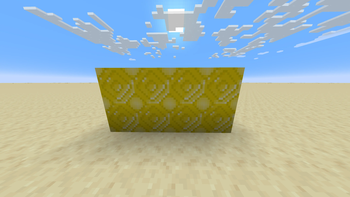
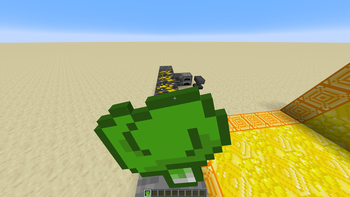
Yellow Crystal: A brightly coloured crystal that can be used to create various items and upgrades.Unprocessed Yellow Crystal: A raw form of crystal that can be recycled into more useful materials.Yellow Crystal Block: A sturdy block ideal for building and decorating.Unprocessed Yellow Crystal Block: A block that can be used in crafting or as a building material.Imperial Crystal Block: A rare and powerful block that adds unique abilities to the game.
New Food
Cucumbers: A crunchy vegetable that can be used in a variety of recipes.Tomatoes: Juicy fruit, perfect for salads and other culinary masterpieces.Sweet Peppers: A colourful and tasty ingredient for your dishes.Coffee: An energy drink that will help you stay awake during your adventures.Chocolate: A tasty treat that can be made with chocolate mix.
New Armour and Tools
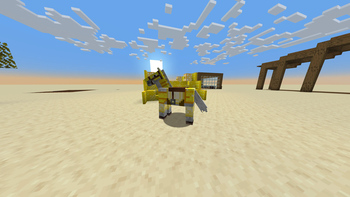
Yellow Crystal Armour: Durable and stylish armour that provides excellent protection.Yellow Crystal Tools: Efficient tools for resource extraction and construction.Yellow Crystal Horse Armour: Elegant armour that will protect your horse during your adventures.
New Mechanics
Refrigerator Block: A unique block that freezes chocolate mixture, turning it into chocolate.Perfect for creating sweet treats!
New Ores
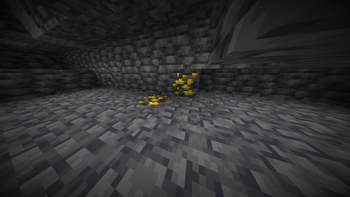
Yellow Crystal Deep Shale Ore: A rare ore that can be found at great depths, essential for creating powerful items.Yellow Crystal Stone Ore: A more common ore that is also used for crafting.
And so much more!
Conclusion
The Blocks and Resources mod offers players a lot of new opportunities for exploration and creativity. With new blocks, items and mechanics you will be able to significantly diversify your gameplay. Don't miss the chance to try all the innovations and share your impressions with your friends!
Available Versions
How to Install Blocks and Resources on Your Server
Order Server
Order a Minecraft Java server with at least 3 GB RAM (4 GB recommended).
Set fabric Loader
In the panel under "Egg", select the fabric loader and matching Minecraft version (1.21.1).
Install Mod
Open the mod browser in the dashboard and search for "Blocks and Resources". Click "Install" – done! Alternatively, upload the .jar via SFTP to the /mods folder.
Compatibility
Mod Loaders
Minecraft Versions
1.21.1, 1.21
Server-side
✓ RequiredRecommended RAM
4 GB(min. 3 GB)Frequently Asked Questions
Blocks and Resources server crashes on startup – what to do?
Most common cause: wrong fabric version or insufficient RAM. Check the server log (latest.log) for "OutOfMemoryError" or "Mixin" errors. With Mado Hosting: ensure at least 3 GB RAM is allocated and the loader matches the mod version (1.21.1). You can switch loaders with one click in the panel.
Is Blocks and Resources compatible with fabric?
Blocks and Resources officially supports fabric for Minecraft 1.21.1, 1.21. The Mado dashboard automatically detects incompatible loader combinations.
Server lagging with Blocks and Resources – how to optimize performance?
Recommended RAM: 4 GB (per 8 players). Use /spark profiler to check if Blocks and Resources consumes the most tick time. Common fixes: reduce server view-distance to 8-10, install "performant" or "starlight" as supplementary mods on Forge. With Mado Hosting, your server runs on NVMe SSDs with dedicated CPU cores for minimal latency.
Similar Mods

![[ETF] Entity Texture Features](https://cdn.modrinth.com/data/BVzZfTc1/af683d206d50b05258d865b0d6e4aa2f2cee12f2_96.webp)
![[EMF] Entity Model Features](https://cdn.modrinth.com/data/4I1XuqiY/6e5bbd0d06b1741bfdab6c0cfab6de8fdaf0064c_96.webp)



Rent Modded Server
Install Blocks and Resources with just one click on your server.