
Blocks Of Monster Stuff
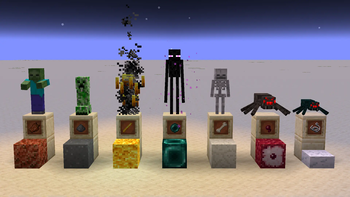
Adds blocks made from monster loot for storage and some functionalities related to the mobs of which it was made from.
Screenshots
About this Mod
Not just another mod that adds Compacting recipes. This one makes some of the Blocks have functions related to the Monster they are made from.
| Base | Recipe | Result | Function | Note |
|---|---|---|---|---|
 |
 |
 |
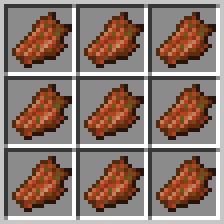
None | Drippy and Juicy |
 |
 |
 |
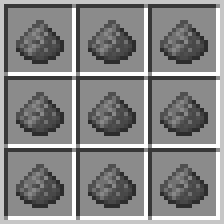
Falls like sand, extremely unstable. See details below for more info. | |
 |
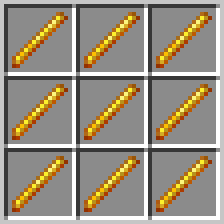 |
 |
Hurts when you walk on like magma, Sets entities and surrounding flammable blocks on fire. | Can be use as a fuel, burns 10 times longer than what it's made from, just like when Coal is made into a Block. Has animated texture. |
 |
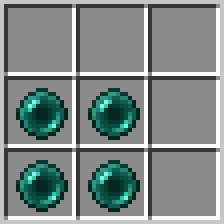 |
 |
Vertical Teleporter. See details below for more info. | Max stack size 16 like it's base. |
 |
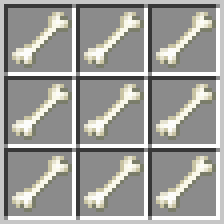 |
 |
None | Rattles when you walk on it. |
 |
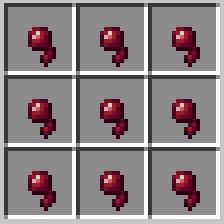 |
 |
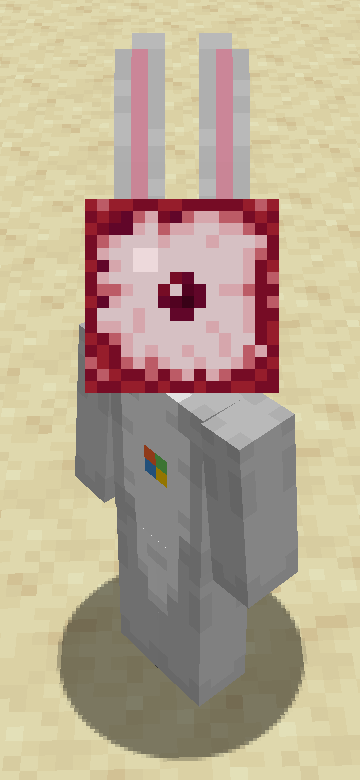
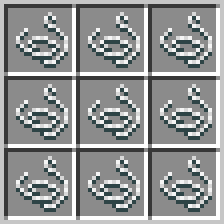
Wearable! | |
 |
 |
 |
Flammable | Is a slab! |
Details
Block of Gunpowder:
The Block of Gunpowder explodes on landing or when it comes into contact with a "hot block",
this includes lava, block of blaze, magma, campfires and fire. This pool is configurable by creating a datapack and including a "gunpowder_igniters" block tag json file. This can be done to add hot blocks from other mods. If one desires.
Block of Ender:
The Block of Ender acts as a vertical teleporter which is triggered by either jumping or sneaking on top. This will result in the entity being teleported to the next valid block above or below the Block of Ender, depending on what action they performed. Jumping of course bringing the entity up and Sneaking bringing the entity down. If no valid teleport location is found, nothing happens.
Part of a series that aims at adding more compacting recipes.
Available Versions
How to Install Blocks Of Monster Stuff on Your Server
Order Server
Order a Minecraft Java server with at least 3 GB RAM (4 GB recommended).
Set fabric Loader
In the panel under "Egg", select the fabric loader and matching Minecraft version (1.20.6).
Install Mod
Open the mod browser in the dashboard and search for "Blocks Of Monster Stuff". Click "Install" – done! Alternatively, upload the .jar via SFTP to the /mods folder.
Compatibility
Mod Loaders
Minecraft Versions
1.20.6, 1.20.5, 1.20.4 (+1 more)
Server-side
✓ RequiredRecommended RAM
4 GB(min. 3 GB)Frequently Asked Questions
Blocks Of Monster Stuff server crashes on startup – what to do?
Most common cause: wrong fabric version or insufficient RAM. Check the server log (latest.log) for "OutOfMemoryError" or "Mixin" errors. With Mado Hosting: ensure at least 3 GB RAM is allocated and the loader matches the mod version (1.20.6). You can switch loaders with one click in the panel.
Is Blocks Of Monster Stuff compatible with fabric?
Blocks Of Monster Stuff officially supports fabric for Minecraft 1.20.6, 1.20.5, 1.20.4. The Mado dashboard automatically detects incompatible loader combinations.
Server lagging with Blocks Of Monster Stuff – how to optimize performance?
Recommended RAM: 4 GB (per 8 players). Use /spark profiler to check if Blocks Of Monster Stuff consumes the most tick time. Common fixes: reduce server view-distance to 8-10, install "performant" or "starlight" as supplementary mods on Forge. With Mado Hosting, your server runs on NVMe SSDs with dedicated CPU cores for minimal latency.
Similar Mods





Rent Modded Server
Install Blocks Of Monster Stuff with just one click on your server.