
Blocks Without Limits
BWL: Blocks without limits - a mod that unlocks endless creative possibilities in Minecraft. It adds high-resolution decorative blocks, making your world even more beautiful and realistic.
Screenshots
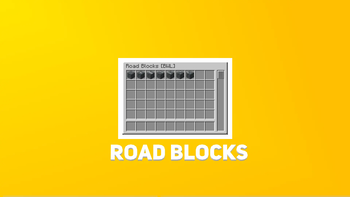
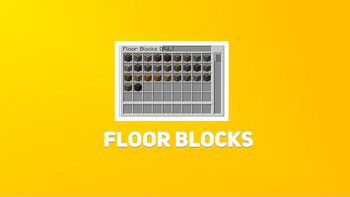
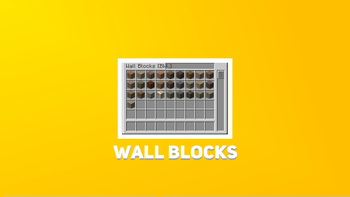

About this Mod
English:
BWL: Blocks without limits - a mod that unlocks endless creative possibilities in Minecraft. It adds high-resolution decorative blocks, making your world even more beautiful and realistic.
Future Plans
- Add ore and resources
- Add the ability to craft blocks
- Make your own crafting machines for crafting certain types of blocks
- Add unique armor and weapons/accessories
Version development status
Statuses
- ✅ - Development finished
- ⏳ - Development in progress
- ❌- Development has not started
Versions
- 1.0 ✅
- 2.0 ⏳
- 2.1 ⏳
- 3.0 ❌
- 4.0 ❌
- 4.1 ❌
- 4.2 ❌
- 4.3 ❌
- 5.0 ❌
Русский:
BWL: Блоки без границ - мод, который открывает безграничные возможности для творчества в Minecraft. Добавляет декоративные блоки в высоком разрешении, делая ваш мир еще более красивым и реалистичным.
Планы на будущее
- Добавить руду и ресурсы
- Добавить возможность крафта блоков
- Добавить собственные станки для крафта определенных типов блоков
- Добавить уникальную броню и оружие/приспособления
Статус разработки версий
Статусы
- ✅ - Разработка завершена
- ⏳ - В процессе разработки
- ❌- Разработка не начата
Версии
- 1.0 ✅
- 2.0 ⏳
- 2.1 ⏳
- 3.0 ❌
- 4.0 ❌
- 4.1 ❌
- 4.2 ❌
- 4.3 ❌
- 5.0 ❌
Available Versions
How to Install Blocks Without Limits on Your Server
Order Server
Order a Minecraft Java server with at least 3 GB RAM (4 GB recommended).
Set forge Loader
In the panel under "Egg", select the forge loader and matching Minecraft version (1.20.1).
Install Mod
Open the mod browser in the dashboard and search for "Blocks Without Limits". Click "Install" – done! Alternatively, upload the .jar via SFTP to the /mods folder.
Compatibility
Mod Loaders
Minecraft Versions
1.20.1
Server-side
✓ RequiredRecommended RAM
4 GB(min. 3 GB)Frequently Asked Questions
Blocks Without Limits server crashes on startup – what to do?
Most common cause: wrong forge version or insufficient RAM. Check the server log (latest.log) for "OutOfMemoryError" or "Mixin" errors. With Mado Hosting: ensure at least 3 GB RAM is allocated and the loader matches the mod version (1.20.1). You can switch loaders with one click in the panel.
Is Blocks Without Limits compatible with forge?
Blocks Without Limits officially supports forge for Minecraft 1.20.1. The Mado dashboard automatically detects incompatible loader combinations.
Server lagging with Blocks Without Limits – how to optimize performance?
Recommended RAM: 4 GB (per 8 players). Use /spark profiler to check if Blocks Without Limits consumes the most tick time. Common fixes: reduce server view-distance to 8-10, install "performant" or "starlight" as supplementary mods on Forge. With Mado Hosting, your server runs on NVMe SSDs with dedicated CPU cores for minimal latency.
Similar Mods

![[ETF] Entity Texture Features](https://cdn.modrinth.com/data/BVzZfTc1/af683d206d50b05258d865b0d6e4aa2f2cee12f2_96.webp)
![[EMF] Entity Model Features](https://cdn.modrinth.com/data/4I1XuqiY/6e5bbd0d06b1741bfdab6c0cfab6de8fdaf0064c_96.webp)



Rent Modded Server
Install Blocks Without Limits with just one click on your server.