
Blocks You Need
Adding blocks to your palette that are integrated into the minecraft world!
Screenshots
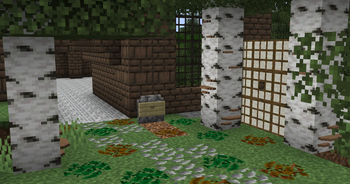
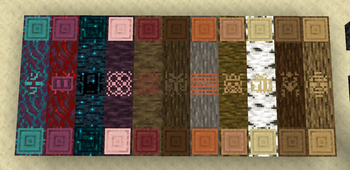
About this Mod
Blocks You Need
As seen in YogLabs 2!
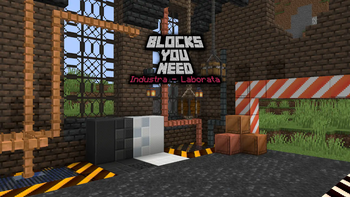
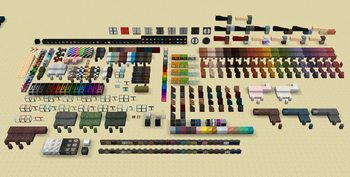
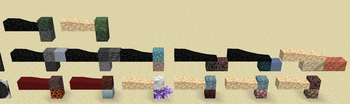
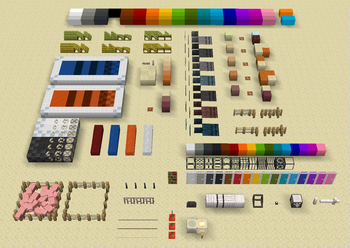
Blocks You Need is a Block-pack inspired by the classic mod "Chisel" and those like it, and has the same desire to add fun & unique blocks for you to turn into builds of magical, whimsical or technological splendor. Where I choose to differ is that Blocks You Need adds blocks that are integrated with the minecraft world, there's very few variants copied across every block, each block material gets their own unique ways to shine. Each block is survival ready, every single block can be crafted, often from a new array of materials added to supplement them.
BYN's blocks can range from a multitude of themes, primarily Sci-fi, Industrial, Steampunk, Vanilla+ & Even some Magical blocks sprinkled in where it seems fit to.
This mod adds over 1000 blocks, all with unique recipes & unique ways to create them, as such we recommend using a mod to disable the recipe book, and instead using JEI, EMI, REI or any other recipe manager. The Vanilla Recipe book just is not good enough to manage the sheer volume of additions.
This mod makes small changes to worldgen, but can be installed on any world perfectly fine. This it because I do not add anything that alters fundamental aspects of world generation. This allows it to be plug & play with any world you use it on, without severely altering the world seed & causing those infamous harsh borders.
Fluid Conversions
As of v1.11, Blocks You Need now has renewable stones through fluid conversion recipes, /modCFG blocksyouneed help renewable??? can be used for a text description of each one!
ModCFG
As of v1.11, Blocks You Need can be configured using the /modCFG command. This allows configurations to be changed on the fly without reloading, and configured per-world. Many aspects of the mod can be tweaked to fit your playstyle or modpack.
Create
As of v1.11, Blocks You Need now has integrations with the Create mod, enabling new alternate recipes, or new ways to get materials through processing. More might be added with each update!
More?
More will be added with each update!
If you have ideas for blocks you'd like to see, or blocks needing to be tweaked, ask away!
If you find bugs!
The best place to put them is either my discord or the curseforge issue tracker
Remember, I am a solo dev, updates take time, and won't be flawless, when you suggest something, or report a bug, give me a few weeks to work on it (assuming im not away for medical reasons.)
Common Fixes
Q: My game isn't loading on 1.20.1 forge!
A: Update to the latest version of forge, and latest version of the mod, older versions are not supported
Q: My game is having a lot of TPS lag, please fix!
A: Use a mod to disable the recipe book, this isn't caused by my mod, but the poor implementation of the recipe book when handling hundreds of thousands of recipes.
Check out my other mods!
Mods You Need Collection - https://modrinth.com/collection/Blr6b31W
Heralds II - https://modrinth.com/mod/heralds-ii
Timekeeper - https://modrinth.com/mod/timekeeper-luna
Improvised Weapons - https://modrinth.com/mod/improvised-weapons
Talismans - https://modrinth.com/mod/talismans
Emergence - https://modrinth.com/mod/emergence
Netherite Tweaks & Fixes - https://modrinth.com/mod/netherite_tweaks
Available Versions
How to Install Blocks You Need on Your Server
Order Server
Order a Minecraft Java server with at least 3 GB RAM (4 GB recommended).
Set forge Loader
In the panel under "Egg", select the forge loader and matching Minecraft version (1.21.4).
Install Mod
Open the mod browser in the dashboard and search for "Blocks You Need". Click "Install" – done! Alternatively, upload the .jar via SFTP to the /mods folder.
Compatibility
Mod Loaders
Minecraft Versions
1.21.4, 1.21.1, 1.20.6 (+4 more)
Server-side
✓ RequiredRecommended RAM
4 GB(min. 3 GB)Frequently Asked Questions
Blocks You Need server crashes on startup – what to do?
Most common cause: wrong forge version or insufficient RAM. Check the server log (latest.log) for "OutOfMemoryError" or "Mixin" errors. With Mado Hosting: ensure at least 3 GB RAM is allocated and the loader matches the mod version (1.21.4). You can switch loaders with one click in the panel.
Is Blocks You Need compatible with forge and neoforge?
Blocks You Need officially supports forge, neoforge for Minecraft 1.21.4, 1.21.1, 1.20.6. The Mado dashboard automatically detects incompatible loader combinations.
Server lagging with Blocks You Need – how to optimize performance?
Recommended RAM: 4 GB (per 8 players). Use /spark profiler to check if Blocks You Need consumes the most tick time. Common fixes: reduce server view-distance to 8-10, install "performant" or "starlight" as supplementary mods on Forge. With Mado Hosting, your server runs on NVMe SSDs with dedicated CPU cores for minimal latency.
Similar Mods

![[ETF] Entity Texture Features](https://cdn.modrinth.com/data/BVzZfTc1/af683d206d50b05258d865b0d6e4aa2f2cee12f2_96.webp)
![[EMF] Entity Model Features](https://cdn.modrinth.com/data/4I1XuqiY/6e5bbd0d06b1741bfdab6c0cfab6de8fdaf0064c_96.webp)



Rent Modded Server
Install Blocks You Need with just one click on your server.
Details
- License
- Creative Commons Attribution Share Alike 4.0 International
- Server-side
- Required