
Blueprints
A Minecraft client side mod to project, scale and rotate real blueprint schematics and images into your world as in-place references for creating accurate builds.
Screenshots
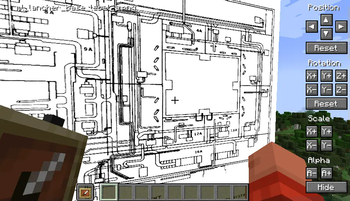
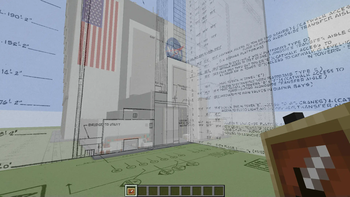
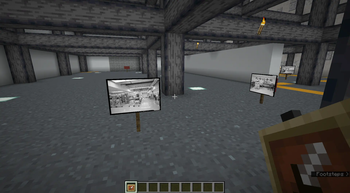
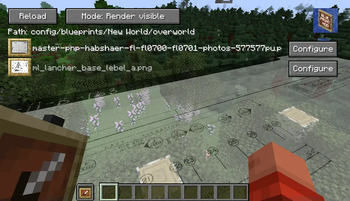
About this Mod
A client side mod I created to project reference images and schematics into the minecraft world.
- Images can be positioned, scaled, rotated and made transparent.
You need to be holding an ItemFrame in either your hand or your offhand to see the images.
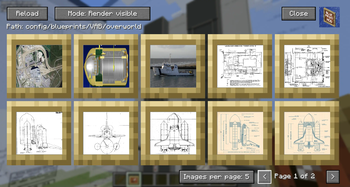
Main Config Screen
The default key "O" will launch the config which will create folders for you to upload images in your filesystem:
{Minecraft}/config/blueprints/{world name}/{dimension name}
![Main config screen]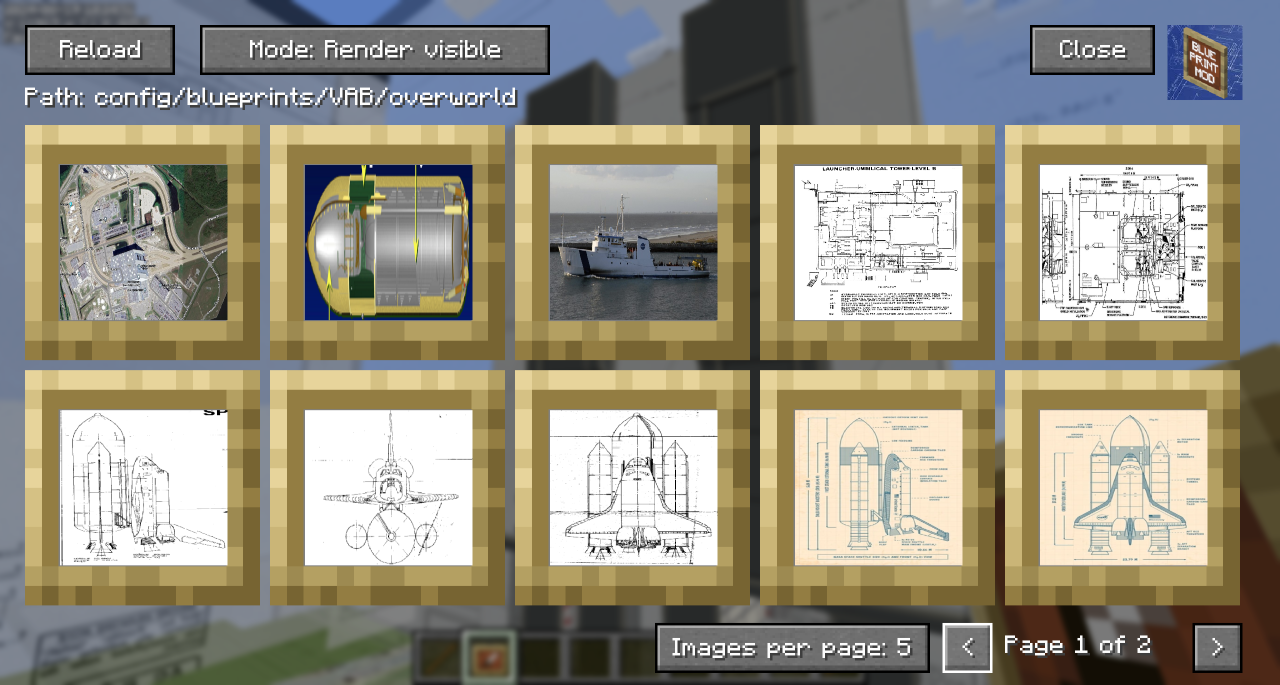
- The Reload button will rescan the filesystem for any files you have uploaded.
- The 'Path' shows the relative position of the filesystem you'll need to work with outside of Minecraft
- You can toggle the Render mode to hide behind blocks or always show through them.
- Blueprints that are hidden show with a dark overlay.
- You can use Control-Click as a shortcut to show/hide the blueprint in the world.
- You can click on a blueprint to get to the moving and positioning screen.
- In the bottom right, you can change the number of images per page to zoom in/out on the selection screen and navigate pages with the left and right chevrons.
Blueprint Moving and Positioning
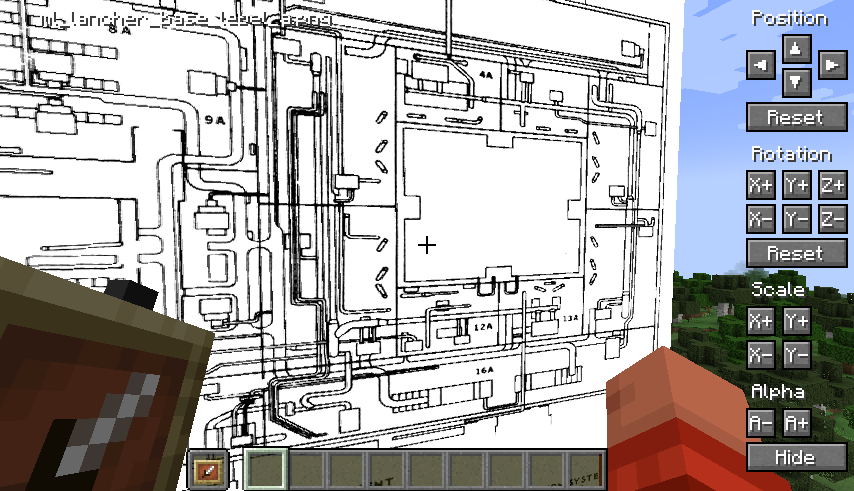
Position tweaking is player-facing aware: e.g. left is always left
You can hold down Shift to increase the amount of change each button applies for bigger tweaks.
You can hold down Ctrl to reduce the amount of change each button applies for small tweaks.
You can hold down both Shift and Ctrl to make big changes to settings on each click.
Demo
A quick overview can be seen in this video which was the reason I created the mod:
Available Versions
How to Install Blueprints on Your Server
Order Server
Order a Minecraft Java server with at least 3 GB RAM (4 GB recommended).
Set fabric Loader
In the panel under "Egg", select the fabric loader and matching Minecraft version (26.1.2).
Install Mod
Open the mod browser in the dashboard and search for "Blueprints". Click "Install" – done! Alternatively, upload the .jar via SFTP to the /mods folder.
Compatibility
Mod Loaders
Minecraft Versions
26.1.2, 1.21.11, 1.21.10 (+12 more)
Server-side
✗ UnsupportedRecommended RAM
4 GB(min. 3 GB)Frequently Asked Questions
Blueprints server crashes on startup – what to do?
Most common cause: wrong fabric version or insufficient RAM. Check the server log (latest.log) for "OutOfMemoryError" or "Mixin" errors. With Mado Hosting: ensure at least 3 GB RAM is allocated and the loader matches the mod version (26.1.2). You can switch loaders with one click in the panel.
Is Blueprints compatible with fabric?
Blueprints officially supports fabric for Minecraft 26.1.2, 1.21.11, 1.21.10. The Mado dashboard automatically detects incompatible loader combinations.
Server lagging with Blueprints – how to optimize performance?
Recommended RAM: 4 GB (per 8 players). Use /spark profiler to check if Blueprints consumes the most tick time. Common fixes: reduce server view-distance to 8-10, install "performant" or "starlight" as supplementary mods on Forge. With Mado Hosting, your server runs on NVMe SSDs with dedicated CPU cores for minimal latency.
Similar Mods




![[ETF] Entity Texture Features](https://cdn.modrinth.com/data/BVzZfTc1/af683d206d50b05258d865b0d6e4aa2f2cee12f2_96.webp)
![[EMF] Entity Model Features](https://cdn.modrinth.com/data/4I1XuqiY/6e5bbd0d06b1741bfdab6c0cfab6de8fdaf0064c_96.webp)
Rent Modded Server
Install Blueprints with just one click on your server.