
bomboaddons
BomboAddons is a comprehensive utility mod for Hypixel SkyBlock on Fabric. It provides a wide range of essential Quality of Life (QoL) overlays, solvers, and advanced mechanics to help players optimize their efficiency in the Garden, Dungeons, and beyond.
Screenshots
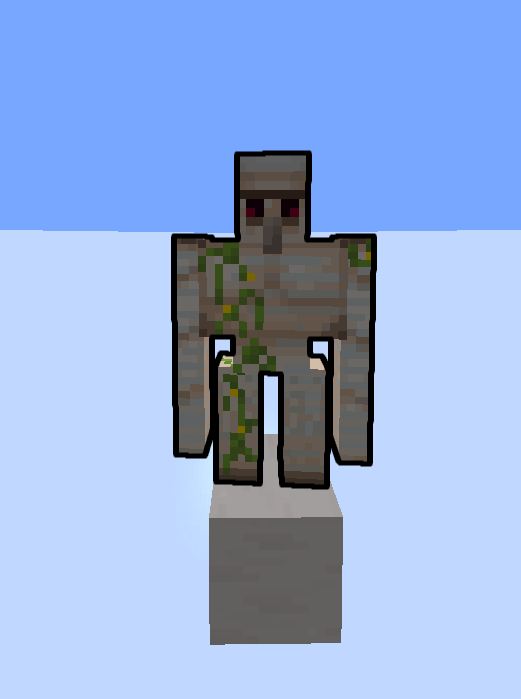
About this Mod
BomboAddons is a comprehensive utility mod for Hypixel SkyBlock on Fabric. It provides a wide range of essential Quality of Life (QoL) overlays, solvers, and advanced mechanics to help players optimize their efficiency in the Garden, Dungeons, and beyond.
Features
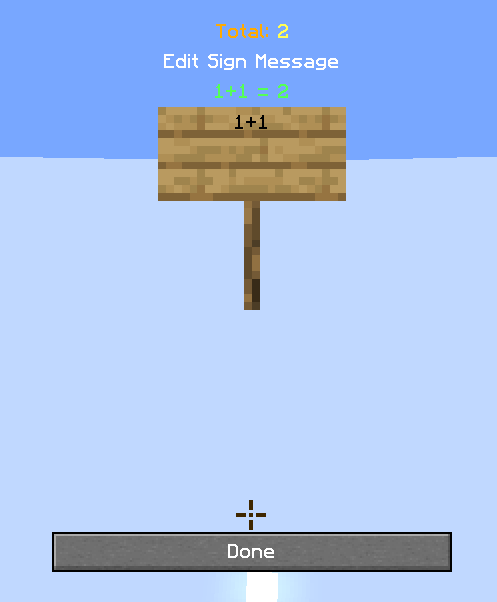
- Sign Calculator
- Garden Keybinds
- SBE Commands
- Carnival Helper
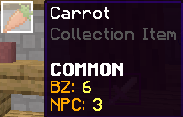
- Lowest BIN/bz on tooltip
- NPC Sell price on tooltip
- Inore caps on chat commands
- Hotkeys for various things
- Mob Highlighter
- Wardrobe Keybinds
- Etherwarp Helper
- Sphinx correct answer
- Hollow Wand fix
- Experiments solver
- Hotbar profiles
- custom command profiles
How to Use
Once you have installed BomboAddons into your Fabric mods folder, you can start using it immediately.
Accessing Settings: Use the in-game command /bombo (or /b) to open the configuration menu and toggle features on or off.
Tooltips: Bazaar and NPC price tooltips are active by default. Simply hover over any item in your inventory or the Auction House to see the live data.
Sign Calculator: While typing on a sign, use common math symbols (like +, -, *) and the mod will automatically provide the result.
Available Versions
How to Install bomboaddons on Your Server
Order Server
Order a Minecraft Java server with at least 3 GB RAM (4 GB recommended).
Set fabric Loader
In the panel under "Egg", select the fabric loader and matching Minecraft version (1.21.11).
Install Mod
Open the mod browser in the dashboard and search for "bomboaddons". Click "Install" – done! Alternatively, upload the .jar via SFTP to the /mods folder.
Compatibility
Mod Loaders
Minecraft Versions
1.21.11
Server-side
✗ UnsupportedRecommended RAM
4 GB(min. 3 GB)Frequently Asked Questions
bomboaddons server crashes on startup – what to do?
Most common cause: wrong fabric version or insufficient RAM. Check the server log (latest.log) for "OutOfMemoryError" or "Mixin" errors. With Mado Hosting: ensure at least 3 GB RAM is allocated and the loader matches the mod version (1.21.11). You can switch loaders with one click in the panel.
Is bomboaddons compatible with fabric?
bomboaddons officially supports fabric for Minecraft 1.21.11. The Mado dashboard automatically detects incompatible loader combinations.
Server lagging with bomboaddons – how to optimize performance?
Recommended RAM: 4 GB (per 8 players). Use /spark profiler to check if bomboaddons consumes the most tick time. Common fixes: reduce server view-distance to 8-10, install "performant" or "starlight" as supplementary mods on Forge. With Mado Hosting, your server runs on NVMe SSDs with dedicated CPU cores for minimal latency.
Similar Mods




![[ETF] Entity Texture Features](https://cdn.modrinth.com/data/BVzZfTc1/af683d206d50b05258d865b0d6e4aa2f2cee12f2_96.webp)
![[EMF] Entity Model Features](https://cdn.modrinth.com/data/4I1XuqiY/6e5bbd0d06b1741bfdab6c0cfab6de8fdaf0064c_96.webp)
Rent Modded Server
Install bomboaddons with just one click on your server.