
Bonemeal Tweaker
A highly-configurable modpack utility that modifies the way plants are spawned when bonemeal is applied on blocks, also an efficient surface foliage generator.
Screenshots
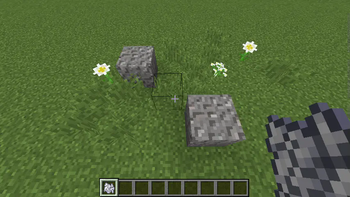
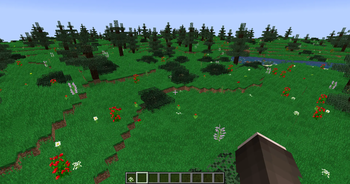
About this Mod
Bonemeal Tweaker
Not bad to the bone!
A highly-configurable modpack utility that modifies the way plants are spawned when bonemeal is applied on blocks, also an efficient surface foliage generator.
Configuration is handled by JSON-based config files per blocks in the config/bonemealtweaker directory. Example for the vanilla grass block (vanilla_grass.json):
{
    "blocks": [
        "minecraft:grass"
    ],
    "replaceBlock": "minecraft:air",
    "adjacentBlock": "minecraft:grass",
    "iterations": 128,
    "applyMode": "BONEMEAL",
    "genDensity": 0,
    "biomes": [
        "minecraft:plains",
        "minecraft:forest"
    ],
    "dimensions": [
        0
    ],
    "spawnBlocks": [
        {
            "block": "minecraft:tallgrass[type=tall_grass]",
            "weight": 60
        },
        {
            "block": "flowerEntry",
            "weight": 20
        }
    ]
}
blocks: An array of blocks (preferably IGrowable for full support) to apply custom bonemeal logic onreplaceBlock: An optional block to be replaced with foliage aboveblock, can be omitted to replace airadjacentBlock: An optional block required horizontally adjacent toblock, can be omitted to allow anyiterations: The density of blocks/plants to spawnapplyMode: The logic to apply, can beBONEMEAL(on bonemealing, default),SURFACE(natural surface world generation) orBOTH(bonemealing + world generation)genDensity: The amount of generation cycles for surface world generation, required whenapplyModeisSURFACEorBOTHbiomes: An optional list of whitelisted biomes, can be left empty to allow anydimensions: An optional list of whitelisted dimensions, can be left empty to allow anyspawnBlocks: An array of blocks/plants by resource location to spawn on the specifiedblock, flowerEntry picks a random flowerweight: The relative chance to spawn across allspawnBlocksentries
This mod was commissioned for Minecraft 1.12.2.
Available Versions
How to Install Bonemeal Tweaker on Your Server
Order Server
Order a Minecraft Java server with at least 3 GB RAM (4 GB recommended).
Set forge Loader
In the panel under "Egg", select the forge loader and matching Minecraft version (1.12.2).
Install Mod
Open the mod browser in the dashboard and search for "Bonemeal Tweaker". Click "Install" – done! Alternatively, upload the .jar via SFTP to the /mods folder.
Compatibility
Mod Loaders
Minecraft Versions
1.12.2
Server-side
✓ RequiredRecommended RAM
4 GB(min. 3 GB)Frequently Asked Questions
Bonemeal Tweaker server crashes on startup – what to do?
Most common cause: wrong forge version or insufficient RAM. Check the server log (latest.log) for "OutOfMemoryError" or "Mixin" errors. With Mado Hosting: ensure at least 3 GB RAM is allocated and the loader matches the mod version (1.12.2). You can switch loaders with one click in the panel.
Is Bonemeal Tweaker compatible with forge?
Bonemeal Tweaker officially supports forge for Minecraft 1.12.2. The Mado dashboard automatically detects incompatible loader combinations.
Server lagging with Bonemeal Tweaker – how to optimize performance?
Recommended RAM: 4 GB (per 8 players). Use /spark profiler to check if Bonemeal Tweaker consumes the most tick time. Common fixes: reduce server view-distance to 8-10, install "performant" or "starlight" as supplementary mods on Forge. With Mado Hosting, your server runs on NVMe SSDs with dedicated CPU cores for minimal latency.
Similar Mods




Rent Modded Server
Install Bonemeal Tweaker with just one click on your server.