
BookPaste
Paste large texts into writable books and signs with automatic page splitting
Screenshots
About this Mod
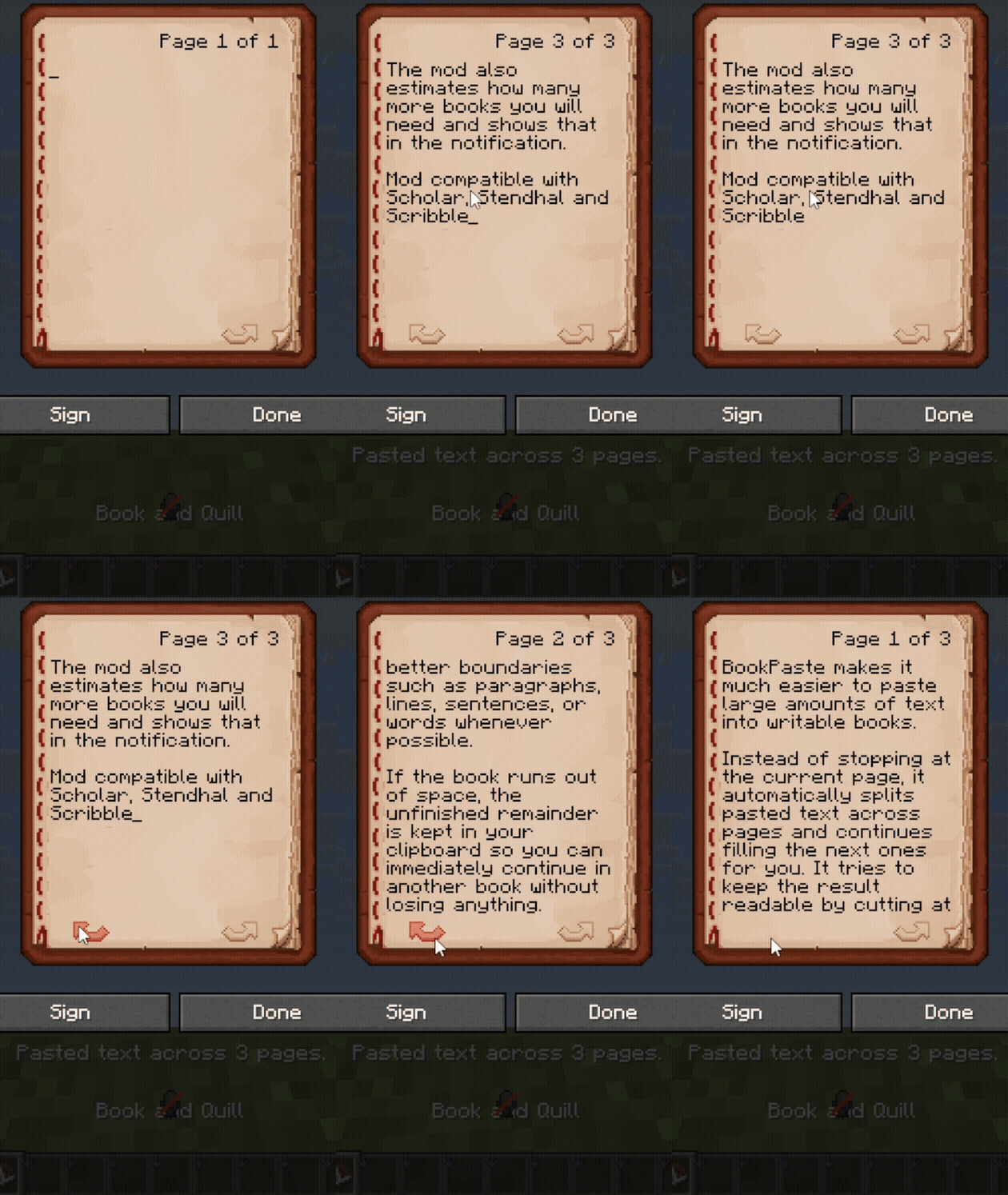
BookPaste makes it much easier to paste large amounts of text into writable books and signs.
Instead of stopping at the current page, it automatically splits pasted text across pages and continues filling the next ones for you. It tries to keep the result readable by cutting at better boundaries such as paragraphs, lines, sentences, or words whenever possible.
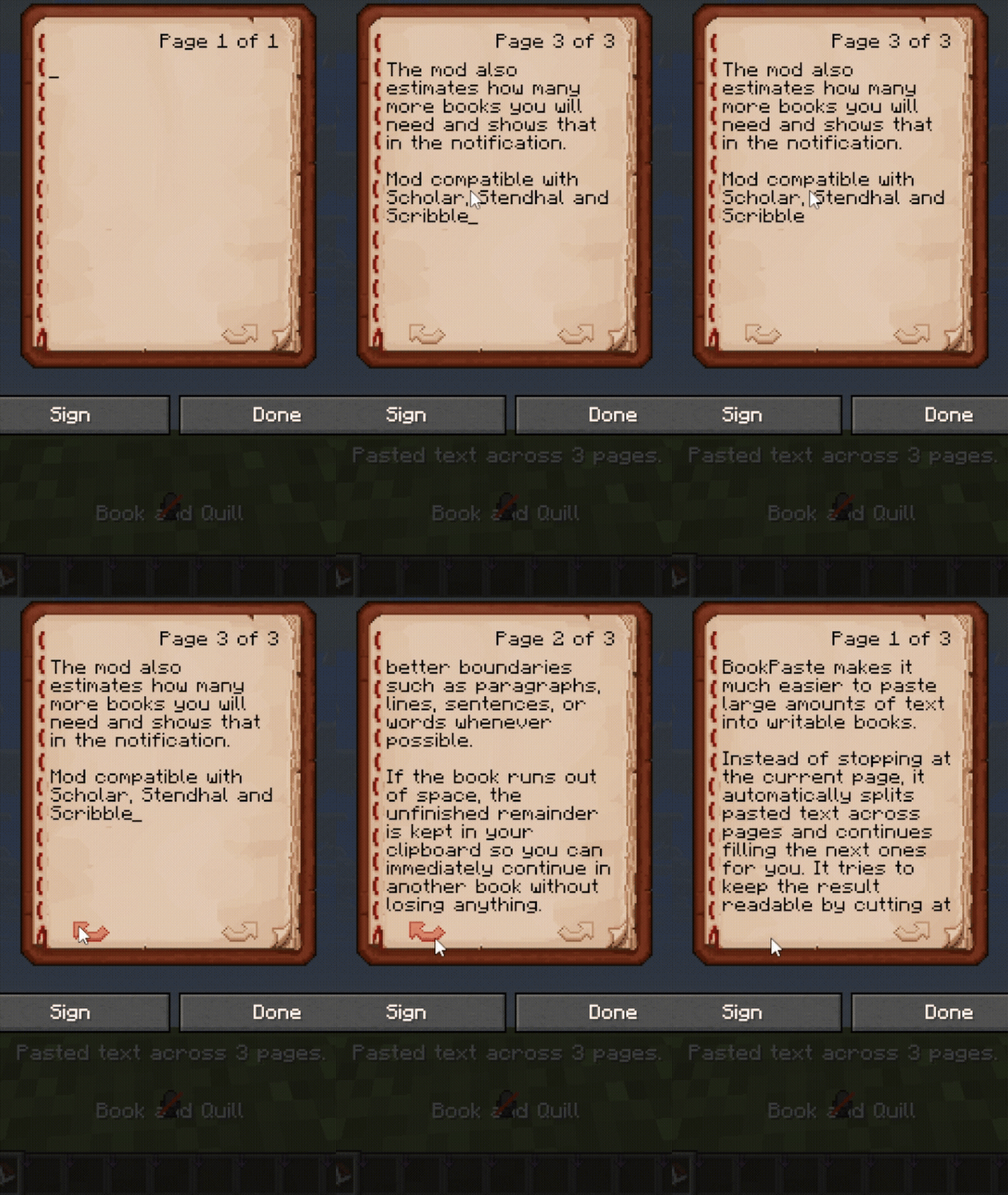
If the book runs out of space, the unfinished remainder is kept in your clipboard so you can immediately continue in another book without losing anything. The mod also estimates how many more books you will need and shows that in the notification.
Mod compatible with Scholar, Stendhal and Scribble
Includes translations for the settings screen and in-game notifications in English, Русский, Українська, Deutsch, Español, Français, 日本語, Português do Brasil, and 简体中文
Available Versions
How to Install BookPaste on Your Server
Order Server
Order a Minecraft Java server with at least 3 GB RAM (4 GB recommended).
Set fabric Loader
In the panel under "Egg", select the fabric loader and matching Minecraft version (26.1.2).
Install Mod
Open the mod browser in the dashboard and search for "BookPaste". Click "Install" – done! Alternatively, upload the .jar via SFTP to the /mods folder.
Compatibility
Mod Loaders
Minecraft Versions
26.1.2, 26.1.1, 26.1 (+29 more)
Server-side
✗ UnsupportedRecommended RAM
4 GB(min. 3 GB)Frequently Asked Questions
BookPaste server crashes on startup – what to do?
Most common cause: wrong fabric version or insufficient RAM. Check the server log (latest.log) for "OutOfMemoryError" or "Mixin" errors. With Mado Hosting: ensure at least 3 GB RAM is allocated and the loader matches the mod version (26.1.2). You can switch loaders with one click in the panel.
Is BookPaste compatible with fabric and forge and neoforge?
BookPaste officially supports fabric, forge, neoforge for Minecraft 26.1.2, 26.1.1, 26.1. Note: Forge and Fabric mods are NOT cross-compatible – pick one loader and stick with it. The Mado dashboard automatically detects incompatible loader combinations.
Server lagging with BookPaste – how to optimize performance?
Recommended RAM: 4 GB (per 8 players). Use /spark profiler to check if BookPaste consumes the most tick time. Common fixes: reduce server view-distance to 8-10, install "performant" or "starlight" as supplementary mods on Forge. With Mado Hosting, your server runs on NVMe SSDs with dedicated CPU cores for minimal latency.
Similar Mods




Rent Modded Server
Install BookPaste with just one click on your server.