
BrainF**k In Minecraft
This is a Minecraft mod that adds four new blocks, allowing you to run simple Brainf**k programs — a Turing-complete programming language.
Screenshots
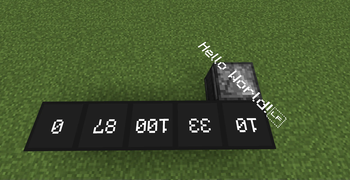
About this Mod
📦 Mod Description
This mod adds four blocks to help you run Brainf**k programs in Minecraft — a minimalist yet Turing-complete programming language.
🧠 Brainf**k Overview
Brainf**k programs are made up of only 8 symbols:
< and >: Move the pointer left and right across memory. In this mod, this is visualized as the pointer block moving left or right.
+ and -: Increment or decrement the value at the current memory cell.
[ and ]: Create loops. When the program reaches [, if the current cell is 0, it skips to the command after the matching ]. When it reaches ], it jumps back to the matching [.
.: Outputs the value of the current memory cell as an ASCII character.
,: Reads a single character of input and stores its ASCII value in the current memory cell (not yet implemented in this mod).
🔧 Mod Features
Pointer Block
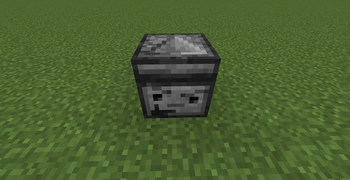
Simulates the pointer in Brainf**k. Right-click to open the GUI and edit the program; Shift + Right-click to run it. The block the pointer is facing represents the current memory unit. Output is displayed above the block. It might explode.
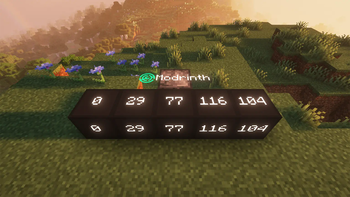
Memory Unit:
The basic memory block. Its value can be modified by the pointer. Supports negative numbers.
Chance Block:
Get random number(1-6 or (-1)-(-6)).
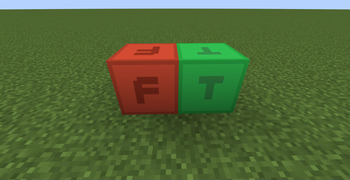
Boolean Unit:
Has two states: True and False. Can be toggled using + and -.
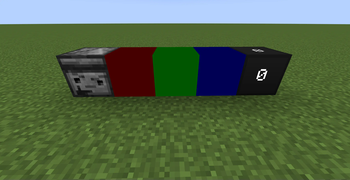
Color Unit:
Displays a color. The + and - commands adjust RGB values. By default, they modify red. Use . to cycle between which color is being modified (e.g., first press affects green, next affects blue, etc.).
🐛 Bug Reports & Suggestions
This mod may contain many bugs. You can report them or suggest new features at Github
The source code is not open yet, but I plan to release it in the future.
Available Versions
How to Install BrainF**k In Minecraft on Your Server
Order Server
Order a Minecraft Java server with at least 3 GB RAM (4 GB recommended).
Set neoforge Loader
In the panel under "Egg", select the neoforge loader and matching Minecraft version (1.21.1).
Install Mod
Open the mod browser in the dashboard and search for "BrainF**k In Minecraft". Click "Install" – done! Alternatively, upload the .jar via SFTP to the /mods folder.
Compatibility
Mod Loaders
Minecraft Versions
1.21.1
Server-side
✓ RequiredRecommended RAM
4 GB(min. 3 GB)Frequently Asked Questions
BrainF**k In Minecraft server crashes on startup – what to do?
Most common cause: wrong neoforge version or insufficient RAM. Check the server log (latest.log) for "OutOfMemoryError" or "Mixin" errors. With Mado Hosting: ensure at least 3 GB RAM is allocated and the loader matches the mod version (1.21.1). You can switch loaders with one click in the panel.
Is BrainF**k In Minecraft compatible with neoforge?
BrainF**k In Minecraft officially supports neoforge for Minecraft 1.21.1. The Mado dashboard automatically detects incompatible loader combinations.
Server lagging with BrainF**k In Minecraft – how to optimize performance?
Recommended RAM: 4 GB (per 8 players). Use /spark profiler to check if BrainF**k In Minecraft consumes the most tick time. Common fixes: reduce server view-distance to 8-10, install "performant" or "starlight" as supplementary mods on Forge. With Mado Hosting, your server runs on NVMe SSDs with dedicated CPU cores for minimal latency.
Similar Mods




Rent Modded Server
Install BrainF**k In Minecraft with just one click on your server.