
Breeder's Ledger
Animal ownership, breeding, and herd management made simple!
Screenshots
About this Mod

"Your animals. Your rules. Your ledger."
Breeder's Ledger is a server-friendly animal ownership mod for NeoForge that brings real livestock management to multiplayer Minecraft. Claim animals, protect them, control who can interact with them, and watch ownership pass down through breeding generations.
FEATURES ARE STILL WIP !
Claiming Animals
Ownership is dead simple. Feed an animal and it's yours.
Player feeds a Sheep with Wheat
> Sheep is now owned by: Steve
> No other player can shear, dye, lead, or breed it (configurable)
The first player to feed an unclaimed animal becomes its owner. Ownership won't be stolen if someone else feeds your animal.
Generational Ownership
When your animals breed, their babies inherit ownership automatically. Here's how it resolves under the hood:
if (sameOwner) return ownerA; // both parents are yours, baby is yours
if (differentOwner) return null; // different owners, baby stays neutral
if (breeder != null) return breederAsOwner; // whoever fed them gets the baby
So if both parents belong to you, the baby is yours. If they belong to two different players, the baby stays neutral so there's no ownership conflict.
Ownership Protections
Once claimed, your animals are protected from griefing. Server admins can toggle each protection individually so the rules fit the server's vibe:
| Protection | Config Key |
|---|---|
| Other players attacking | allowHurt |
| Feeding / breeding | allowFeedBreed |
| Shearing | allowShear |
| Milking | allowMilk |
| Putting on a lead | allowLead |
| Riding / mounting | allowRide |
| Dyeing (sheep) | allowDye |
| Name tags | allowNameTag |
| Armor / harness | allowHarness |
Want a server where anyone can milk cows but nobody can steal your horse? Two toggles and you're done.
Animal Behavior Modes
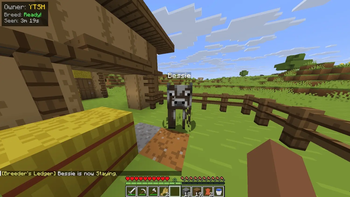
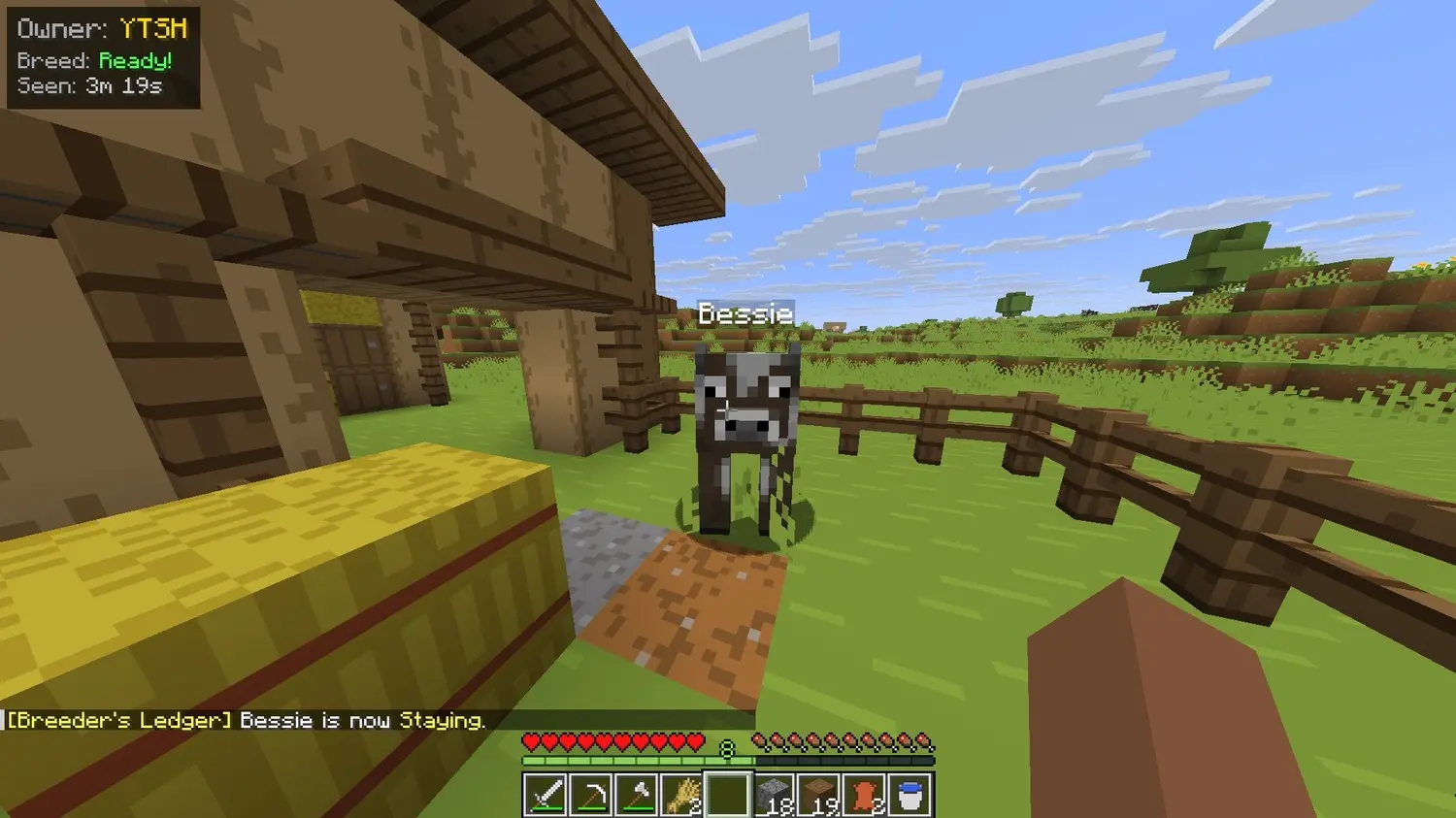
Right-click your own animal with an empty hand to cycle through behavior modes:
NORMAL > STAY > FOLLOW > HERD_BOND > NORMAL > ...
NORMAL is just vanilla behavior. STAY locks the animal in place so it stops wandering off. FOLLOW makes it trail you around using a custom goal. HERD_BOND gets it to stay close to nearby animals of the same type, which is great for keeping a flock together without fences.
FollowMode next = animal.getData(ModAttachments.FollowMode.get()).next();
animal.setData(ModAttachments.FollowMode.get(), next);
player.sendSystemMessage(Component.literal("§e[Breeder's Ledger] §r" + animal.getName().getString() + " is now §e" + next.displayName() + "§r."));
Every mode syncs to all nearby players in real time so everyone sees the same behavior.
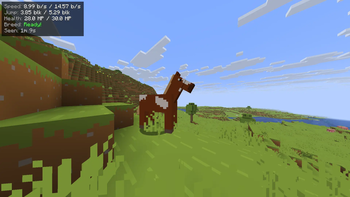
HUD Stat Overlay
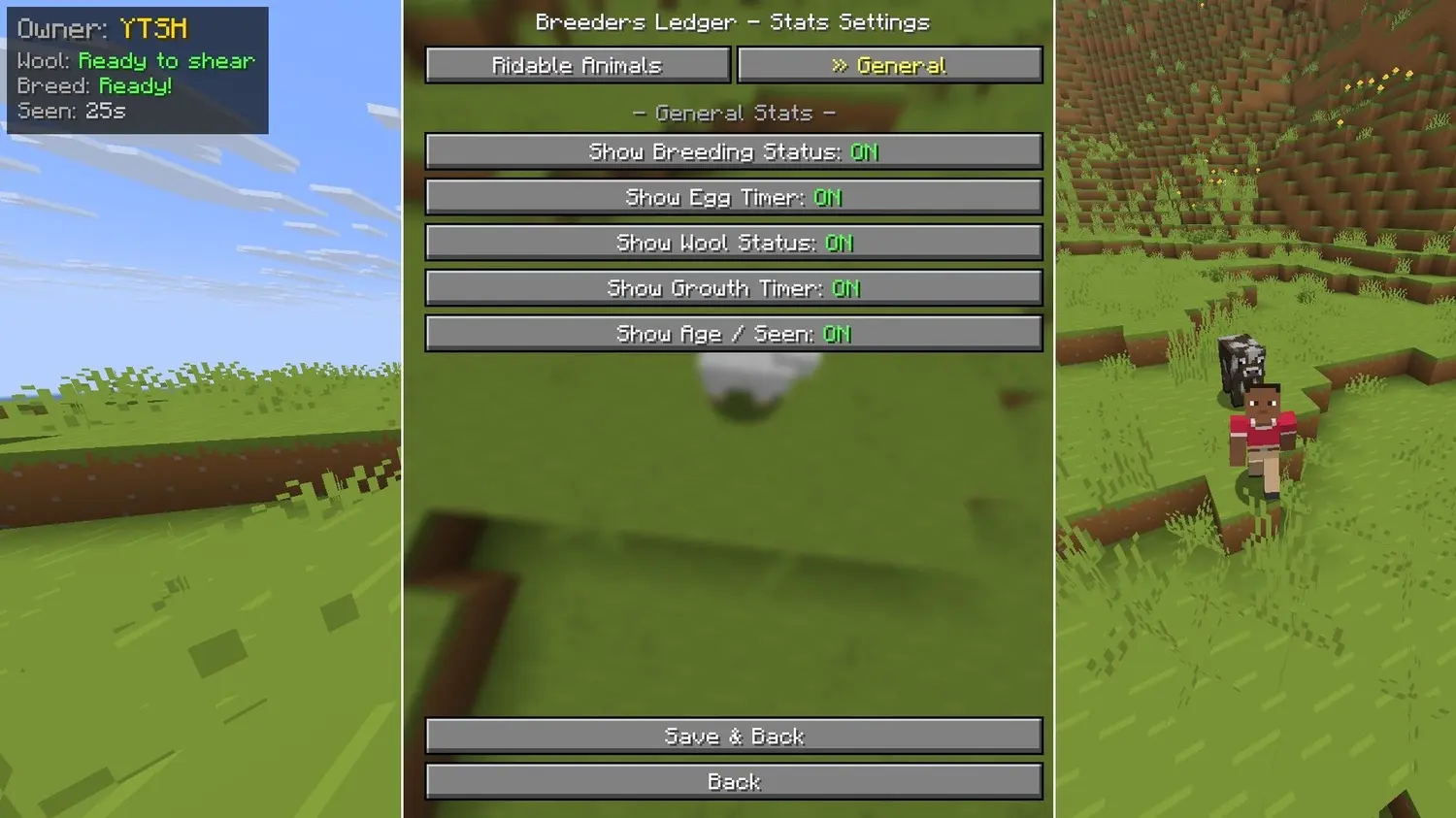
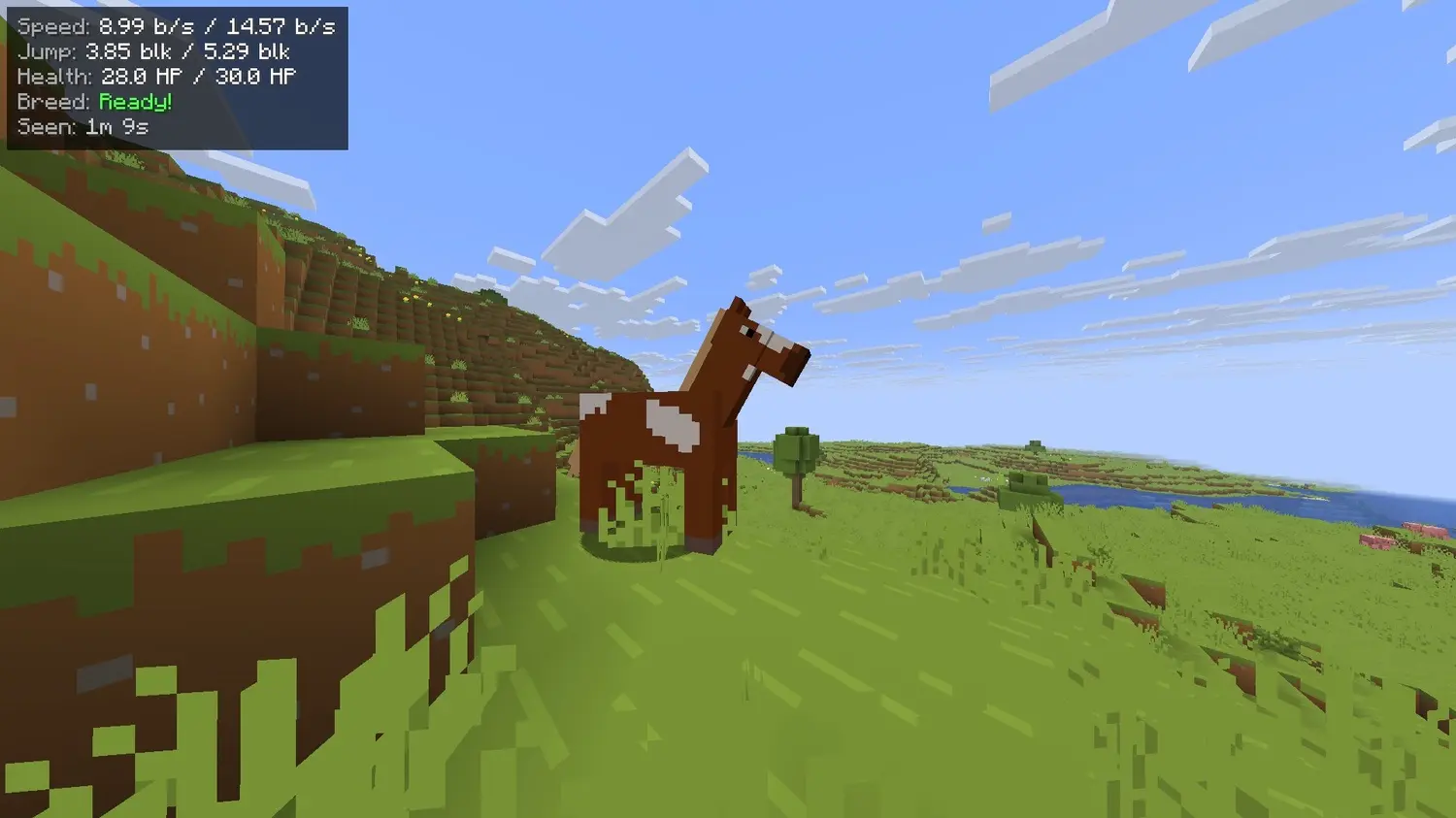
Hover on any animal and a panel appears in near your crosshair with everything worth knowing at a glance:
(Your) Horse
Speed (horseValue / maxValue)
Jump (horseValue / maxValue)
Max HP (horseValue / maxValue)
Breeding ( isInLove() )
Seen (server age)
(Your) Sheep
Can shear ( isShearable() )
Breeding ( isInLove() )
Seen (server age)
(Your) Baby Sheep
Growth (time left)
Seen (server age)
It pulls from several stat modules depending on what kind of animal you're looking at. Speed, jump, and max health show up for rideable animals. Wool and egg timers appear for sheep and chickens. Breeding cooldown and growth progress show for anything breedable. And the owner's name always sits at the top as a header.
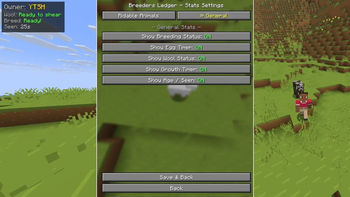
The panel itself is pretty customizable too. You can change the color theme, switch to compact mode that shows only values, pick from four HUD positions, scale it up or down, toggle the fade animation (WIP), and even lock it behind a sneak key so it only appears when you're holding Shift.
Server Admin Controls
Server operators get full control over the ownership system and any changes sync out to all connected players the moment they're applied.
PacketDistributor.sendToPlayer(player, OwnershipConfig.INSTANCE.toSyncPayload());
PacketDistributor.sendToAllPlayers(syncPayload); // fires on every config update
Admins can also do a full ownership reset in one action, which wipes every animal's owner, resets their follow mode back to normal, and clears any no-despawn flags. Useful for fresh starts or fixing a messy situation on a community server.
No Despawn
Owned animals never despawn while their owner is online. The mod tracks this per-player so your carefully bred horse or your prize sheep stays loaded and alive even if you wander far from the farm.
Built for Multiplayer
The whole mod is designed server-first. Ownership data lives in NeoForge Data Attachments so it persists across restarts. Everything syncs on login, on entity spawn, on breeding, and whenever the config changes. Permission checks make sure only OPs can do resets or config edits. And the whole system handles multiple players interacting with the same animals gracefully without race conditions or stale data.
Perfect For
Multiplayer survival servers with shared farms
Community farming setups where griefers are a real concern
Roleplay worlds that want actual livestock ownership as part of the lore
Hardcore servers where losing a prized horse to other players is annoying
Competitive servers where animal stats actually matter
DISCORD: https://discord.gg/thnYbbT57x
No commands to memorize. Just feed an animal and it's yours.
NeoForge | Client + Server
Available Versions
How to Install Breeder's Ledger on Your Server
Order Server
Order a Minecraft Java server with at least 3 GB RAM (4 GB recommended).
Set neoforge Loader
In the panel under "Egg", select the neoforge loader and matching Minecraft version (26.1.2).
Install Mod
Open the mod browser in the dashboard and search for "Breeder's Ledger". Click "Install" – done! Alternatively, upload the .jar via SFTP to the /mods folder.
Compatibility
Mod Loaders
Minecraft Versions
26.1.2, 26.1.1, 26.1
Server-side
✓ RequiredRecommended RAM
4 GB(min. 3 GB)Frequently Asked Questions
Breeder's Ledger server crashes on startup – what to do?
Most common cause: wrong neoforge version or insufficient RAM. Check the server log (latest.log) for "OutOfMemoryError" or "Mixin" errors. With Mado Hosting: ensure at least 3 GB RAM is allocated and the loader matches the mod version (26.1.2). You can switch loaders with one click in the panel.
Is Breeder's Ledger compatible with neoforge?
Breeder's Ledger officially supports neoforge for Minecraft 26.1.2, 26.1.1, 26.1. The Mado dashboard automatically detects incompatible loader combinations.
Server lagging with Breeder's Ledger – how to optimize performance?
Recommended RAM: 4 GB (per 8 players). Use /spark profiler to check if Breeder's Ledger consumes the most tick time. Common fixes: reduce server view-distance to 8-10, install "performant" or "starlight" as supplementary mods on Forge. With Mado Hosting, your server runs on NVMe SSDs with dedicated CPU cores for minimal latency.
Similar Mods




Rent Modded Server
Install Breeder's Ledger with just one click on your server.