
BubbyCraft Deco
Decorative railway numbers, letters, HD variants, and special train-themed surprises for Minecraft railway builders.
Screenshots
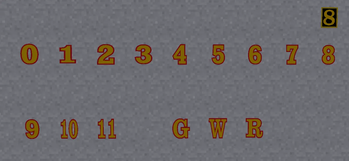
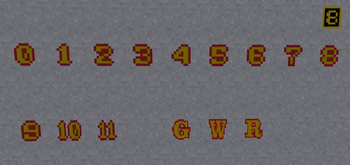
About this Mod
Bring a little extra polish to your Minecraft railway builds with Bubbdor’s Finest, a decorative train-themed mod made for builders, railfans, and anyone who loves adding tiny details that make a build feel alive.
This mod adds a growing collection of railway-style numbers and letters, perfect for decorating locomotives, rolling stock, stations, signs, sheds, yards, and more. Whether you are building a classic engine lineup, numbering your fleet, labeling platforms, or adding that final bit of charm to your railway world, Bubbdor’s Finest gives you more tools to make your builds stand out.
Features
Pixel-style train numbers inspired by classic railway aesthetics
HD / non-pixel versions for cleaner, sharper builds
Select letters for railway markings and signage
Great for locomotives, coaches, wagons, yards, stations, depots, and display boards
Works well alongside train-focused builds and Create-style railway projects
Includes a few special surprises for players to discover
Perfect For
Minecraft railway builders
Sodor-inspired worlds
Create mod train layouts
Roleplay railways
Model railroad-style Minecraft builds
YouTube builds, showcases, and tutorials
Players who want cleaner locomotive numbering and signage options
Notes
This is a decorative mod focused on giving builders more visual options for railway projects. More numbers, letters, signs, and railway details may be added in future updates.
Available Versions
How to Install BubbyCraft Deco on Your Server
Order Server
Order a Minecraft Java server with at least 3 GB RAM (4 GB recommended).
Set forge Loader
In the panel under "Egg", select the forge loader and matching Minecraft version (1.20.1).
Install Mod
Open the mod browser in the dashboard and search for "BubbyCraft Deco". Click "Install" – done! Alternatively, upload the .jar via SFTP to the /mods folder.
Compatibility
Mod Loaders
Minecraft Versions
1.20.1
Server-side
✓ RequiredRecommended RAM
4 GB(min. 3 GB)Frequently Asked Questions
BubbyCraft Deco server crashes on startup – what to do?
Most common cause: wrong forge version or insufficient RAM. Check the server log (latest.log) for "OutOfMemoryError" or "Mixin" errors. With Mado Hosting: ensure at least 3 GB RAM is allocated and the loader matches the mod version (1.20.1). You can switch loaders with one click in the panel.
Is BubbyCraft Deco compatible with forge?
BubbyCraft Deco officially supports forge for Minecraft 1.20.1. The Mado dashboard automatically detects incompatible loader combinations.
Server lagging with BubbyCraft Deco – how to optimize performance?
Recommended RAM: 4 GB (per 8 players). Use /spark profiler to check if BubbyCraft Deco consumes the most tick time. Common fixes: reduce server view-distance to 8-10, install "performant" or "starlight" as supplementary mods on Forge. With Mado Hosting, your server runs on NVMe SSDs with dedicated CPU cores for minimal latency.
Similar Mods

![[ETF] Entity Texture Features](https://cdn.modrinth.com/data/BVzZfTc1/af683d206d50b05258d865b0d6e4aa2f2cee12f2_96.webp)
![[EMF] Entity Model Features](https://cdn.modrinth.com/data/4I1XuqiY/6e5bbd0d06b1741bfdab6c0cfab6de8fdaf0064c_96.webp)



Rent Modded Server
Install BubbyCraft Deco with just one click on your server.