
Builder's Thurible
Craft a Builder's Thurible to paint random block patterns into existing surfaces!
Screenshots
About this Mod
What is a thurible? It's an incense burner, suspended from a chain. But in this case it's burning lapis lazuli to release the magic stored within the crying obsidian that this item is crafted from. That magic allows you to hold some blocks in your off-hand and randomly paint them into surfaces you target.
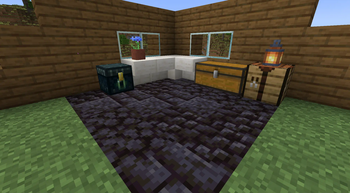
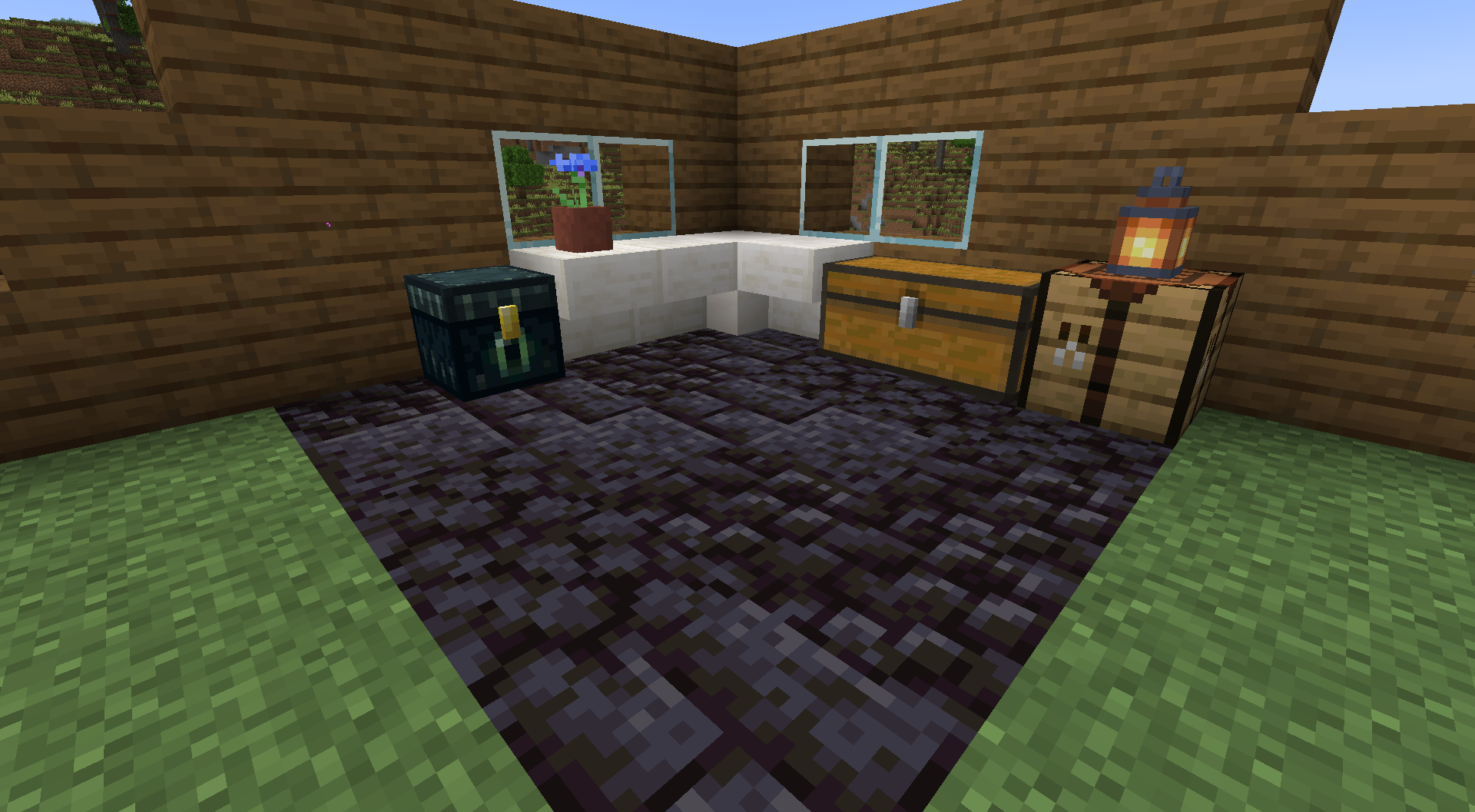
Why though? Because it solves an age-old Minecraft problem: you build a big base, you come and go and fill your base with chests and so forth. Eventually, you realize that you're sick of the floor or the walls or the ceiling. You built them very early on in your playthrough and would love to replace them, but that would involve moving tons of chests and what-not. A headache. Enter the Builder's Thurible. You put some blocks in your off-hand that will look good in the floor. You run around and click your ugly floor a few times, and you're done. Much nicer floor. It will take you seconds to redecorate, instead of much longer.
This is obviously not limited to just a base's surfaces. You can, for instance, make better looking paths with this very quickly with items like coarse dirt in your off-hand. You could also replace grass with flowers, and so forth.
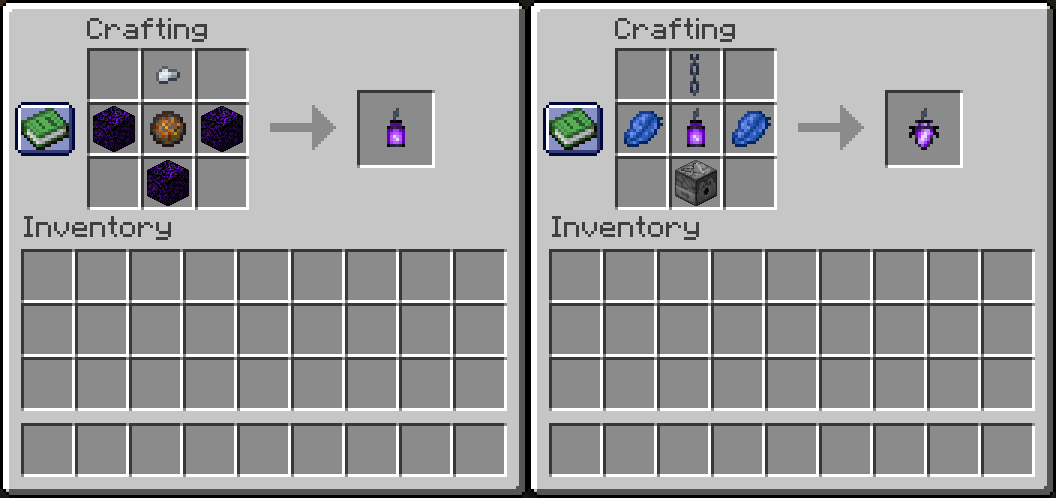
Crafting a Builder's Thurible requires you to first craft a crying obsidian lantern, which is a new item/block introduced by the mod. You'll need an iron nugget, a fire charge, and some crying obsidian. Then, you'll combine that lantern with a chain, lapis lazuli, and a dispenser to create your thurible.
Thurible Functionality: Block Replacement
The radius of blocks potentially affected by the thurible is a 5x5 cube. Each block must be of the same type (eg. all cobblestone, all sandstone, all oak planks, etc.) and they all must be adjacent to each other (neighboring, not diagonal). The thurible has a 50% chance to replace each of those blocks with a block from your off-hand and will do so as long as they are bordering non-solid blocks, such as air, torches, or the chests mentioned above. This means that you can, for instance, replace blocks in a floor with chests on top of it without moving them. It also means that that you won't be replacing the blocks underneath your floor, which aren't even visible.
A Builder's Thurible is a tool, but does not have a durability score, like most tools. Instead it requires lapis lazuli in your inventory or hotbar. Each time you use the thurible, it reduces those lapis lazuli.
In Creative Mode, using a Builder's Thurible is much simpler: it does not require lapis lazuli and it only requires you to have one block in your off-hand, which you can place infinitely.
Thurible Functionality: Lighting
While you're not using your thurible, it doubles as a fancier lantern, providing light where you set it. Because it is made of crying obsidian, it drips purple particles while hanging from another block. However, if you'd like it to not do that, you can use honeycomb on it (by right-click) to stop it from dripping. The same goes for crying obsidian lanterns, should you decide to create a few of those to decorate with. You can of course remove the wax by scraping it with an axe, just like with copper blocks.
To leave Feedback or a Bug Report, click "Report Issues" on the right and then click "New Issue". You are also welcome to leave a comment or a suggestion, or ask a question.
Permissions
- Please do not upload this mod to other websites.
- Feel free to use this in modpacks, if they are shared on Modrinth.
Mod authoring is difficult and time-consuming. Please consider donating, if you enjoy the mod.
My Projects


Available Versions
How to Install Builder's Thurible on Your Server
Order Server
Order a Minecraft Java server with at least 3 GB RAM (4 GB recommended).
Set neoforge Loader
In the panel under "Egg", select the neoforge loader and matching Minecraft version (1.21.5).
Install Mod
Open the mod browser in the dashboard and search for "Builder's Thurible". Click "Install" – done! Alternatively, upload the .jar via SFTP to the /mods folder.
Compatibility
Mod Loaders
Minecraft Versions
1.21.5, 1.21.4
Server-side
✓ RequiredRecommended RAM
4 GB(min. 3 GB)Frequently Asked Questions
Builder's Thurible server crashes on startup – what to do?
Most common cause: wrong neoforge version or insufficient RAM. Check the server log (latest.log) for "OutOfMemoryError" or "Mixin" errors. With Mado Hosting: ensure at least 3 GB RAM is allocated and the loader matches the mod version (1.21.5). You can switch loaders with one click in the panel.
Is Builder's Thurible compatible with neoforge?
Builder's Thurible officially supports neoforge for Minecraft 1.21.5, 1.21.4. The Mado dashboard automatically detects incompatible loader combinations.
Server lagging with Builder's Thurible – how to optimize performance?
Recommended RAM: 4 GB (per 8 players). Use /spark profiler to check if Builder's Thurible consumes the most tick time. Common fixes: reduce server view-distance to 8-10, install "performant" or "starlight" as supplementary mods on Forge. With Mado Hosting, your server runs on NVMe SSDs with dedicated CPU cores for minimal latency.
Similar Mods

![[ETF] Entity Texture Features](https://cdn.modrinth.com/data/BVzZfTc1/af683d206d50b05258d865b0d6e4aa2f2cee12f2_96.webp)
![[EMF] Entity Model Features](https://cdn.modrinth.com/data/4I1XuqiY/6e5bbd0d06b1741bfdab6c0cfab6de8fdaf0064c_96.webp)



Rent Modded Server
Install Builder's Thurible with just one click on your server.