
Built-in Minecraft Translator
This mod integrates a translator into Minecraft, allowing you to translate messages into other languages.
About this Mod
🌐 Built-in Minecraft Translator



🔅 Built-in Minecraft Translator is a client mod for Fabric: when typing a message into a chat in your language, it instantly translates it into the language selected in the settings. The translation is displayed in the preview right above the chat, and pressing TAB replaces your text with the translated version. Supports multiple languages. It works only on the client — installation on the server is not necessary.
🔅 Built-in Minecraft Translator — клиентский мод для Fabric: при наборе сообщения в чат на вашем языке он мгновенно переводит его на выбранный в настройках язык. Перевод отображается в предпросмотре прямо над чатом, а нажатие TAB заменяет ваш текст на переведённый вариант. Поддерживает множество языков. Работает только на клиенте — установка на сервер не нужна.
🔆 Dependencies:
Русский
Клиентский мод: переводит сообщения чата в реальном времени с предпросмотром и заменой по TAB. Никаких внешних сервисов или серверных модов не требуется.
🎥 Видео-обзор
Видео показывает:
- Как выглядит предпросмотр перевода над чатом
- Замену текста по нажатию TAB
- Переключение языков
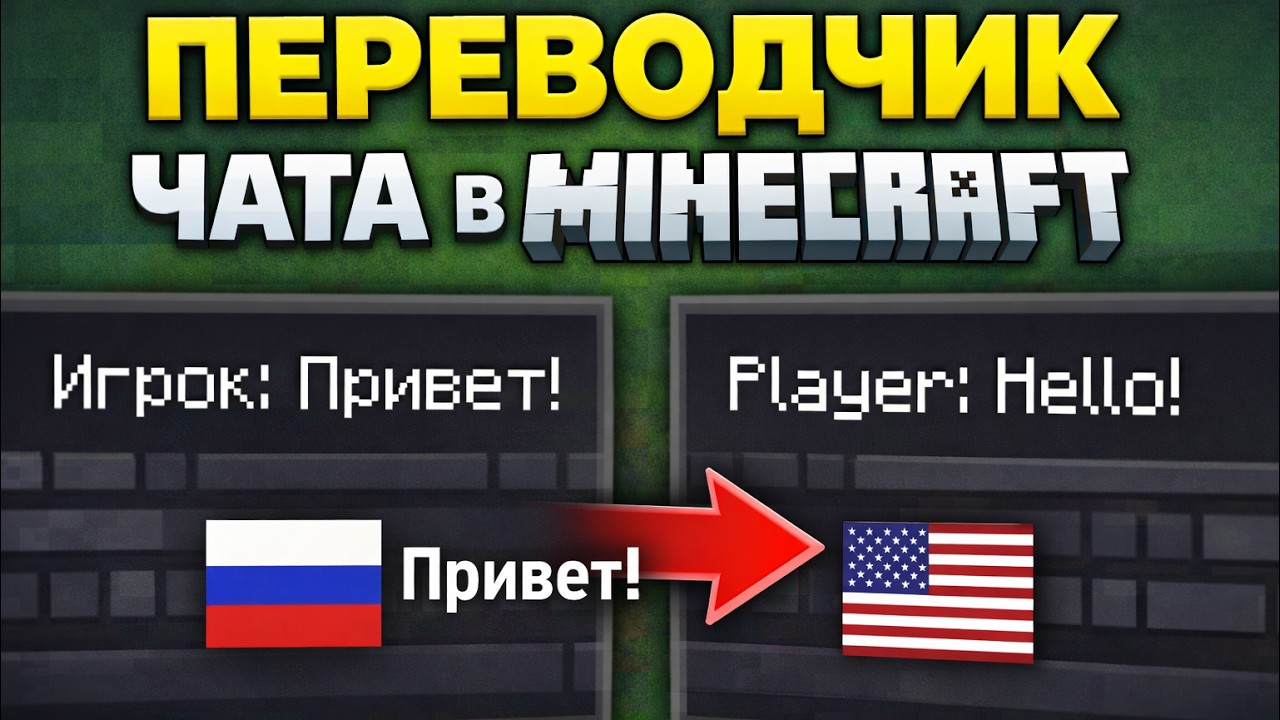
🎯 Основные функции
📝 Набор сообщения
Пишите в чат на своём языке — мод автоматически определяет исходный язык и показывает живой предпросмотр перевода прямо над окном чата (с локализованным текстом).
🔄 Перевод по TAB
Нажатие клавиши TAB мгновенно заменяет ваш оригинальный текст на переведённый вариант. Можно продолжать писать — предпросмотр обновляется в реальном времени.
🌍 Множество языков
Поддерживается большое количество языков (английский, русский, немецкий, французский, испанский, японский, китайский и многие другие). Выбирайте целевой язык в настройках мода.
🖥️ Предпросмотр
- Предпросмотр перевода всегда виден над чатом во время ввода.
💬 Поведение в чате
- Перевод работает только для сообщений, которые вы сами набираете.
- Оригинальный текст остаётся в истории чата (если нужно).
- Мод не трогает входящие сообщения от других игроков.
🌐 Languages
- Русский (Russian)
- English (EN)
- и ещё 10+ языков (полный список в настройках)
English
Built-in Minecraft Translator is a Fabric client-side mod that instantly translates your chat messages while you type. Write in your language — see a live preview above the chat and press TAB to replace the text with the translation. Supports dozens of languages. No server install required.
🎯 Main Features
📝 Typing messages
Type in chat in your native language — the mod automatically detects the source language and shows a live translation preview directly above the chat window.
🔄 Translate with TAB
Press TAB and your original text is instantly replaced with the translated version. The preview updates in real time as you type.
🌍 Multiple languages
Huge language support (English, Russian, German, French, Spanish, Japanese, Chinese and many more). Choose your target language in the mod settings.
🖥️ Preview
- Translation preview is always visible above the chat while typing.
💬 Chat behavior
- Only affects messages you are currently typing.
- Original text remains in chat history if needed.
- Does not touch incoming messages from other players.
🌐 Languages
- Русский (Russian)
- English (EN)
- 10+ more languages (full list in settings)
❇️ Made with ❤️ — for players who want to chat freely on international servers without language barriers, right inside vanilla Minecraft.
Available Versions
How to Install Built-in Minecraft Translator on Your Server
Order Server
Order a Minecraft Java server with at least 3 GB RAM (4 GB recommended).
Set fabric Loader
In the panel under "Egg", select the fabric loader and matching Minecraft version (26.1).
Install Mod
Open the mod browser in the dashboard and search for "Built-in Minecraft Translator". Click "Install" – done! Alternatively, upload the .jar via SFTP to the /mods folder.
Compatibility
Mod Loaders
Minecraft Versions
26.1, 1.21.11, 1.21.10 (+1 more)
Server-side
✗ UnsupportedRecommended RAM
4 GB(min. 3 GB)Frequently Asked Questions
Built-in Minecraft Translator server crashes on startup – what to do?
Most common cause: wrong fabric version or insufficient RAM. Check the server log (latest.log) for "OutOfMemoryError" or "Mixin" errors. With Mado Hosting: ensure at least 3 GB RAM is allocated and the loader matches the mod version (26.1). You can switch loaders with one click in the panel.
Is Built-in Minecraft Translator compatible with fabric?
Built-in Minecraft Translator officially supports fabric for Minecraft 26.1, 1.21.11, 1.21.10. The Mado dashboard automatically detects incompatible loader combinations.
Server lagging with Built-in Minecraft Translator – how to optimize performance?
Recommended RAM: 4 GB (per 8 players). Use /spark profiler to check if Built-in Minecraft Translator consumes the most tick time. Common fixes: reduce server view-distance to 8-10, install "performant" or "starlight" as supplementary mods on Forge. With Mado Hosting, your server runs on NVMe SSDs with dedicated CPU cores for minimal latency.
Similar Mods




![[ETF] Entity Texture Features](https://cdn.modrinth.com/data/BVzZfTc1/af683d206d50b05258d865b0d6e4aa2f2cee12f2_96.webp)
![[EMF] Entity Model Features](https://cdn.modrinth.com/data/4I1XuqiY/6e5bbd0d06b1741bfdab6c0cfab6de8fdaf0064c_96.webp)
Rent Modded Server
Install Built-in Minecraft Translator with just one click on your server.