
Burning Horizon: Solar Apocalypse
A post-apocalyptic Minecraft mod where the sun goes mad, burning the world into a barren wasteland through escalating phases of destruction.
Screenshots
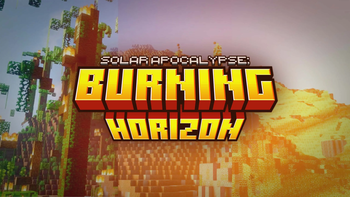
About this Mod
SOLAR APOCALYPSE: BURNING HORIZON
The sun is burning. Each day, the world grows harsher, lands burn, waters vanish.
Can you survive the Solar Apocalypse?
Mod Features
Natural World Collapse
- The world deteriorates step by step through 9 apocalypse phases.
- Grass, leaves, flowers, and crops vanish.
- Ice and snow melt away, rivers dry out, lakes disappear.
- Stones are crumbling and melting more and more.
- The final stage reshapes the overworld into a scorched, hostile wasteland.
Survival Against the Sun
- Stay underground or build shelters to hide from the sun's rays.
- Water is now a finite resource.
- Crops and animals will not survive on the surface of the world.
- Basic resources will become scarce.
- Only those who adapt will survive.
Apocalypse Phases
- STAGE 1 – Lily's Proposal: strange calm, subtle effects, the world still green.
- STAGE 2 – Drought: plants, leaves, and lights vanish.
- STAGE 3 – Heat of the Wastelands: ice and snow dissolve, water begins to disappear.
- STAGE 4 – Desert Cracks: soils and stones collapse into dust and gravel.
- STAGE 5 – March of Flames: lakes vanish in clusters, crystals erupt into lava.
- STAGE 6 – Solar Wrath: exposed structures (beds, glass, crafting tables) burn away.
- STAGE 7 – Ashen Veil: rocks twist into blackstone, sand mutates into mud.
- STAGE 8 – Charred World: the overworld becomes like the Nether itself.
- STAGE 9 – Burning Horizon: lava floods the surface, basalt spikes erupt, lightning strikes, craters tear the land apart.
MOD TRAILER
Available Versions
How to Install Burning Horizon: Solar Apocalypse on Your Server
Order Server
Order a Minecraft Java server with at least 3 GB RAM (4 GB recommended).
Set forge Loader
In the panel under "Egg", select the forge loader and matching Minecraft version (1.20.1).
Install Mod
Open the mod browser in the dashboard and search for "Burning Horizon: Solar Apocalypse". Click "Install" – done! Alternatively, upload the .jar via SFTP to the /mods folder.
Compatibility
Mod Loaders
Minecraft Versions
1.20.1
Server-side
✓ RequiredRecommended RAM
4 GB(min. 3 GB)Frequently Asked Questions
Burning Horizon: Solar Apocalypse server crashes on startup – what to do?
Most common cause: wrong forge version or insufficient RAM. Check the server log (latest.log) for "OutOfMemoryError" or "Mixin" errors. With Mado Hosting: ensure at least 3 GB RAM is allocated and the loader matches the mod version (1.20.1). You can switch loaders with one click in the panel.
Is Burning Horizon: Solar Apocalypse compatible with forge?
Burning Horizon: Solar Apocalypse officially supports forge for Minecraft 1.20.1. The Mado dashboard automatically detects incompatible loader combinations.
Server lagging with Burning Horizon: Solar Apocalypse – how to optimize performance?
Recommended RAM: 4 GB (per 8 players). Use /spark profiler to check if Burning Horizon: Solar Apocalypse consumes the most tick time. Common fixes: reduce server view-distance to 8-10, install "performant" or "starlight" as supplementary mods on Forge. With Mado Hosting, your server runs on NVMe SSDs with dedicated CPU cores for minimal latency.
Similar Mods




Rent Modded Server
Install Burning Horizon: Solar Apocalypse with just one click on your server.