Button Animations
Adds satisfying click and hover animations to buttons
About this Mod
Button Animations
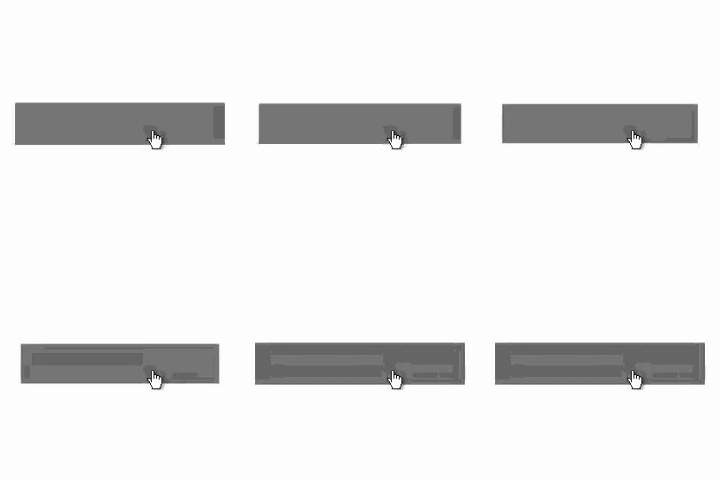
Button Animations is a lightweight client-side mod that improves how Minecraft buttons feel.
Instead of the default hover outline, buttons smoothly scale up when hovered and ease back down when clicked, creating a cleaner and more responsive UI. The result is subtle, satisfying feedback that makes menus feel more polished without changing their layout or functionality.
Features
- Removes the default button hover outline
- Adds a smooth hover grow animation
- Adds a soft click press-and-bounce effect
- Has a config screen
- Works across Minecraft's standard button-based menus
- Client-side only
Why use it?
Minecraft's default buttons are functional, but a little stiff. Button Animations keeps the vanilla look while making interaction feel more modern and tactile. It is designed to be noticeable without being distracting.
Compatibility
- Fabric
- Client-side only
- Button Fix recommended
This mod does not need to be installed on the server.
Notes
Button Animations focuses only on button interaction and visual feedback. It does not add new menus, settings, or gameplay changes. The default keybind for the config is "B".
Available Versions
How to Install Button Animations on Your Server
Order Server
Order a Minecraft Java server with at least 3 GB RAM (4 GB recommended).
Set fabric Loader
In the panel under "Egg", select the fabric loader and matching Minecraft version (26.1.2).
Install Mod
Open the mod browser in the dashboard and search for "Button Animations". Click "Install" – done! Alternatively, upload the .jar via SFTP to the /mods folder.
Compatibility
Mod Loaders
Minecraft Versions
26.1.2, 26.1.1, 26.1 (+1 more)
Server-side
✗ UnsupportedRecommended RAM
4 GB(min. 3 GB)Frequently Asked Questions
Button Animations server crashes on startup – what to do?
Most common cause: wrong fabric version or insufficient RAM. Check the server log (latest.log) for "OutOfMemoryError" or "Mixin" errors. With Mado Hosting: ensure at least 3 GB RAM is allocated and the loader matches the mod version (26.1.2). You can switch loaders with one click in the panel.
Is Button Animations compatible with fabric?
Button Animations officially supports fabric for Minecraft 26.1.2, 26.1.1, 26.1. The Mado dashboard automatically detects incompatible loader combinations.
Server lagging with Button Animations – how to optimize performance?
Recommended RAM: 4 GB (per 8 players). Use /spark profiler to check if Button Animations consumes the most tick time. Common fixes: reduce server view-distance to 8-10, install "performant" or "starlight" as supplementary mods on Forge. With Mado Hosting, your server runs on NVMe SSDs with dedicated CPU cores for minimal latency.
Similar Mods

![[ETF] Entity Texture Features](https://cdn.modrinth.com/data/BVzZfTc1/af683d206d50b05258d865b0d6e4aa2f2cee12f2_96.webp)
![[EMF] Entity Model Features](https://cdn.modrinth.com/data/4I1XuqiY/6e5bbd0d06b1741bfdab6c0cfab6de8fdaf0064c_96.webp)



Rent Modded Server
Install Button Animations with just one click on your server.