
CAD Editor
CAD Editor (Component And Data Editor) is a rewrite and actively maintained continuation based on IBE Editor (original author: Skye, MIT-licensed).
Screenshots
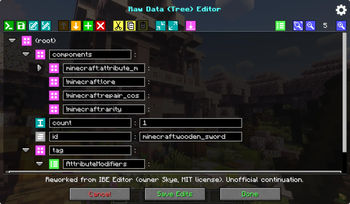
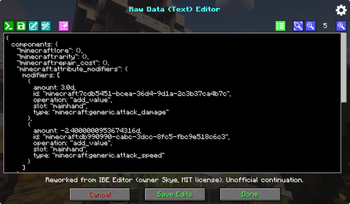
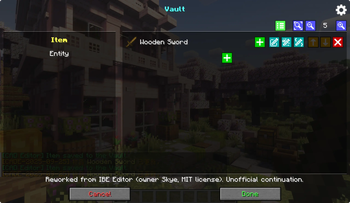
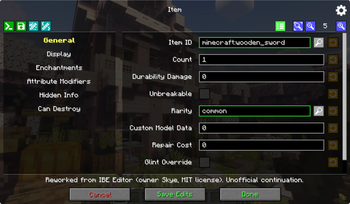
About this Mod
Original project address:
What is CAD Editor?
A simple, in-game visual editor that lets you edit items, blocks, and entities right inside your current world.
It supports Minecraft’s data components system (1.20.5+), covering common gameplay fields like Custom Model Data, attributes, enchantments, name/lore, container & loot tables, effects, sign text, and more.
CAD Editor (Component And Data Editor) is a refactored and actively maintained continuation based on IBE Editor (original by Skye, MIT license). I am not affiliated with Skye and this is not an official version; all original credits and notices are preserved.
什么是CAD Editor
一款简洁直观的游戏内可视化编辑器,让你在当前世界里直接编辑物品、方块或实体。
支持 Minecraft 组件系统(1.20.5+),涵盖常见要素:自定义模型数据、属性、附魔、名字/描述、容器与战利品表、效果、告示牌文本等。
CAD Editor(Component And Data Editor)是在 IBE Editor(原作者 Skye,MIT 许可)基础上重构并持续维护的版本。 我与 Skye 无隶属关系,亦非官方版本,但完整保留了原版权声明与署名。
Available Versions
How to Install CAD Editor on Your Server
Order Server
Order a Minecraft Java server with at least 3 GB RAM (4 GB recommended).
Set fabric Loader
In the panel under "Egg", select the fabric loader and matching Minecraft version (1.21.11).
Install Mod
Open the mod browser in the dashboard and search for "CAD Editor". Click "Install" – done! Alternatively, upload the .jar via SFTP to the /mods folder.
Compatibility
Mod Loaders
Minecraft Versions
1.21.11, 1.21.10, 1.21.8 (+2 more)
Server-side
✗ UnsupportedRecommended RAM
4 GB(min. 3 GB)Frequently Asked Questions
CAD Editor server crashes on startup – what to do?
Most common cause: wrong fabric version or insufficient RAM. Check the server log (latest.log) for "OutOfMemoryError" or "Mixin" errors. With Mado Hosting: ensure at least 3 GB RAM is allocated and the loader matches the mod version (1.21.11). You can switch loaders with one click in the panel.
Is CAD Editor compatible with fabric and forge and neoforge?
CAD Editor officially supports fabric, forge, neoforge for Minecraft 1.21.11, 1.21.10, 1.21.8. Note: Forge and Fabric mods are NOT cross-compatible – pick one loader and stick with it. The Mado dashboard automatically detects incompatible loader combinations.
Server lagging with CAD Editor – how to optimize performance?
Recommended RAM: 4 GB (per 8 players). Use /spark profiler to check if CAD Editor consumes the most tick time. Common fixes: reduce server view-distance to 8-10, install "performant" or "starlight" as supplementary mods on Forge. With Mado Hosting, your server runs on NVMe SSDs with dedicated CPU cores for minimal latency.
Similar Mods




Rent Modded Server
Install CAD Editor with just one click on your server.