
Caloric Flux
A technical energy generation mod for NeoForge 1.21.1 based on thermodynamics and thermal differences.
Screenshots
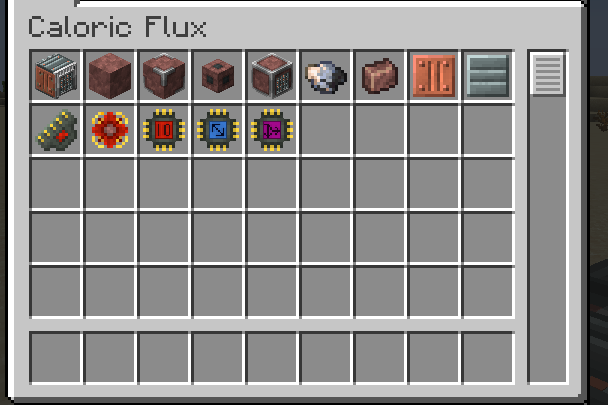
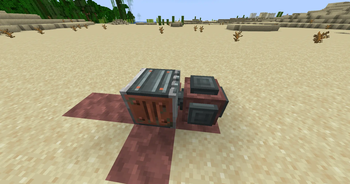
About this Mod
Caloric Flux (Beta)
Caloric Flux is a technical energy generation mod for NeoForge 1.21.1 that brings the laws of thermodynamics to your Minecraft world.
How it works
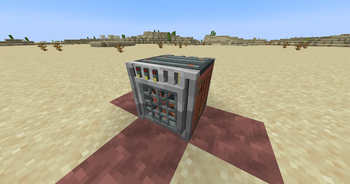
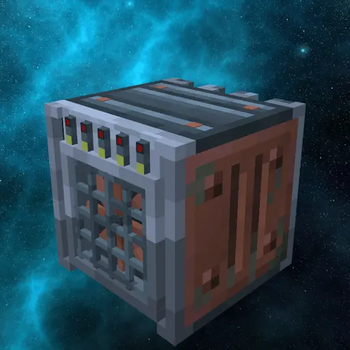
The core of the mod is the Heat-Difference Generator. Instead of just burning fuel, it produces FE (Flux Energy) based on the temperature difference between its two sides. The greater the delta, the more power you get!
Energy & Logistics
- Passive Output: Without any modules, the generator acts as a simple passive device, outputting only 5 FE/t to adjacent cables or machines.
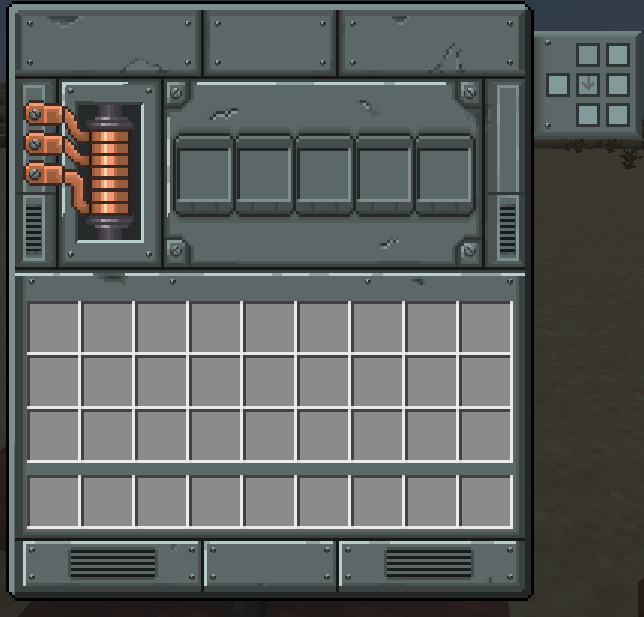
- I/O Processing: Installing a Logistics I/O Processor unlocks the generator's true potential, increasing the output limit to 500 FE/t and allowing full side configuration.
- Efficiency Balance: Every module installed has a small passive energy drain, requiring you to balance high-speed output with net generation.
Key Features
- Dynamic Thermal Logic: Balance extreme heat (Lava) against extreme cold (Blue Ice, Packed Ice) to maximize efficiency.
- Realistic Degradation: Blocks aren't infinite. Ice melts into water, lava cools, and even torches eventually burn out into sticks.
- Immersive Visuals: Features custom ambient particles (smoke and snowflakes), a fully animated fan, and a detailed industrial GUI with real-time temperature tracking.
- JEI Integration: Full support for Just Enough Items, showing all thermal recipes and degradation paths.
Dependencies & Integrations
- GeckoLib (Required) — Powers the smooth animations of the generator's fan. The mod will crash on startup without it!
- GuideME (Highly Recommended) — Unlocks the guidebook with component lists, and recipes.
- Just Enough Items (JEI) (Optional, but Recommended) — Essential for viewing exact thermal reactions and custom housing assembly recipes directly in your inventory.
Technical Documentation for Modpacks
Caloric Flux is fully data-driven. You can add your own thermal sources or machine assembly steps via Datapacks.
1. Thermal Recipes (caloricflux:thermal)
Define how blocks affect the generator. Example JSON:
{
  "type": "caloricflux:thermal",
  "ingredient": "minecraft:blue_ice",
  "temperature": -50.0,
  "degrade_result": "minecraft:packed_ice",
  "degrade_multiplier": 0.3,
  "drop_result": "minecraft:stick"
}
- ingredient: Block or fluid ID that acts as a source.
- temperature: Target temperature (positive for heat, negative for cold).
- degrade_result: The block it transforms into after "wearing out".
- degrade_multiplier: Speed of degradation (higher values mean faster consumption).
- drop_result (Optional): Item that drops when the block degrades.
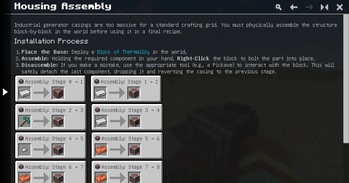
2. Housing Assembly (caloricflux:housing_assembly)
Used for step-by-step machine frame construction. Example for Stage 0:
{
  "type": "caloricflux:housing_assembly",
  "stage": 0,
  "ingredient": { "item": "minecraft:iron_ingot" },
  "base_block": "caloricflux:thermalloy_block",
  "result_block": "caloricflux:thermalloy_housing",
  "reverse_tool": { "tag": "minecraft:axes" },
  "reverse_drop": "minecraft:iron_ingot"
}
- stage: Current construction step index.
- ingredient: Item required to advance to the next stage.
- base_block / result_block: Logic for block transformation at this step.
- reverse_tool / reverse_drop: Defines how to deconstruct the frame and what is returned to the player.
Getting Started
- Craft Thermalloy components to build your first generator.
- Place a heat source on one side and a coolant on the other.
- Install a Logistics I/O Processor to start exporting energy to your machines or cables.
Available Versions
How to Install Caloric Flux on Your Server
Order Server
Order a Minecraft Java server with at least 3 GB RAM (4 GB recommended).
Set neoforge Loader
In the panel under "Egg", select the neoforge loader and matching Minecraft version (1.21.1).
Install Mod
Open the mod browser in the dashboard and search for "Caloric Flux". Click "Install" – done! Alternatively, upload the .jar via SFTP to the /mods folder.
Compatibility
Mod Loaders
Minecraft Versions
1.21.1
Server-side
✓ RequiredRecommended RAM
4 GB(min. 3 GB)Frequently Asked Questions
Caloric Flux server crashes on startup – what to do?
Most common cause: wrong neoforge version or insufficient RAM. Check the server log (latest.log) for "OutOfMemoryError" or "Mixin" errors. With Mado Hosting: ensure at least 3 GB RAM is allocated and the loader matches the mod version (1.21.1). You can switch loaders with one click in the panel.
Is Caloric Flux compatible with neoforge?
Caloric Flux officially supports neoforge for Minecraft 1.21.1. The Mado dashboard automatically detects incompatible loader combinations.
Server lagging with Caloric Flux – how to optimize performance?
Recommended RAM: 4 GB (per 8 players). Use /spark profiler to check if Caloric Flux consumes the most tick time. Common fixes: reduce server view-distance to 8-10, install "performant" or "starlight" as supplementary mods on Forge. With Mado Hosting, your server runs on NVMe SSDs with dedicated CPU cores for minimal latency.
Similar Mods




Rent Modded Server
Install Caloric Flux with just one click on your server.