
Capability Proxy
Access block capabilities from multiple sides
About this Mod
Did you ever have the problem where you needed to interact with multiple sides of a block?
Well, those days are over now!
With the Capability Proxy, you can extend the capabilities (or block APIs in Fabric) of one side of a target block to five additional sides.
As of version 2.1.0, an Entity Capability Proxy and Item Capability Proxy can be used to interact with entities and items via blocks! More information hereafter.
Unable to interact with certain blocks such as the Composter? Try installing Common Capabilities, which adds capabilities to blocks that have none by default yet.
Capability Proxy
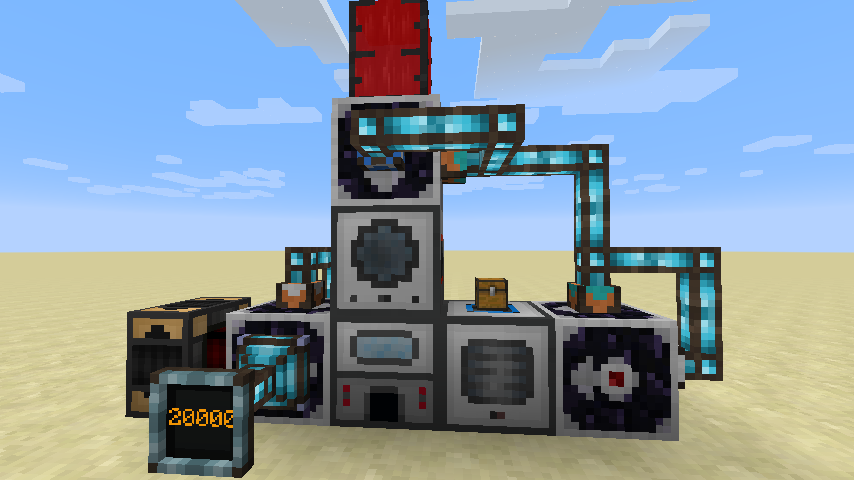
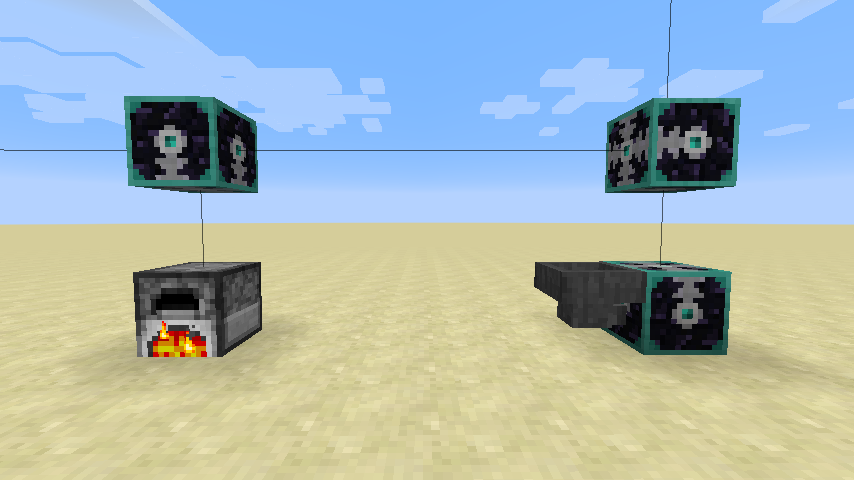
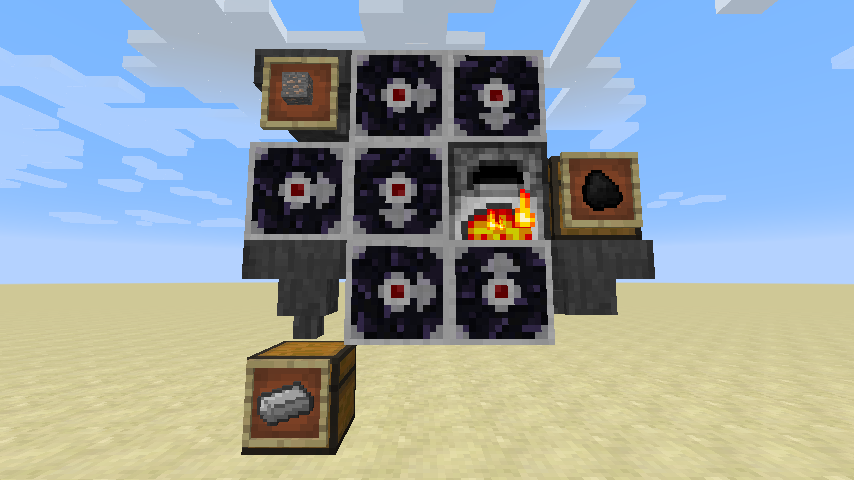
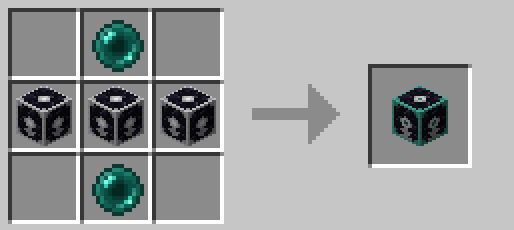
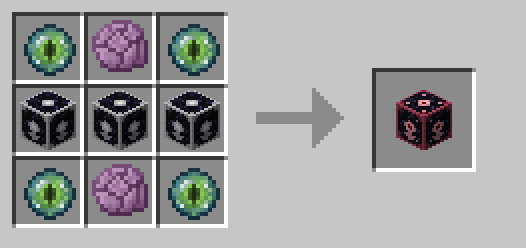
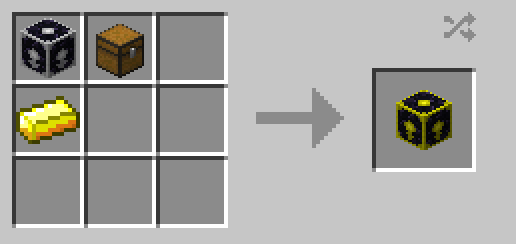
Regular proxies can communicate with their neighbours, while ranged proxies have a range of 16 blocks (configurable).
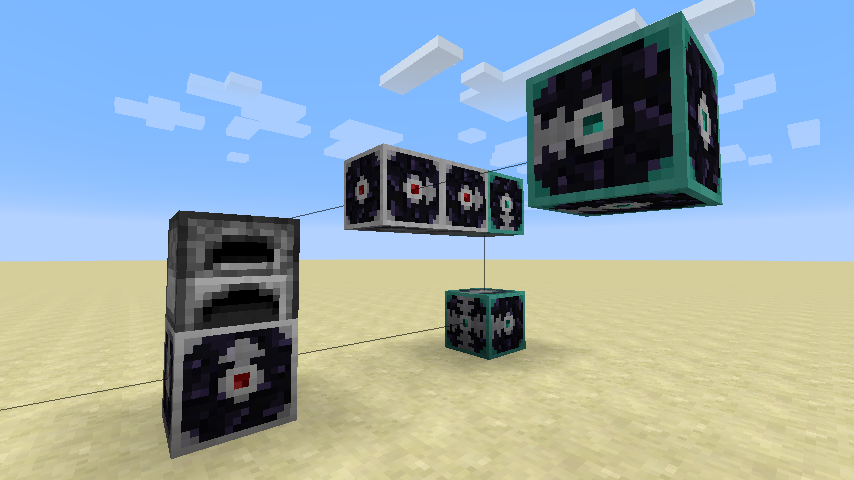
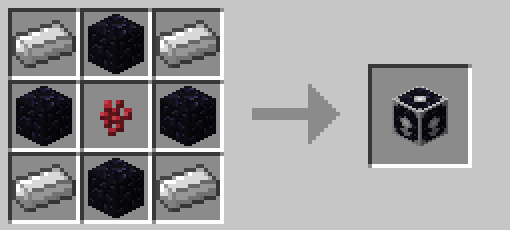
The regular proxies can be crafted like this:
The ranged proxies can be crafted like this:
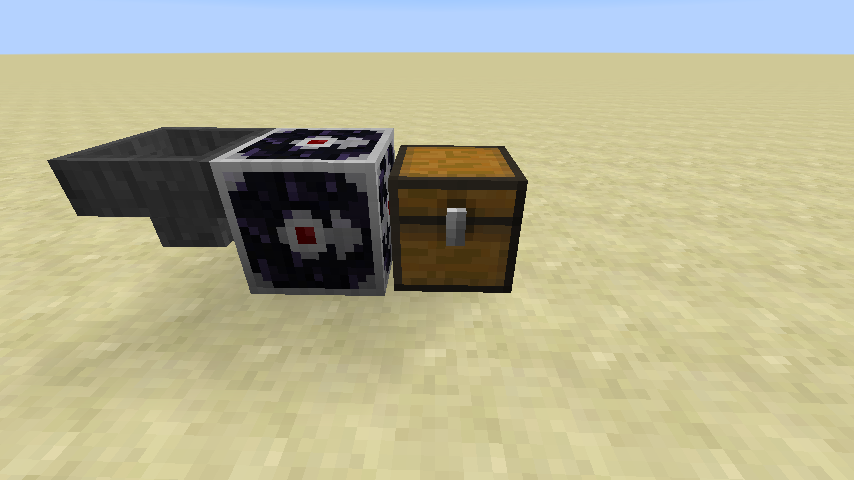
Point the proxy towards a block that has capabilities, and all capabilities will be accessible from the proxy block.
Any kind of capability will work, such as items, fluids, energy, ...
Even block interactions will be forwarded, such as opening GUI's.
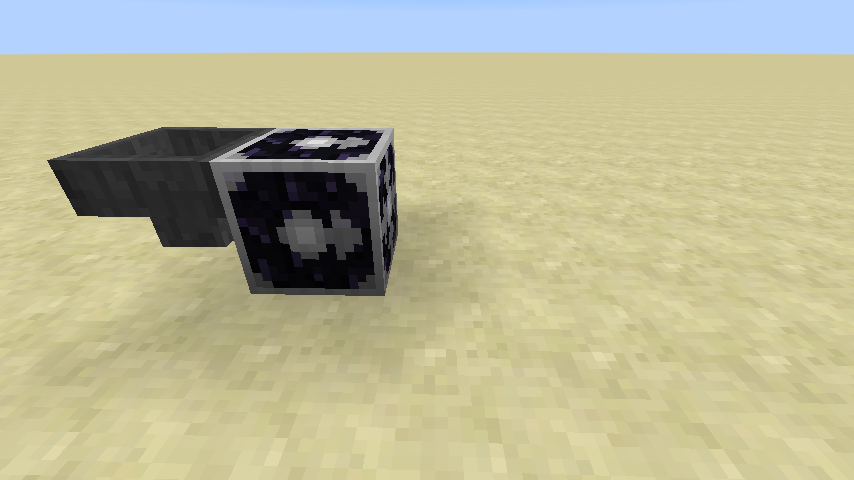
When no valid target block is present, the block will be in an inactive-state.
As many as five additional sides become available.
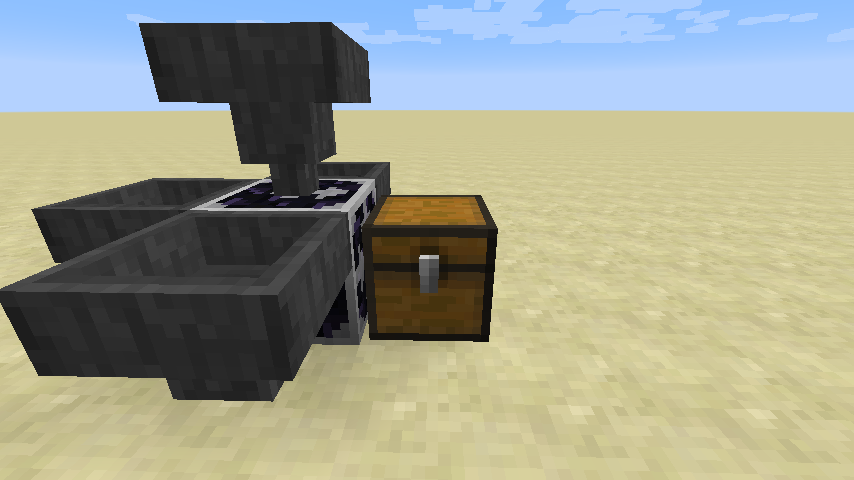
And if five wouldn't be enough, you can chain proxies to have even more available sides.
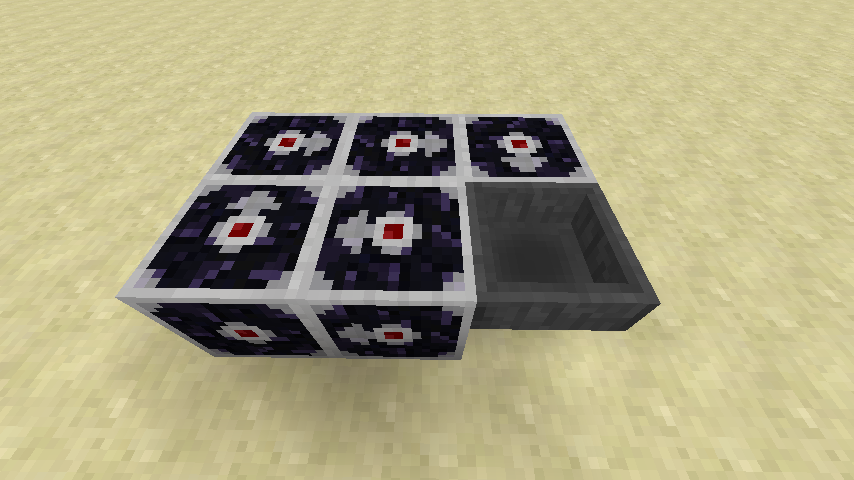
Energy proxy:
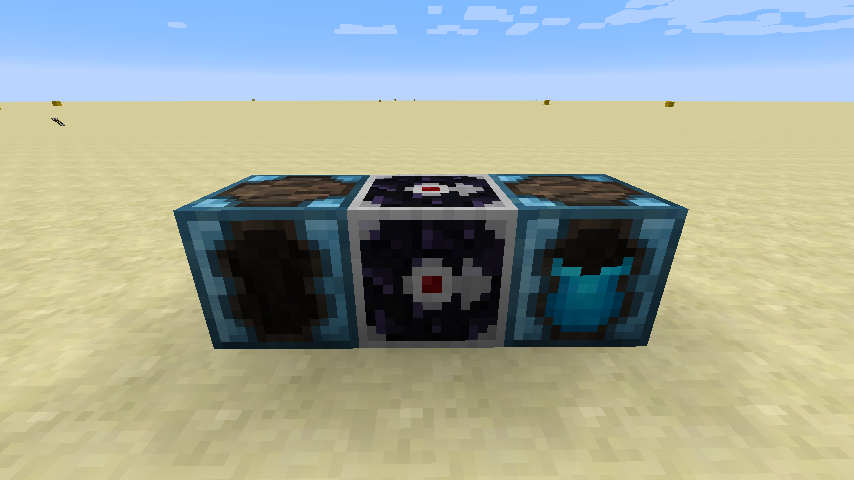
Integrated Dynamics network(capability-based) proxy:
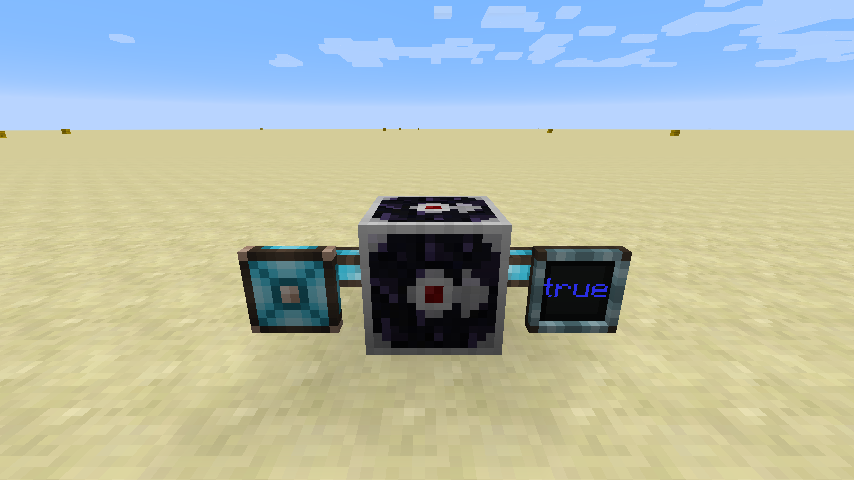
Entity Capability Proxy
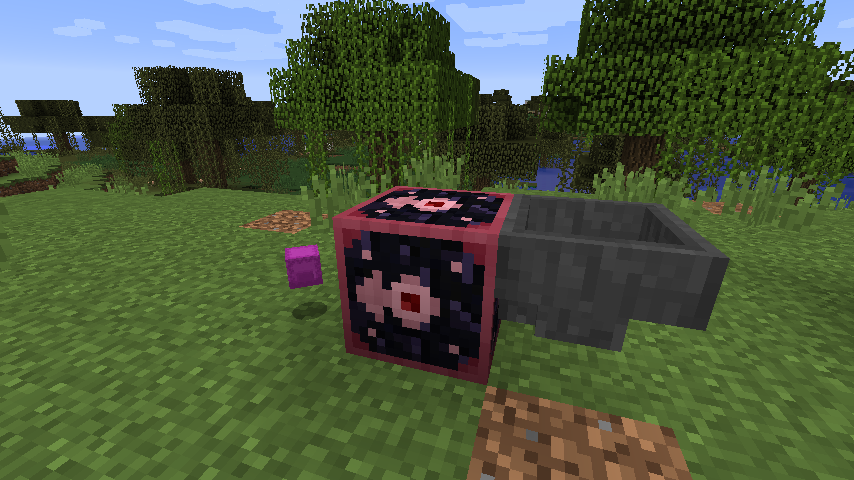
When entities have capabilities, this block allows you to interact with them as if they were a block.
The following examples show how to pipe items into a dropped Shulker Box. (This requires Common Capabilities to be installed)
Item Capability Proxy
When an item is inserted in this block, you can interact with the items as if they were this block. In this example, the proxy contains a tank, and its fluids are piped out into the world using Integrated Tunnels.
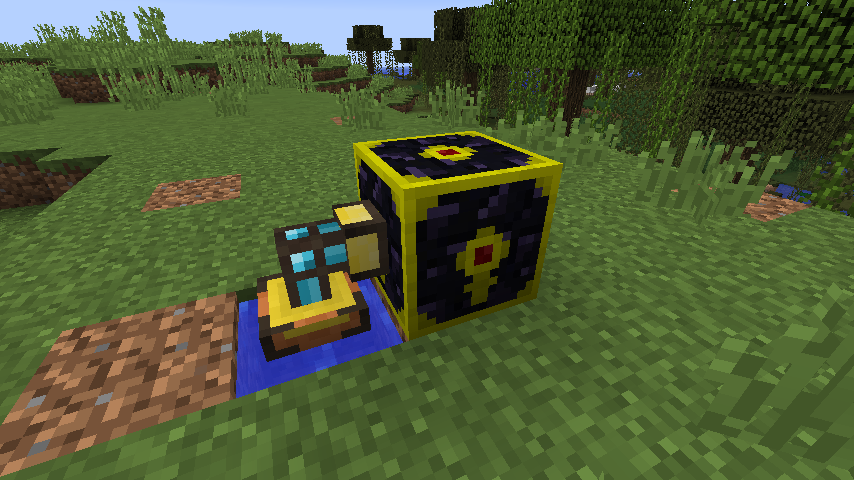
You can only pipe in/out different proxied items via the indicated side. (In this example, the bottom side)
This mod collects anonymized startup data, this can be disabled in the config file and adheres to Minecraft's snooper settings.

If you like this mod, consider supporting me on Patreon!
Available Versions
How to Install Capability Proxy on Your Server
Order Server
Order a Minecraft Java server with at least 3 GB RAM (4 GB recommended).
Set fabric Loader
In the panel under "Egg", select the fabric loader and matching Minecraft version (26.1.2).
Install Mod
Open the mod browser in the dashboard and search for "Capability Proxy". Click "Install" – done! Alternatively, upload the .jar via SFTP to the /mods folder.
Compatibility
Mod Loaders
Minecraft Versions
26.1.2, 26.1.1, 1.21.11 (+14 more)
Server-side
✓ RequiredRecommended RAM
4 GB(min. 3 GB)Frequently Asked Questions
Capability Proxy server crashes on startup – what to do?
Most common cause: wrong fabric version or insufficient RAM. Check the server log (latest.log) for "OutOfMemoryError" or "Mixin" errors. With Mado Hosting: ensure at least 3 GB RAM is allocated and the loader matches the mod version (26.1.2). You can switch loaders with one click in the panel.
Is Capability Proxy compatible with fabric and forge and neoforge and quilt?
Capability Proxy officially supports fabric, forge, neoforge, quilt for Minecraft 26.1.2, 26.1.1, 1.21.11. Note: Forge and Fabric mods are NOT cross-compatible – pick one loader and stick with it. The Mado dashboard automatically detects incompatible loader combinations.
Server lagging with Capability Proxy – how to optimize performance?
Recommended RAM: 4 GB (per 8 players). Use /spark profiler to check if Capability Proxy consumes the most tick time. Common fixes: reduce server view-distance to 8-10, install "performant" or "starlight" as supplementary mods on Forge. With Mado Hosting, your server runs on NVMe SSDs with dedicated CPU cores for minimal latency.
Similar Mods




![[ETF] Entity Texture Features](https://cdn.modrinth.com/data/BVzZfTc1/af683d206d50b05258d865b0d6e4aa2f2cee12f2_96.webp)
![[EMF] Entity Model Features](https://cdn.modrinth.com/data/4I1XuqiY/6e5bbd0d06b1741bfdab6c0cfab6de8fdaf0064c_96.webp)
Rent Modded Server
Install Capability Proxy with just one click on your server.