
CapeMod
Provides free capes and exclusive perks for creators. Visible for anyone using the mod.
Screenshots
About this Mod

Cape Mod 1.8 - 26.1 for Forge and Fabric
Get free capes and exclusive perks for creators!
Visible for anyone using the mod.
https://capemod.net
Supported Versions:
- Fabric: 1.17 - 26.1.2
- Forge: 1.8.9, 1.12.2
How to install / use
- Download and install Forge or Fabric.
- Download and add CapeMod to your mods.
- Register an account and get capes at: https://capemod.net
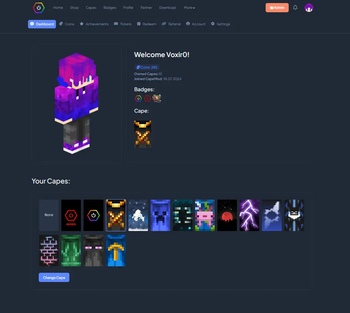
- Manage and equip your capes at: https://capemod.net/dashboard
Features:
- Transparent and animated capes.
- Free Capes: Earn stylish capes without spending real money.
- Themes: Diffrent themes for the same cape.
- Creator Rewards: Creators can reward their community with custom capes.
- Earning Opportunities: Various ways to earn capes and coins, including gameplay and daily rewards.
- Wide Version Support: Compatible with multiple Minecraft versions.
Creator Benefits:
Creators can distribute capes to their community, for example, by offering them to subscribers on Twitch or as rewards through channel points. They can design and manage their own capes, distributing them directly to their followers. Currently, capes are distributed manually via the dashboard, but we plan to automate this process so players can receive capes instantly upon subscribing.
Manage Your Cape:
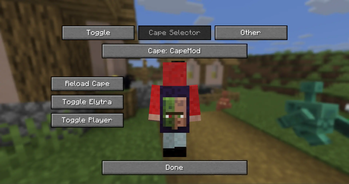
You can view and manage your capes through our dashboard at https://capemod.net/. Additionally, a "Manage Cape" button is available in your skin customization settings.
FAQ:
How do I get capes?
Capes can be purchased using in-game coins, which you earn by playing on specific servers or through daily rewards. Future updates will introduce more earning methods. Note that capes cannot be purchased with real money. Certain capes, such as Twitch or YouTube capes, may require meeting specific follower or subscriber milestones.
How can I manage my cape?
Access our dashboard to view all your owned capes, where you can activate, deactivate, or change them. You can also purchase capes with your earned coins.
Who can see my capes?
Anyone with the mod installed can see your capes, regardless of their Minecraft version.
How can I apply for my own cape as a creator?
Visit our website for the application form and requirements for creating your own cape.
API:
We offer an API that allows you to retrieve information about player capes and enable creators to manage their cosmetics.
CapeMod Integration
If you want to integrate CapeMod into your mod or client, please contact us directly via [email protected]
Useful Links:
Screenshots
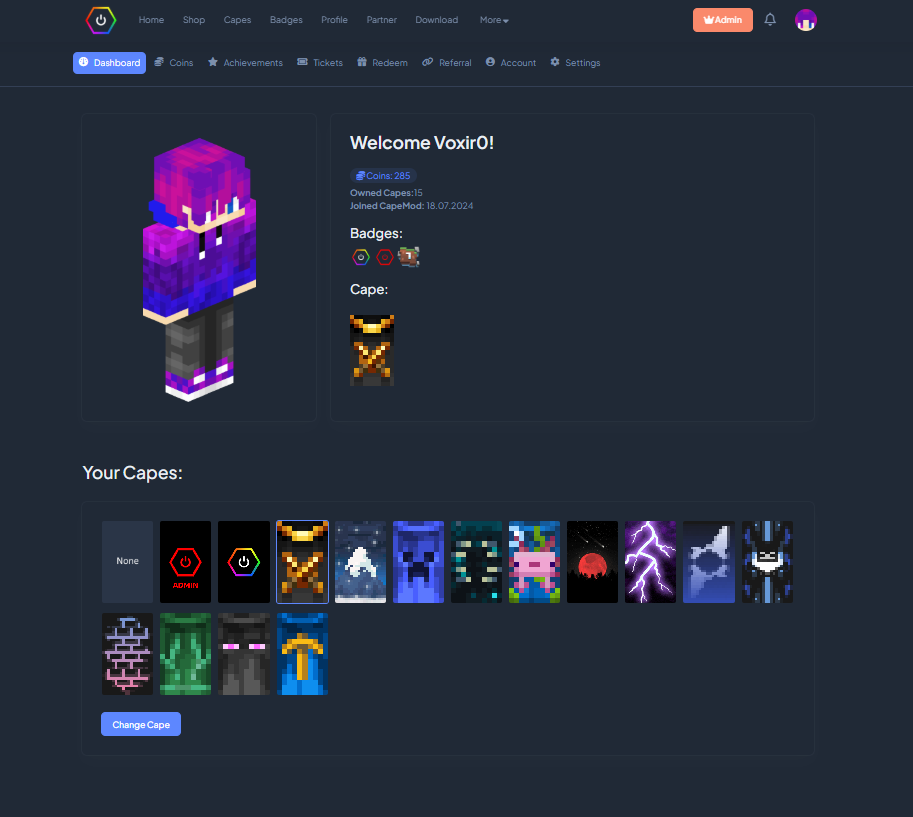
Dashboard to manage Capes, Account.
Support Us
Help us keep our servers running. Your support makes a difference!

Available Versions
How to Install CapeMod on Your Server
Order Server
Order a Minecraft Java server with at least 3 GB RAM (4 GB recommended).
Set fabric Loader
In the panel under "Egg", select the fabric loader and matching Minecraft version (26.1.2).
Install Mod
Open the mod browser in the dashboard and search for "CapeMod". Click "Install" – done! Alternatively, upload the .jar via SFTP to the /mods folder.
Compatibility
Mod Loaders
Minecraft Versions
26.1.2, 26.1.1, 26.1 (+31 more)
Server-side
✗ UnsupportedRecommended RAM
4 GB(min. 3 GB)Frequently Asked Questions
CapeMod server crashes on startup – what to do?
Most common cause: wrong fabric version or insufficient RAM. Check the server log (latest.log) for "OutOfMemoryError" or "Mixin" errors. With Mado Hosting: ensure at least 3 GB RAM is allocated and the loader matches the mod version (26.1.2). You can switch loaders with one click in the panel.
Is CapeMod compatible with fabric and forge and liteloader and neoforge and quilt?
CapeMod officially supports fabric, forge, liteloader, neoforge, quilt for Minecraft 26.1.2, 26.1.1, 26.1. Note: Forge and Fabric mods are NOT cross-compatible – pick one loader and stick with it. The Mado dashboard automatically detects incompatible loader combinations.
Server lagging with CapeMod – how to optimize performance?
Recommended RAM: 4 GB (per 8 players). Use /spark profiler to check if CapeMod consumes the most tick time. Common fixes: reduce server view-distance to 8-10, install "performant" or "starlight" as supplementary mods on Forge. With Mado Hosting, your server runs on NVMe SSDs with dedicated CPU cores for minimal latency.
Similar Mods





Rent Modded Server
Install CapeMod with just one click on your server.