Screenshots
About this Mod
Carbonised
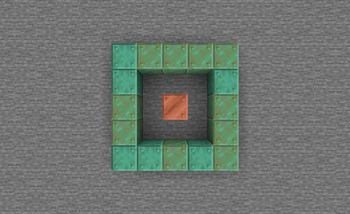
Vanilla copper is a bit... weird. You basically have to spread it out at least 5 blocks or else it will barely oxidise at all. This, frankly, doesn't make any sense. So I changed it!
Brief
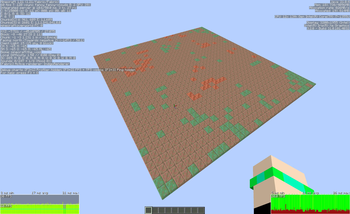
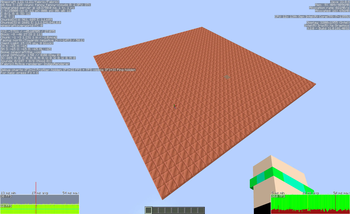
- Copper will now oxidise at the same* speed, even when surrounded by other copper blocks.
- Batches of copper blocks will try to balance their oxidisation levels without cancelling any oxidisation attempts.
- Added a new gamerule
oxidisationRadius(default: 4), which controls the radius in which copper blocks attempt to preserve balance. (Note that larger collections of copper will still age at roughly the same rate regardless) Setting this value to 0 disables balancing.
- Added a new gamerule
- *Copper blocks oxidise slower the more full blocks surround them
- Copper blocks will oxidise faster when underwater
Details for Nerds
What happened previously?
Previously, whenever a copper block tries to oxidise, it will search for any block less oxidised in a 9x9x9 area. If it finds one, it doesn't oxidise. I can only guess that this was an attempt to make copper oxidise evenly, but it ends up making groups of copper almost never oxidise.
So what happens now?
When a copper block attempts to oxidise, it searches for a less oxidized block within a 4 block distance (or higher depending on oxidisationRadius) that has a physical connection to it. If it finds one, it oxidises that block instead. This leads to higher synchronicity on connected surfaces and makes those oxidise at roughly the same speed as normal spread out copper blocks.
However! The fewer sides of a copper block are exposed to air or water, the fewer random ticks will be turned into oxidisation attempts. Blocks that are completely surrounded will not attempt to oxidise, but can still become oxidised through other copper blocks.
For every side of a copper block that is surrounded by water, its probability of oxidising will increase (equivalently to the decrease noted above). That means if a copper block is surrounded by other blocks on four sides but has two sides touching water, its oxidisation chance will multiply by ((6 - 4 + 2)/6) = (4/6). Note that due to a technical limitation the final oxidisation chance cannot exceed 1. In the end, a single copper block submerged in water behaves exactly the same as one floating in the air.
Translation Note
I have added names for the new gamerule in German and British and American English. Since I don't know any languages besides that the gamerule will appear by its command name in those languages. Feel free to open issues on the issue tracker with a suggested translation for your own language, should you miss it.
Available Versions
How to Install Carbonised on Your Server
Order Server
Order a Minecraft Java server with at least 3 GB RAM (4 GB recommended).
Set fabric Loader
In the panel under "Egg", select the fabric loader and matching Minecraft version (1.21.5).
Install Mod
Open the mod browser in the dashboard and search for "Carbonised". Click "Install" – done! Alternatively, upload the .jar via SFTP to the /mods folder.
Compatibility
Mod Loaders
Minecraft Versions
1.21.5, 1.21.4, 1.21.1 (+1 more)
Server-side
✓ RequiredRecommended RAM
4 GB(min. 3 GB)Frequently Asked Questions
Carbonised server crashes on startup – what to do?
Most common cause: wrong fabric version or insufficient RAM. Check the server log (latest.log) for "OutOfMemoryError" or "Mixin" errors. With Mado Hosting: ensure at least 3 GB RAM is allocated and the loader matches the mod version (1.21.5). You can switch loaders with one click in the panel.
Is Carbonised compatible with fabric?
Carbonised officially supports fabric for Minecraft 1.21.5, 1.21.4, 1.21.1. The Mado dashboard automatically detects incompatible loader combinations.
Server lagging with Carbonised – how to optimize performance?
Recommended RAM: 4 GB (per 8 players). Use /spark profiler to check if Carbonised consumes the most tick time. Common fixes: reduce server view-distance to 8-10, install "performant" or "starlight" as supplementary mods on Forge. With Mado Hosting, your server runs on NVMe SSDs with dedicated CPU cores for minimal latency.
Similar Mods




Rent Modded Server
Install Carbonised with just one click on your server.