
Carpentry
A tool similar to a surveyor's total station or theodolite, useful in building large structures or simply finding your way around.
Screenshots
About this Mod
Construction tools for large building projects
What's in here
This will end up being a collection of tools, to make it easier to build large buildings or other structures. The tools are intended to be ephemeral tools, like the scaffolding block: you use them for as long as you need them, and then you get rid of them.
The first tool is a datum.
Datum
In real life, architects and builders always start with a reference point, a zero-zero point in the project. Everything else is measured from that starting point. Sometimes this is called a benchmark, and sometimes it's called a datum. I'm going to use the term datum because it's fewer letters.
During development, I discovered that the datum also works as a "home" marker when you're exploring a world.
How to use it
In version 0.0.1, you must have commands enabled to use the datum. A future version will eliminate the need for commands.
Create a datum
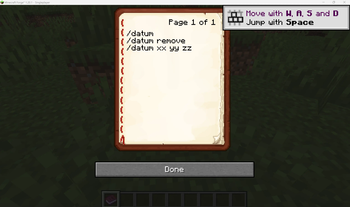
The command /datum will place a datum where the player is standing.
The command /datum xxx yyy zzz will place a datum at the coordinates (xxx, yyy, zzz). For example, /datum 240 80 -35 will place a datum at (240, 80, -35).
The datum block cannot be destroyed using left click or right click. Players can walk through it. It can hang in the air. There's really no way to interact with the datum block. It only exists to show you where the datum point is.
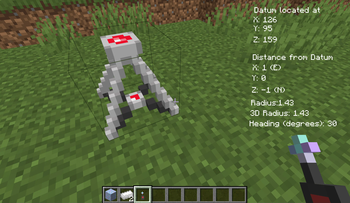
When a datum point exists, an overlay in the upper right shows you the following items:
- The datum x, y, and z coordinates.
- The player's distance from the datum, in directions x, y, and z. The distances also show north, south, east, west, up, and down.
- The player's horizontal distance from the datum. (You know, a circular radius in x and z.)
- The player's 3D distance from the datum. This is a spherical radius.
- The compass heading from the datum to the player. Note from the author: I don't like this. I think it's clumsy and almost useless. I will replace it with something better.
Remove the datum
The command /datum remove removes the datum block and erases the overlay.
Move the datum
You don't have to remove the datum in order to place a new one somewhere else. Simply using the command \datum or \datum xxx yyy zzz will remove the existing datum and create a new one in the new location, essentially moving the datum.
Use the remote
In version 0.0.2, a datum remote is added that allows players to use the datum in survival mode - that is, without having to enable commands or cheats.
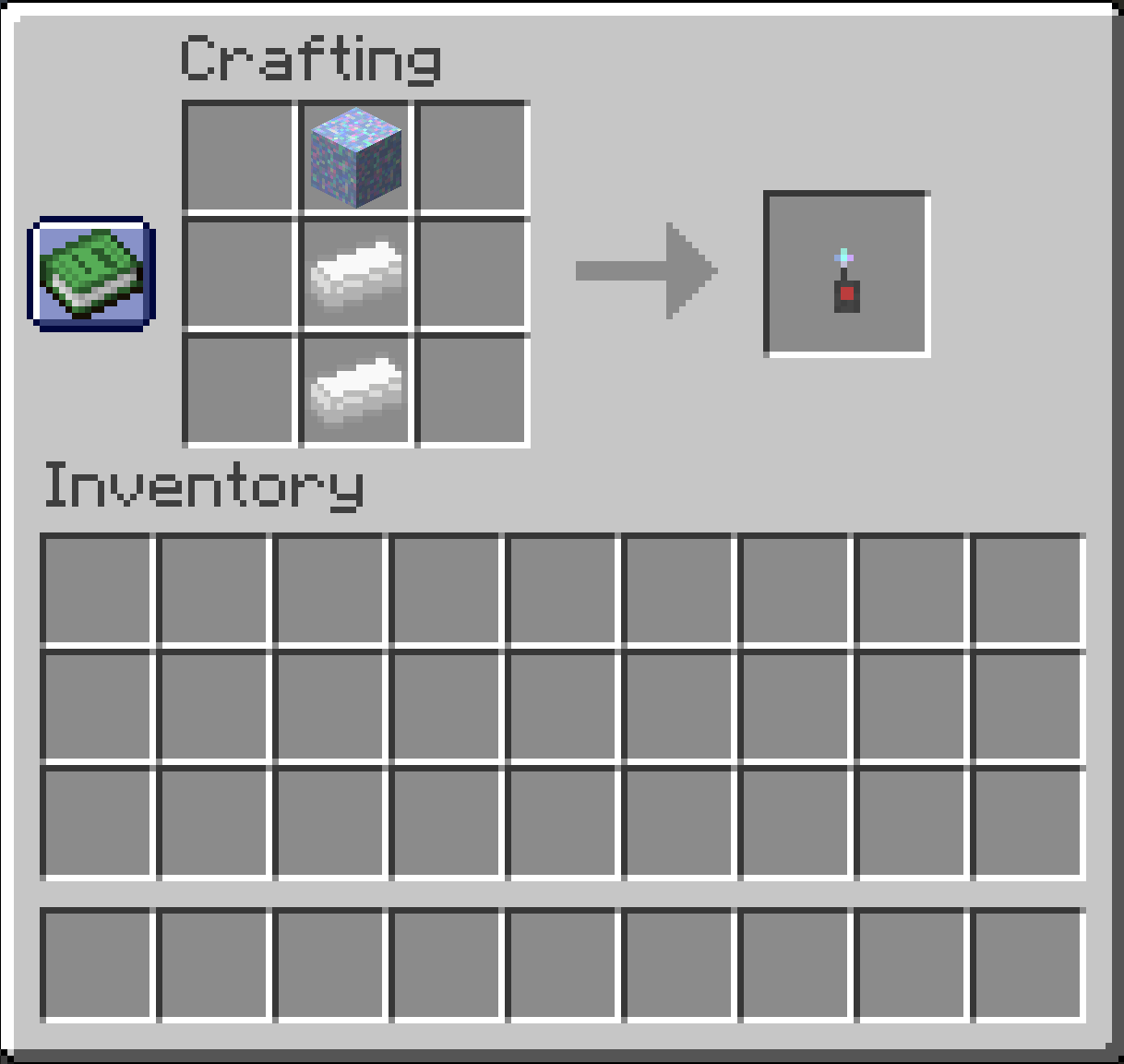
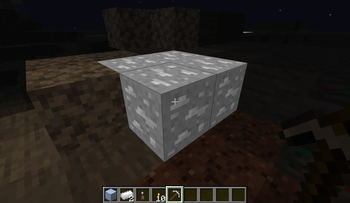
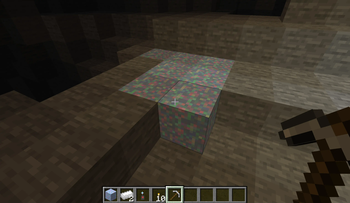
The datum remote is crafted from two mithril ingots and a magichite crystal. Mithril ore is a brilliant white ore, so brilliant that it glows in the dark. Magichite is a multicolored crystal. The remote can be treated just like any other item.
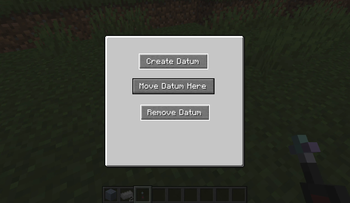
With the remote in the right hand, right-click to see a gui with three buttons:
- Create datum
- Move datum
- Remove datum
These buttons work identical to the /datum and /datum remove commands. The /datum xxx yyy zzz command is not accessible (yet) from the remote.
What about having multiple datums?
I thought of adding support for multiple datums, but that's more complicated than what I need. I don't think that the additional functionality of having multiple datums is worth the additional effort required to support multiple datums.
One datum at a time.
Yeah, but what about multiple players with datums?
So far, this is a one-player project. I would need to add an "owner" attribute to the datum block, so that each player's datum would be unique, and one player couldn't mess with another player's datum. For now, just one datum at a time.
Datum behavior in a multiplayer environment, for version 0.0.1 is unknown, unpredictable, and unsupported. For now, it's one datum, one player.
Other tools
In version 0.0.1, the datum is the only tool. I had to start somewhere. Other tools will follow. Suggestions are welcome.
Version 0.0.2 is a collaboration with my grandson to all the datum to be used in survival mode.
Why did you bother doing this?
I wanted to build a giant sphere. A freakin' huge, spherical, Death Star. I wrote a little Python program that would calculate integer (x, y) coordinates for a sphere of a given radius, and I tried to place the blocks according to the printed list of (x, y) coordinates, slice by slice. I thought, "Man, there has to be a better way to do this." The datum is the better way -- it makes it so much easier.
Credits
MCreator to create and build the mod.
Blockbench to build the datum block in Version 0.0.2.
Available Versions
How to Install Carpentry on Your Server
Order Server
Order a Minecraft Java server with at least 3 GB RAM (4 GB recommended).
Set forge Loader
In the panel under "Egg", select the forge loader and matching Minecraft version (1.20.1).
Install Mod
Open the mod browser in the dashboard and search for "Carpentry". Click "Install" – done! Alternatively, upload the .jar via SFTP to the /mods folder.
Compatibility
Mod Loaders
Minecraft Versions
1.20.1
Server-side
✓ RequiredRecommended RAM
4 GB(min. 3 GB)Frequently Asked Questions
Carpentry server crashes on startup – what to do?
Most common cause: wrong forge version or insufficient RAM. Check the server log (latest.log) for "OutOfMemoryError" or "Mixin" errors. With Mado Hosting: ensure at least 3 GB RAM is allocated and the loader matches the mod version (1.20.1). You can switch loaders with one click in the panel.
Is Carpentry compatible with forge?
Carpentry officially supports forge for Minecraft 1.20.1. The Mado dashboard automatically detects incompatible loader combinations.
Server lagging with Carpentry – how to optimize performance?
Recommended RAM: 4 GB (per 8 players). Use /spark profiler to check if Carpentry consumes the most tick time. Common fixes: reduce server view-distance to 8-10, install "performant" or "starlight" as supplementary mods on Forge. With Mado Hosting, your server runs on NVMe SSDs with dedicated CPU cores for minimal latency.
Similar Mods




Rent Modded Server
Install Carpentry with just one click on your server.