
Carry On Throw Addon
Adds a fully-featured Throw mechanic to the Carry On mod - allowing players to throw carried entities with physics-based velocity, charge time, obstacle detection, client-side toggle, configurable cooldown, and more.
Screenshots


About this Mod
🌟 Carry On Throw Addon
Expand Carry On with a full physics-based throw mechanic, charging system, HUD indicators, and complete server-side configuration.







✨ Author: @PPekKunGzDev
🧩 Overview
Carry On Throw Addon adds a throwing system to the Carry On mod.
Throw entities with smooth physics, charging, HUD bars, and server-configurable rules.
Perfect for roleplay servers, minigames, and fun multiplayer experiences.
🖼 Screenshots
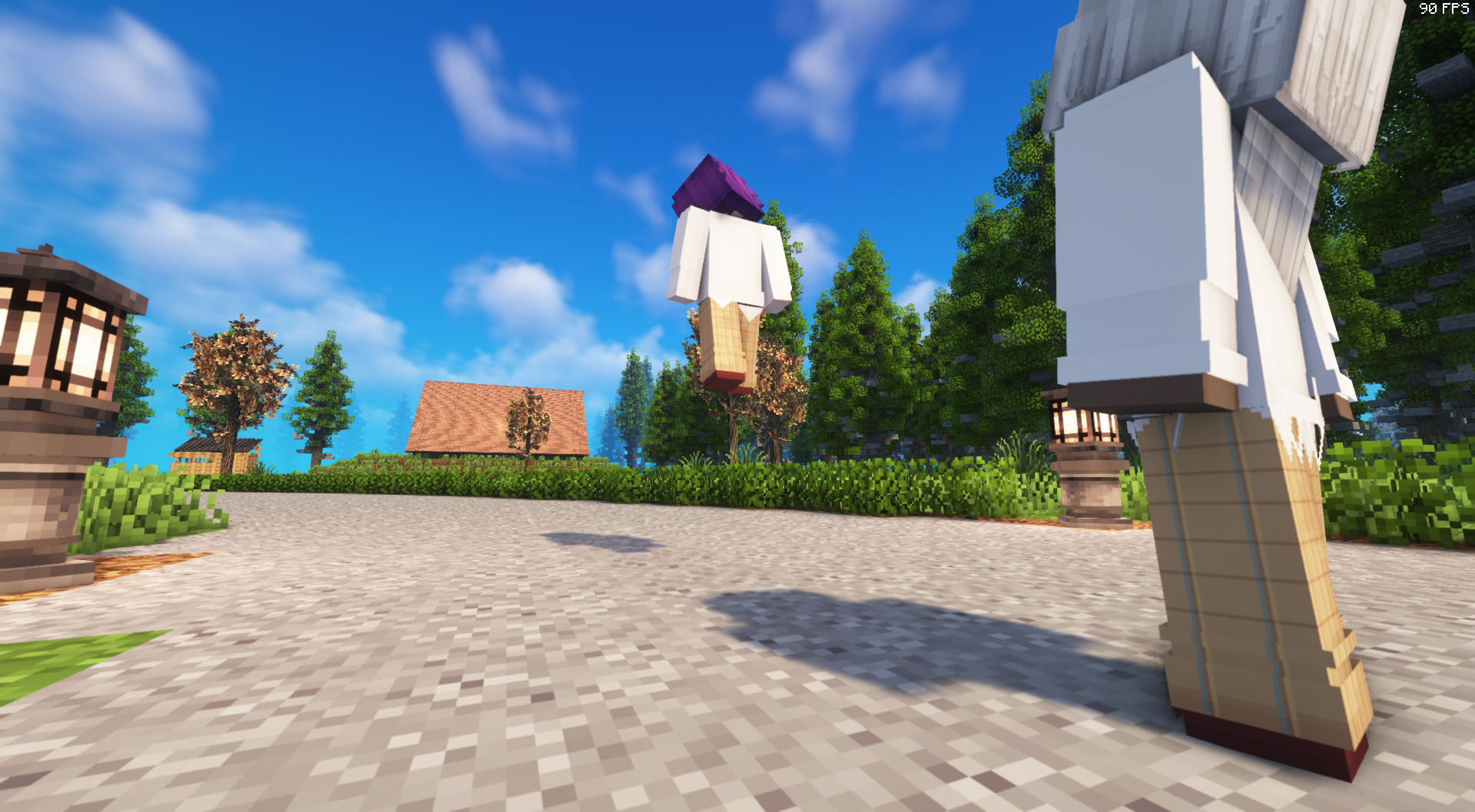
✨ Features
🎯 Real Physics Throwing
- Uses actual velocity, not teleporting
- Works flawlessly on dedicated servers
- Smooth, natural projectile arc like vanilla physics
⚡ Throw Mode + Charge Mechanic
- Hold Shift for 3 seconds → Enter Throw Mode
- Keep holding to Charge
- Release to throw with power based on charge
- Includes a Charge Bar HUD and Pre-Throw Progress HUD
🔊 Audio Feedback
- Sound when entering Throw Mode
- Pitch-up ticks when charging
- Throw release sound
🧱 Obstacle Detection
- Raycast prevents throwing into walls
- If blocked → safe drop in front of player
- Prevents glitching and clipping
🧬 Per-Player Client Toggle
Each player can toggle the system on/off:
Default Key: O
(Only disables for the player using it — others unaffected.)
🖥 HUD Elements Included
- Warmup Overlay: “Preparing Throw…”
- Charge Bar: Progress bar near hotbar
- Position fully configurable via TOML
🔧 Full Server Config (TOML)
- File:
config/carry_on_throw-server.toml - Reload live with:
/throwreload
Includes:
- Charge min/max
- Cooldowns
- Drop distance
- Throw offsets
- Block collision toggle
- HUD offsets
- Debug logging
- Sound enable/disable
- Server & client anti-spam cooldowns
Config reload shows colored diff on console.
🧠 Server Safe & Optimized
- No mixins required
- Extremely low overhead
- Anti spam protections
- Physics fully computed server-side
- 100% deterministic behavior
📦 Installation
- Install Fabric Loader
- Install Fabric API
- Install Carry On (Fabric)
- Drop this mod into
mods/
Optional: adjust configs in: config/carry_on_throw-server.toml
🔗 Links
🌐 Website: https://ppekkungz.in.th
💻 GitHub: https://github.com/PPekKunGz
✨ Author: @PPekKunGzDev
Available Versions
How to Install Carry On Throw Addon on Your Server
Order Server
Order a Minecraft Java server with at least 3 GB RAM (4 GB recommended).
Set fabric Loader
In the panel under "Egg", select the fabric loader and matching Minecraft version (1.21.1).
Install Mod
Open the mod browser in the dashboard and search for "Carry On Throw Addon". Click "Install" – done! Alternatively, upload the .jar via SFTP to the /mods folder.
Compatibility
Mod Loaders
Minecraft Versions
1.21.1, 1.20.1
Server-side
✓ RequiredRecommended RAM
4 GB(min. 3 GB)Frequently Asked Questions
Carry On Throw Addon server crashes on startup – what to do?
Most common cause: wrong fabric version or insufficient RAM. Check the server log (latest.log) for "OutOfMemoryError" or "Mixin" errors. With Mado Hosting: ensure at least 3 GB RAM is allocated and the loader matches the mod version (1.21.1). You can switch loaders with one click in the panel.
Is Carry On Throw Addon compatible with fabric?
Carry On Throw Addon officially supports fabric for Minecraft 1.21.1, 1.20.1. The Mado dashboard automatically detects incompatible loader combinations.
Server lagging with Carry On Throw Addon – how to optimize performance?
Recommended RAM: 4 GB (per 8 players). Use /spark profiler to check if Carry On Throw Addon consumes the most tick time. Common fixes: reduce server view-distance to 8-10, install "performant" or "starlight" as supplementary mods on Forge. With Mado Hosting, your server runs on NVMe SSDs with dedicated CPU cores for minimal latency.
Similar Mods




Rent Modded Server
Install Carry On Throw Addon with just one click on your server.