
CatzMod
Just a mod that add some items,blocks related to cats like a mod template for my other mods.
Screenshots
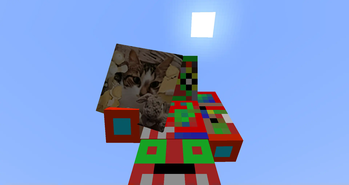
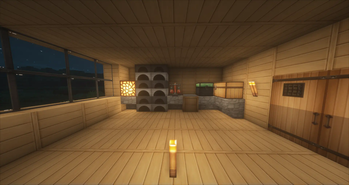
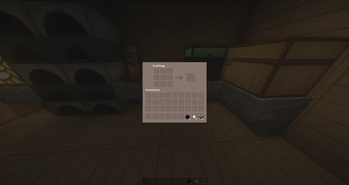
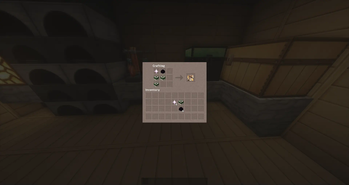
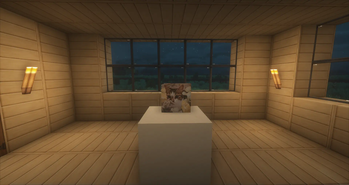
About this Mod
This mod adds an item to your Minecraft world called CatCoin. This coin can be used to craft various items, adding a new layer of depth to your gameplay experience. With CatCoin, you can craft items such as weapons, armor, tools, food, and more. It adds an extra layer of challenge and complexity to your modpack, and gives you the opportunity to make use of your creativity. With CatCoin, you can craft items faster, more efficiently, and more effectively, making it easier to build whatever you need. Furthermore, it adds a sense of accomplishment when you complete a crafting task, as you can show off the results of your efforts with your friends. CatCoin adds a unique element to your modpack, providing a way to make crafting more rewarding and enjoyable. With its simple and intuitive user interface, CatCoin makes crafting easier and more enjoyable for everyone.
- A Question and Answer .
Q: Can I use this mod in my modpack?
A: Yes, you can.
Q: What features does this mod offer?
A: This mod offers the ability to craft items using a new currency called CatCoin. This adds an additional level of complexity to the crafting system, allowing users to create more interesting and unique items. Additionally, this mod provides a way to store and manage CatCoin, allowing players to build up their wealth and make larger purchases.
- How those features affect a user's experience.
This mod provides an additional item for the user to craft and utilize in their modpack. The CatCoin item can be used to create unique items, giving the user a greater range of potential options when it comes to creating and customizing their modpack experience. By adding this item, players are given the ability to craft items that they may not have been able to make before, creating a more dynamic and enjoyable experience.
- Links to descriptions of my projects.
Modrinth: https://modrinth.com/mod/catzmod/version/0.1
Github: https://github.com/quentin452/Catzmod1.7.10
Curseforge: https://www.curseforge.com/minecraft/mc-mods/catzmod
Available Versions
How to Install CatzMod on Your Server
Order Server
Order a Minecraft Java server with at least 3 GB RAM (4 GB recommended).
Set forge Loader
In the panel under "Egg", select the forge loader and matching Minecraft version (1.7.10).
Install Mod
Open the mod browser in the dashboard and search for "CatzMod". Click "Install" – done! Alternatively, upload the .jar via SFTP to the /mods folder.
Compatibility
Mod Loaders
Minecraft Versions
1.7.10
Server-side
✓ RequiredRecommended RAM
4 GB(min. 3 GB)Frequently Asked Questions
CatzMod server crashes on startup – what to do?
Most common cause: wrong forge version or insufficient RAM. Check the server log (latest.log) for "OutOfMemoryError" or "Mixin" errors. With Mado Hosting: ensure at least 3 GB RAM is allocated and the loader matches the mod version (1.7.10). You can switch loaders with one click in the panel.
Is CatzMod compatible with forge?
CatzMod officially supports forge for Minecraft 1.7.10. The Mado dashboard automatically detects incompatible loader combinations.
Server lagging with CatzMod – how to optimize performance?
Recommended RAM: 4 GB (per 8 players). Use /spark profiler to check if CatzMod consumes the most tick time. Common fixes: reduce server view-distance to 8-10, install "performant" or "starlight" as supplementary mods on Forge. With Mado Hosting, your server runs on NVMe SSDs with dedicated CPU cores for minimal latency.
Similar Mods

![[ETF] Entity Texture Features](https://cdn.modrinth.com/data/BVzZfTc1/af683d206d50b05258d865b0d6e4aa2f2cee12f2_96.webp)
![[EMF] Entity Model Features](https://cdn.modrinth.com/data/4I1XuqiY/6e5bbd0d06b1741bfdab6c0cfab6de8fdaf0064c_96.webp)



Rent Modded Server
Install CatzMod with just one click on your server.