ChalkPlus
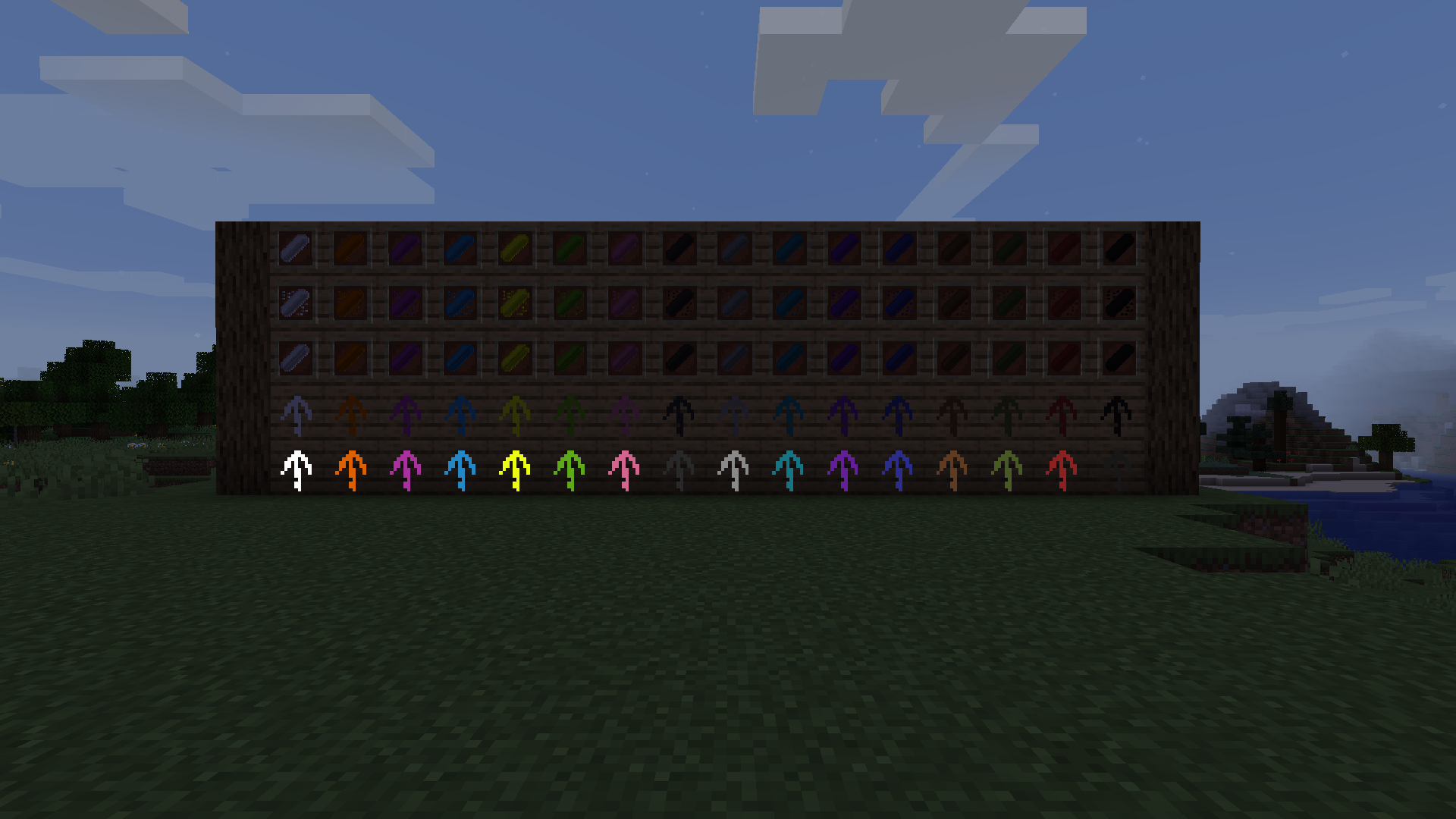
Adds colored chalk tools that place regular, glowing, and waxed chalk marks.
Screenshots
About this Mod

ChalkPlus
Have you ever found yourself hopelessly lost in a massive cave system? Or perhaps you wanted to leave a quick, immersive message for your friends on a multiplayer server? ChalkPlus is a simple yet highly effective mod that brings fully functional, drawable chalk into your Minecraft world!
Key Features
Draw Anywhere: Leave visible marks, arrows, and symbols on almost any block surface. Perfect for marking dead ends or pointing towards the exit!
Multiple Colors: Combine basic chalk with any of the vanilla dyes to create a full palette of colorful markers.
Immersive Navigation: Say goodbye to placing ugly dirt blocks or wasting torches just to find your way back home. Chalk marks feel natural and fit perfectly into the game's aesthetic.
Multiplayer Friendly: Leave warnings about traps, mark your territory, or just draw something fun for other players to find.
Easy to Clean: Made a mistake? Chalk marks can be easily removed without damaging the block underneath.
How to Use
Simply craft a piece of chalk, hold it in your hand, and right-click on a block to leave a mark. It is intuitive, lightweight, and designed to seamlessly enhance your vanilla survival experience.
Available Versions
How to Install ChalkPlus on Your Server
Order Server
Order a Minecraft Java server with at least 3 GB RAM (4 GB recommended).
Set fabric Loader
In the panel under "Egg", select the fabric loader and matching Minecraft version (1.20.2).
Install Mod
Open the mod browser in the dashboard and search for "ChalkPlus". Click "Install" – done! Alternatively, upload the .jar via SFTP to the /mods folder.
Compatibility
Mod Loaders
Minecraft Versions
1.20.2, 1.20.1, 1.20 (+12 more)
Server-side
✓ RequiredRecommended RAM
4 GB(min. 3 GB)Frequently Asked Questions
ChalkPlus server crashes on startup – what to do?
Most common cause: wrong fabric version or insufficient RAM. Check the server log (latest.log) for "OutOfMemoryError" or "Mixin" errors. With Mado Hosting: ensure at least 3 GB RAM is allocated and the loader matches the mod version (1.20.2). You can switch loaders with one click in the panel.
Is ChalkPlus compatible with fabric?
ChalkPlus officially supports fabric for Minecraft 1.20.2, 1.20.1, 1.20. The Mado dashboard automatically detects incompatible loader combinations.
Server lagging with ChalkPlus – how to optimize performance?
Recommended RAM: 4 GB (per 8 players). Use /spark profiler to check if ChalkPlus consumes the most tick time. Common fixes: reduce server view-distance to 8-10, install "performant" or "starlight" as supplementary mods on Forge. With Mado Hosting, your server runs on NVMe SSDs with dedicated CPU cores for minimal latency.
Similar Mods

![[ETF] Entity Texture Features](https://cdn.modrinth.com/data/BVzZfTc1/af683d206d50b05258d865b0d6e4aa2f2cee12f2_96.webp)
![[EMF] Entity Model Features](https://cdn.modrinth.com/data/4I1XuqiY/6e5bbd0d06b1741bfdab6c0cfab6de8fdaf0064c_96.webp)



Rent Modded Server
Install ChalkPlus with just one click on your server.