
Chat Magic
Better display WorldEdit / other build tools' command line. With block/item view and charts for complex materials and more!
Screenshots
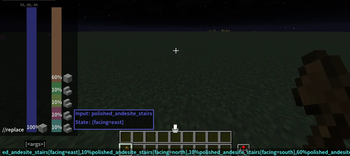
About this Mod
What is Chat Magic
Do you hate the not human friendly view of WorldEdit's materials in the commands? This is a graphic displayer for you architects!
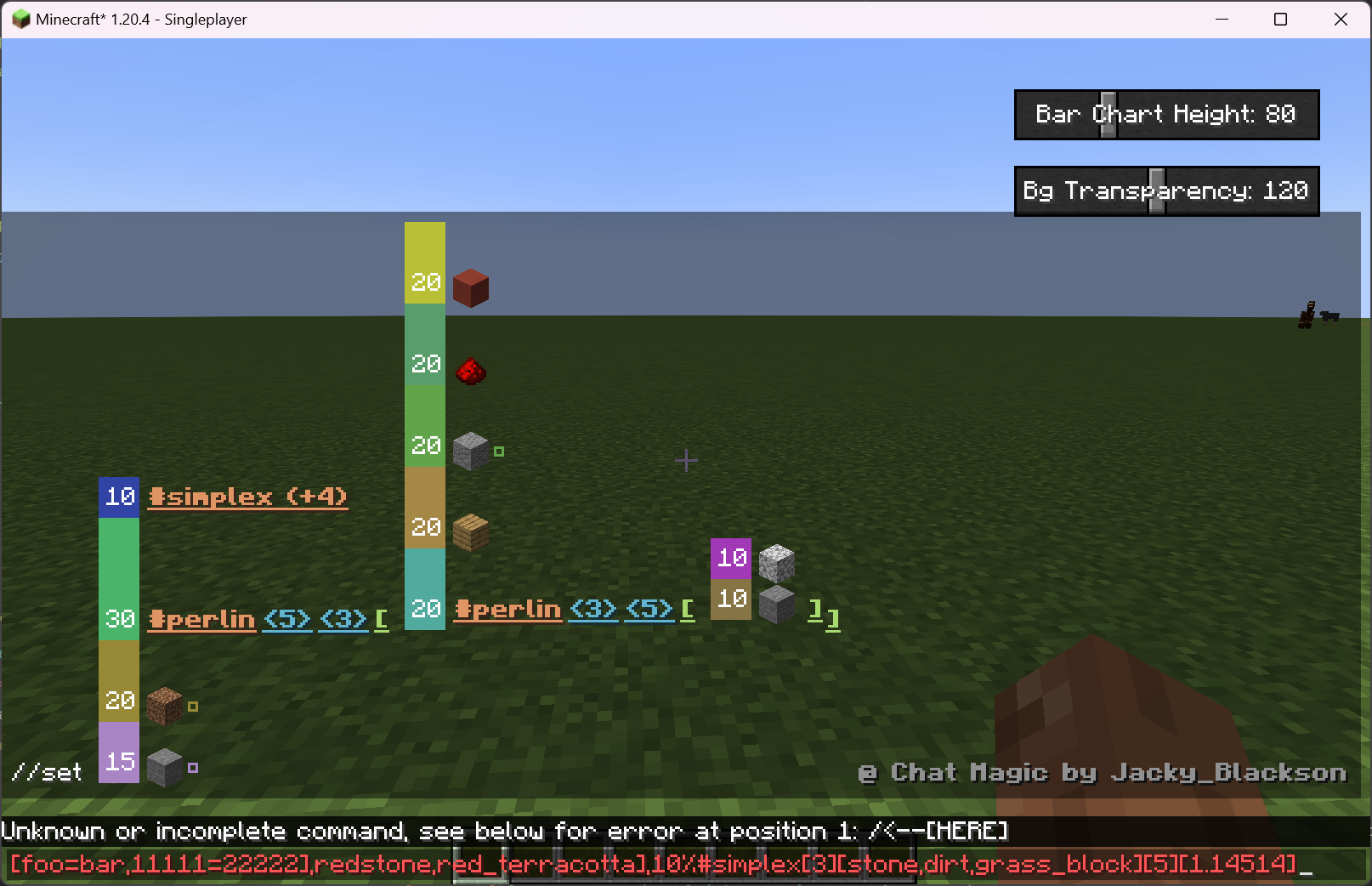
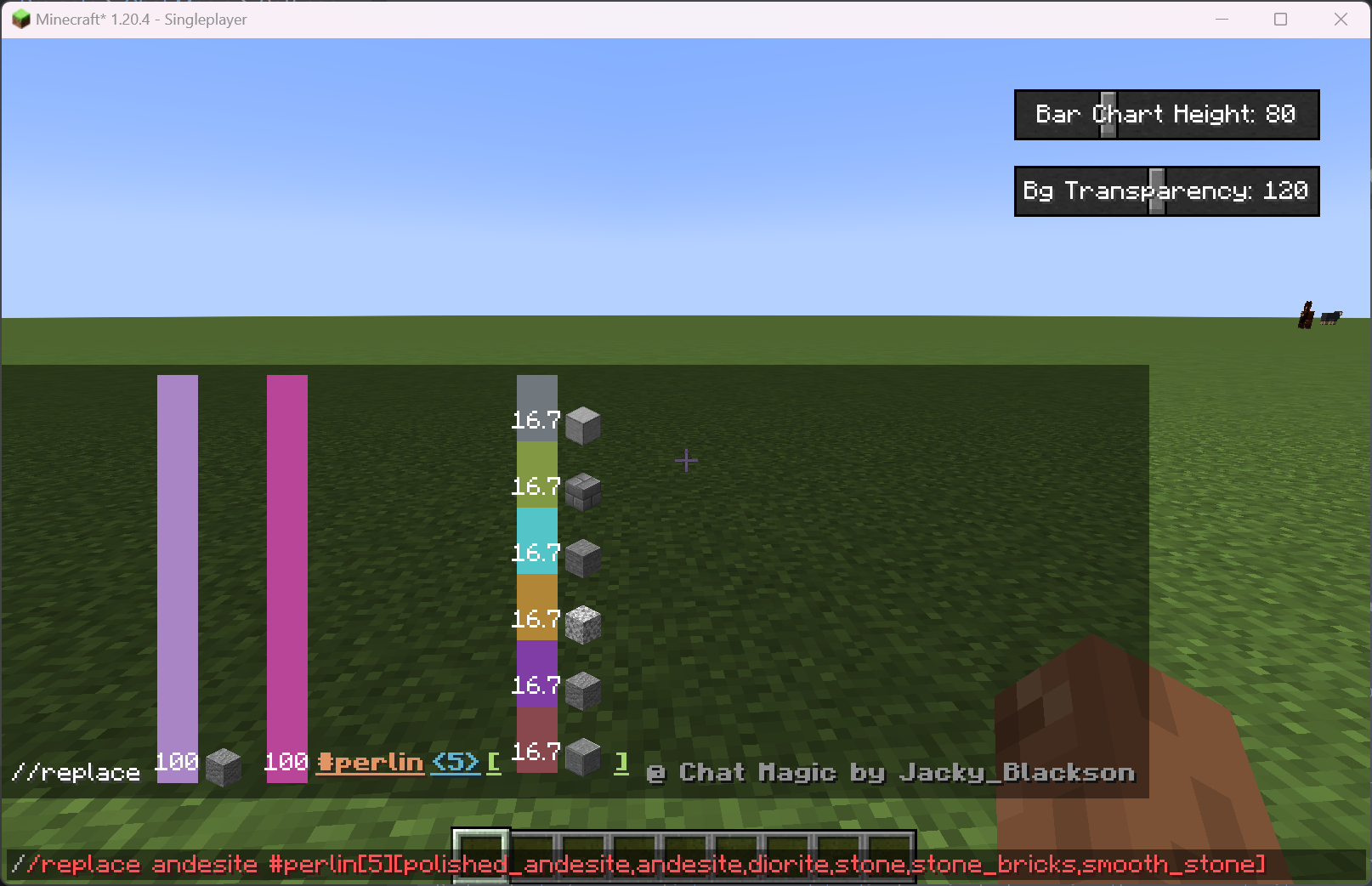
This mod will display the content of the command you entered above the input widget, making it beautiful and meaningful.
The source is on github LINK, please leave a star if this mod is of some help.
Currently Supported Features
Parse, render and display items when mentions
Identifierin chat. Supports bothnameandnamespace:name.When input
WorldEditrandom materials, such as30%stone,70%grassetc, will display a bar chart to indicate the portions of each single material.Supports materials with custom blockstate such as
stone_stairs[top=true,face=west], will display in the tooptip when you put your mouse on the item.Complex worldedit materials, including selector start with
#and recursive material expressions. Each selector's param list can expand to display simply by moving the mouse on to it.- For example:
//set 15%stone[foo=1,bar=2],20%dirt[foo=[1,2,3],bar={4}],30%#perlin[5][3][#perlin[3][5][10%stone,10%diorite],oak_planks,andesite[foo=bar,11111=22222],redstone,red_terracotta],10%#simplex[3][stone,dirt,grass_block][5][1.14514]will look like this:
- For example:
Better display system with fixs on positionings and font and style.
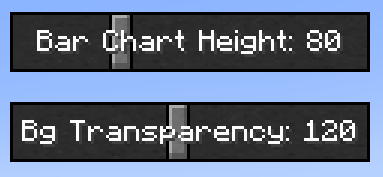
Making adjustments to charts' height and background transparency possible by adding 2 slide bars to the chat screen:
Future Plans
- Add support to complex WE mask expressions
- Improve chart and text positioning
- Add support to multi-langrage and translations
- Add support to config files and screens
Available Versions
How to Install Chat Magic on Your Server
Order Server
Order a Minecraft Java server with at least 3 GB RAM (4 GB recommended).
Set fabric Loader
In the panel under "Egg", select the fabric loader and matching Minecraft version (1.20.6).
Install Mod
Open the mod browser in the dashboard and search for "Chat Magic". Click "Install" – done! Alternatively, upload the .jar via SFTP to the /mods folder.
Compatibility
Mod Loaders
Minecraft Versions
1.20.6, 1.20.5, 1.20.4
Server-side
✗ UnsupportedRecommended RAM
4 GB(min. 3 GB)Frequently Asked Questions
Chat Magic server crashes on startup – what to do?
Most common cause: wrong fabric version or insufficient RAM. Check the server log (latest.log) for "OutOfMemoryError" or "Mixin" errors. With Mado Hosting: ensure at least 3 GB RAM is allocated and the loader matches the mod version (1.20.6). You can switch loaders with one click in the panel.
Is Chat Magic compatible with fabric?
Chat Magic officially supports fabric for Minecraft 1.20.6, 1.20.5, 1.20.4. The Mado dashboard automatically detects incompatible loader combinations.
Server lagging with Chat Magic – how to optimize performance?
Recommended RAM: 4 GB (per 8 players). Use /spark profiler to check if Chat Magic consumes the most tick time. Common fixes: reduce server view-distance to 8-10, install "performant" or "starlight" as supplementary mods on Forge. With Mado Hosting, your server runs on NVMe SSDs with dedicated CPU cores for minimal latency.
Similar Mods


Rent Modded Server
Install Chat Magic with just one click on your server.