Chat Tweaks
Various chat tweaks that change the look and feel of the chat, for better or for worse.
Screenshots
About this Mod
Features
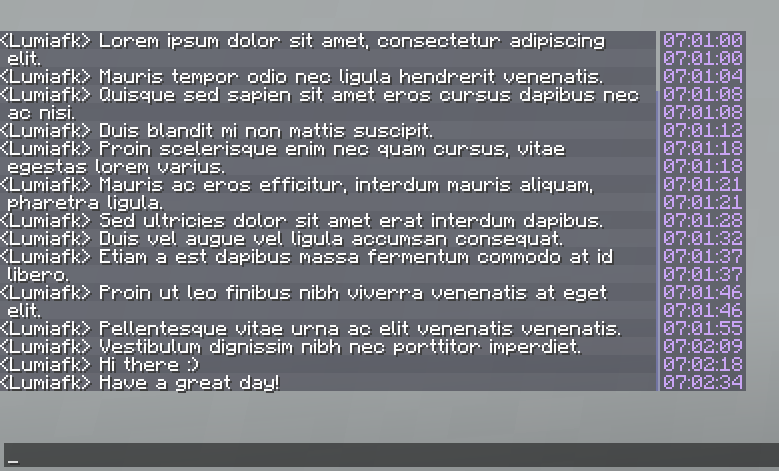
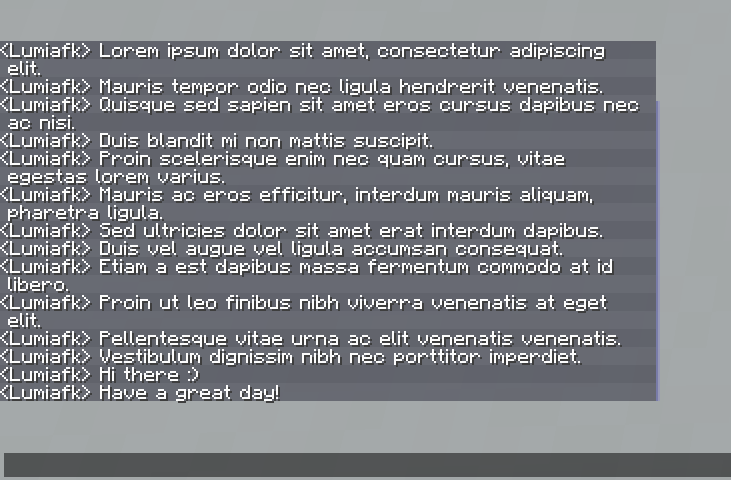
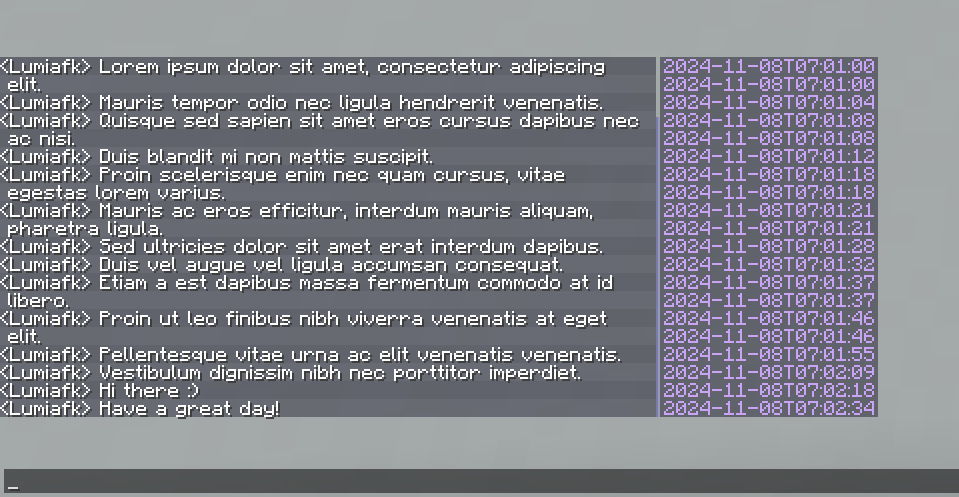
- Adds unintrusive timestamps to chat. It's only visible when the chat is open and the mouse cursor is hovering over the chat box (but it can be configured to show at all times)
- Text color, background color and the format is configurable
- Timestamps will be grouped to reduce noise in spammy situations
- The time frame this grouping will activate in is also configurable
- Adds highlights for every other chat message
- The highlight color can be configured, but please note that the color will be overlaid on top of the background color, so the actual color displayed might be slightly different to what is configured if the highlight color is translucent.
- Removes that pesky white line at the left of chat called the message indicator, and moves the chat slightly left to fill the gap left behind
- Increases the chat's input limit
- Note that messages containing over 256 characters will still be truncated to 256 characters when sent as the server expects a maximum of 256 characters.
- Allow changing the width and the focused/unfocused height of the chat beyond normal limits (via the mod's configs)
- Adds key to peek the chat, defaults to
V- There's an option to make it permanently show chat
Almost all of these features can be toggled on or off. For those that can't be toggled, their values can be changed to effectively turn them off/default back to minecraft's values.
Configuring
Simply use modmenu and/or run /chattweaks config.
Compatibility
The mod should be compatible with pretty much every mod that does not implement custom chat behaviour. I've avoided using a custom chat screen and only made modifications to the existing screen for this reason.
Available Versions
How to Install Chat Tweaks on Your Server
Order Server
Order a Minecraft Java server with at least 3 GB RAM (4 GB recommended).
Set fabric Loader
In the panel under "Egg", select the fabric loader and matching Minecraft version (1.21.4).
Install Mod
Open the mod browser in the dashboard and search for "Chat Tweaks". Click "Install" – done! Alternatively, upload the .jar via SFTP to the /mods folder.
Compatibility
Mod Loaders
Minecraft Versions
1.21.4, 1.21.3, 1.21.2
Server-side
✗ UnsupportedRecommended RAM
4 GB(min. 3 GB)Frequently Asked Questions
Chat Tweaks server crashes on startup – what to do?
Most common cause: wrong fabric version or insufficient RAM. Check the server log (latest.log) for "OutOfMemoryError" or "Mixin" errors. With Mado Hosting: ensure at least 3 GB RAM is allocated and the loader matches the mod version (1.21.4). You can switch loaders with one click in the panel.
Is Chat Tweaks compatible with fabric?
Chat Tweaks officially supports fabric for Minecraft 1.21.4, 1.21.3, 1.21.2. The Mado dashboard automatically detects incompatible loader combinations.
Server lagging with Chat Tweaks – how to optimize performance?
Recommended RAM: 4 GB (per 8 players). Use /spark profiler to check if Chat Tweaks consumes the most tick time. Common fixes: reduce server view-distance to 8-10, install "performant" or "starlight" as supplementary mods on Forge. With Mado Hosting, your server runs on NVMe SSDs with dedicated CPU cores for minimal latency.
Similar Mods




![[ETF] Entity Texture Features](https://cdn.modrinth.com/data/BVzZfTc1/af683d206d50b05258d865b0d6e4aa2f2cee12f2_96.webp)
![[EMF] Entity Model Features](https://cdn.modrinth.com/data/4I1XuqiY/6e5bbd0d06b1741bfdab6c0cfab6de8fdaf0064c_96.webp)
Rent Modded Server
Install Chat Tweaks with just one click on your server.