
Chatrix
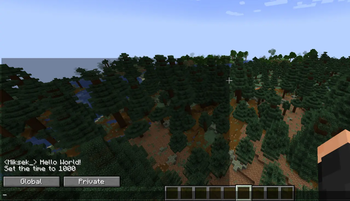
This mod completely overhauls Minecraft's chat system, adding a separate global and private chat.
Screenshots

About this Mod
Chatrix
Modern Chat for Minecraft
Tired of losing private messages in a cluttered global chat?
Chatrix transforms Minecraft’s outdated chat into a clean, organized messenger with tabs, notifications, and a modern interface — all while staying true to vanilla style.
Core Features
🗂️ Tab-Based Chat
- Separate Global and Private conversations
- Automatic detection of /msg and /tell
- Each player gets their own private tab
- No more mixed or lost messages
💬 Clean Messenger UI
- Easily switch between conversations with different players
- Focused, distraction-free chat experience
- System clutter is removed for better readability
- Designed for fast and comfortable communication
🛠️ Vanilla-Friendly Design
- Compact chat width (like vanilla)
- Proper word wrapping (no overlap or broken text)
- Fits naturally into the Minecraft UI
🔔 Notifications
Unread messages are marked with a red dot
Works even while you're in another tab
Simple and non-intrusive
Available Versions
How to Install Chatrix on Your Server
Order Server
Order a Minecraft Java server with at least 3 GB RAM (4 GB recommended).
Set fabric Loader
In the panel under "Egg", select the fabric loader and matching Minecraft version (1.21.1).
Install Mod
Open the mod browser in the dashboard and search for "Chatrix". Click "Install" – done! Alternatively, upload the .jar via SFTP to the /mods folder.
Compatibility
Mod Loaders
Minecraft Versions
1.21.1
Server-side
✗ UnsupportedRecommended RAM
4 GB(min. 3 GB)Frequently Asked Questions
Chatrix server crashes on startup – what to do?
Most common cause: wrong fabric version or insufficient RAM. Check the server log (latest.log) for "OutOfMemoryError" or "Mixin" errors. With Mado Hosting: ensure at least 3 GB RAM is allocated and the loader matches the mod version (1.21.1). You can switch loaders with one click in the panel.
Is Chatrix compatible with fabric?
Chatrix officially supports fabric for Minecraft 1.21.1. The Mado dashboard automatically detects incompatible loader combinations.
Server lagging with Chatrix – how to optimize performance?
Recommended RAM: 4 GB (per 8 players). Use /spark profiler to check if Chatrix consumes the most tick time. Common fixes: reduce server view-distance to 8-10, install "performant" or "starlight" as supplementary mods on Forge. With Mado Hosting, your server runs on NVMe SSDs with dedicated CPU cores for minimal latency.
Similar Mods




![[ETF] Entity Texture Features](https://cdn.modrinth.com/data/BVzZfTc1/af683d206d50b05258d865b0d6e4aa2f2cee12f2_96.webp)
![[EMF] Entity Model Features](https://cdn.modrinth.com/data/4I1XuqiY/6e5bbd0d06b1741bfdab6c0cfab6de8fdaf0064c_96.webp)
Rent Modded Server
Install Chatrix with just one click on your server.
Details
- License
- Creative Commons Attribution Non Commercial Share Alike 4.0 International
- Server-side
- Unsupported