
Checkmate
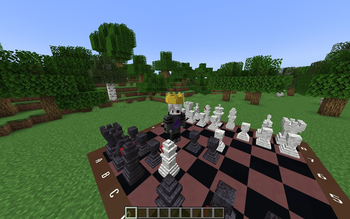
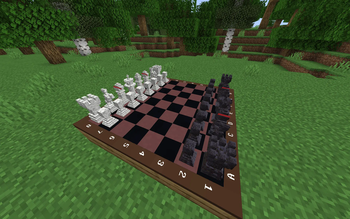
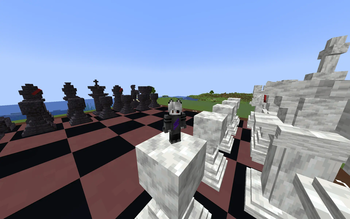
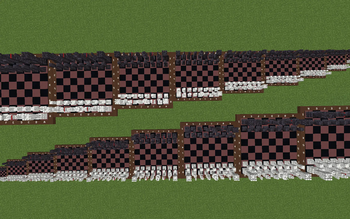
Gives you the opportunity to play a chess game of any size anywhere in the minecraft world.
Screenshots

About this Mod
Chess
Playing Minecraft is a pleasure for many, so why not combine it with chess, an ancient game that has existed for over one and a half thousand years?
Mechanics
How to Obtain the Chessboard?
There are two ways to get the chess set:
- Crafting
Craft the chess set using 9 items:- Chiseled Deepslate
- Polished Deepslate Wall
- Polished Diorite
- Diorite Wall
- Redstone
- 2x Black Terracotta
- Brown Terracotta
- Command
If commands are enabled in the accessibility settings, use the following command:/function main:give_item
Operating Modes
Adjusting Chessboard and Piece Sizes
You can adjust the size of the chessboard and pieces (the default size is 1). You can increase or decrease it as follows:
To Increase Size:
- Pick up the chess set after obtaining it.
- Hold down the Shift key.
- Move the mouse cursor above the middle of the screen.
- Right-click.
To Decrease Size:
- Perform the same steps as increasing the size, but move the mouse cursor below the middle of the screen.

Playing Chess
To play chess:
- Right-click on the chessboard while Shift is not pressed.

Picking Up the Chessboard
To pick up the chessboard:
- Hold down the Shift key.
- Look straight up while standing near the chessboard.
Once picked up, the chessboard will appear in your inventory.

Currently, the rules of the chessboard do not match the most common ones, which will be corrected in the future.
At the moment, there is a datapack, which is also a resourcepack!
Available Versions
How to Install Checkmate on Your Server
Order Server
Order a Minecraft Java server with at least 3 GB RAM (4 GB recommended).
Set datapack Loader
In the panel under "Egg", select the datapack loader and matching Minecraft version (1.21.3).
Install Mod
Open the mod browser in the dashboard and search for "Checkmate". Click "Install" – done! Alternatively, upload the .jar via SFTP to the /mods folder.
Compatibility
Mod Loaders
Minecraft Versions
1.21.3, 1.21.2, 1.21.1 (+1 more)
Server-side
✓ RequiredRecommended RAM
4 GB(min. 3 GB)Frequently Asked Questions
Checkmate server crashes on startup – what to do?
Most common cause: wrong datapack version or insufficient RAM. Check the server log (latest.log) for "OutOfMemoryError" or "Mixin" errors. With Mado Hosting: ensure at least 3 GB RAM is allocated and the loader matches the mod version (1.21.3). You can switch loaders with one click in the panel.
Is Checkmate compatible with datapack and fabric?
Checkmate officially supports datapack, fabric for Minecraft 1.21.3, 1.21.2, 1.21.1. The Mado dashboard automatically detects incompatible loader combinations.
Server lagging with Checkmate – how to optimize performance?
Recommended RAM: 4 GB (per 8 players). Use /spark profiler to check if Checkmate consumes the most tick time. Common fixes: reduce server view-distance to 8-10, install "performant" or "starlight" as supplementary mods on Forge. With Mado Hosting, your server runs on NVMe SSDs with dedicated CPU cores for minimal latency.
Similar Mods

![[ETF] Entity Texture Features](https://cdn.modrinth.com/data/BVzZfTc1/af683d206d50b05258d865b0d6e4aa2f2cee12f2_96.webp)
![[EMF] Entity Model Features](https://cdn.modrinth.com/data/4I1XuqiY/6e5bbd0d06b1741bfdab6c0cfab6de8fdaf0064c_96.webp)



Rent Modded Server
Install Checkmate with just one click on your server.