
Checkpoints
Create, manage, and restore checkpoints seamlessly, ensuring your progress is always safe
Screenshots
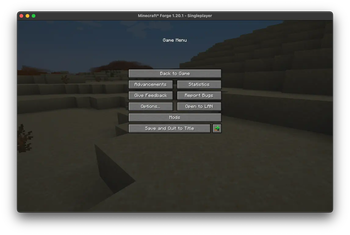

About this Mod
Checkpoints is a powerful tool for Minecraft players who want complete control over their worlds. With this mod, you can create, manage, and restore checkpoints seamlessly, ensuring your progress is always safe. Perfect for adventurers, builders, or anyone who values peace of mind while exploring Minecraft’s endless possibilities.
Features
Checkpoint Management:
- Create checkpoints for your world at any time.
- Automatically organize and store checkpoints within your world directory.
Automatic Checkpoint Restoration:
- After a player respawns, the mod can automatically restore the latest checkpoint, making survival gameplay more forgiving.
User-Friendly Interface:
- Browse checkpoints through an in-game menu with previews, dates, and mod compatibility indicators.
- Restore your world with just a few clicks or commands.
Safe Operations:
- Prevents conflicts by locking the world during checkpoint operations to ensure data consistency.
Why Use Checkpoints?
Whether you’re testing redstone contraptions, exploring dangerous biomes, or building massive structures, this mod lets you experiment freely, knowing you can always return to a previous state. It’s your safety net in Minecraft’s vast world of unpredictability.
Available Versions
How to Install Checkpoints on Your Server
Order Server
Order a Minecraft Java server with at least 3 GB RAM (4 GB recommended).
Set forge Loader
In the panel under "Egg", select the forge loader and matching Minecraft version (1.21).
Install Mod
Open the mod browser in the dashboard and search for "Checkpoints". Click "Install" – done! Alternatively, upload the .jar via SFTP to the /mods folder.
Compatibility
Mod Loaders
Minecraft Versions
1.21, 1.20.1
Server-side
✗ UnsupportedRecommended RAM
4 GB(min. 3 GB)Frequently Asked Questions
Checkpoints server crashes on startup – what to do?
Most common cause: wrong forge version or insufficient RAM. Check the server log (latest.log) for "OutOfMemoryError" or "Mixin" errors. With Mado Hosting: ensure at least 3 GB RAM is allocated and the loader matches the mod version (1.21). You can switch loaders with one click in the panel.
Is Checkpoints compatible with forge?
Checkpoints officially supports forge for Minecraft 1.21, 1.20.1. The Mado dashboard automatically detects incompatible loader combinations.
Server lagging with Checkpoints – how to optimize performance?
Recommended RAM: 4 GB (per 8 players). Use /spark profiler to check if Checkpoints consumes the most tick time. Common fixes: reduce server view-distance to 8-10, install "performant" or "starlight" as supplementary mods on Forge. With Mado Hosting, your server runs on NVMe SSDs with dedicated CPU cores for minimal latency.
Similar Mods




Rent Modded Server
Install Checkpoints with just one click on your server.