
Chest Search
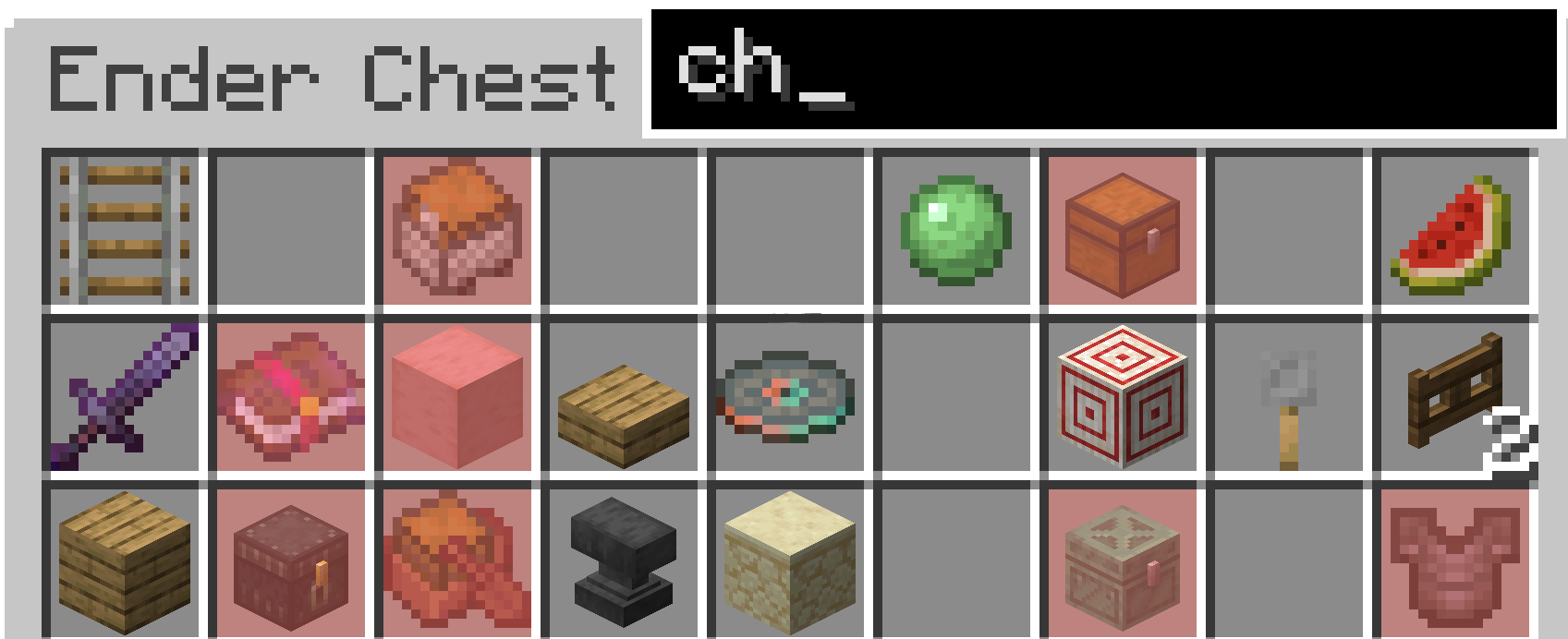
This project adds search bars to chest and shulker boxes to help you find items by highlighting matching words.
Screenshots

About this Mod
Chest Search
About
This mod adds a search bar to let you search through chest and shulker boxes. It will then highlight with a chosen colour in Mod Menu the items that match what you type. The coolest feature is you can change the colour (if you have modmenu and clothconfig installed to match either your resource pack or how you like to play the game. To do this hit Esc -> Mods -> Search "Chest Search" -> Click Settings -> Change Colour.
From 1.2.0+
You can now search for enchantments on weapons and books.
Installation
To install it on Fabric first you must install the Fabric installer. Or have the Modrinth app or a similar installation manager.
Fabric (for one version)
Modrinth (for multiple installations)
After having an instance of fabric installed, you must either navigate to the mods folder (Minecraft Launcher Fabric) or directly install it through the modrinth launcher.
Fabric
Windows
On Windows press WIN + R and in the box that shows up type appdata then hit enter. From there you should see a folder called .minecraft. Once inside there, you should see a folder called mods. In there put the mod .jar for the correct version.
Mac
Open Finder Window. In the top bar, select Go → Go to folder. Type in "~/Library/Application Support/minecraft". In there put the mod .jar for the correct version.
Linux (On Ubuntu could vary from distro)
Open Files and navigate to home. From there, press CTR + H to show hidden folders. From there, navigate to .minecraft. Then go to the mods folder and place the mod .jar for the correct version.
Modrinth
In the modrinth app go to your installation of fabric and there should be a tab called install mods. Click on this and search for this project. Then hit install. If you have trouble with this there are tutorials online, however it is quite straight forward.
Available Versions
How to Install Chest Search on Your Server
Order Server
Order a Minecraft Java server with at least 3 GB RAM (4 GB recommended).
Set fabric Loader
In the panel under "Egg", select the fabric loader and matching Minecraft version (26.1.2).
Install Mod
Open the mod browser in the dashboard and search for "Chest Search". Click "Install" – done! Alternatively, upload the .jar via SFTP to the /mods folder.
Compatibility
Mod Loaders
Minecraft Versions
26.1.2, 26.1.1, 26.1 (+8 more)
Server-side
✗ UnsupportedRecommended RAM
4 GB(min. 3 GB)Frequently Asked Questions
Chest Search server crashes on startup – what to do?
Most common cause: wrong fabric version or insufficient RAM. Check the server log (latest.log) for "OutOfMemoryError" or "Mixin" errors. With Mado Hosting: ensure at least 3 GB RAM is allocated and the loader matches the mod version (26.1.2). You can switch loaders with one click in the panel.
Is Chest Search compatible with fabric?
Chest Search officially supports fabric for Minecraft 26.1.2, 26.1.1, 26.1. The Mado dashboard automatically detects incompatible loader combinations.
Server lagging with Chest Search – how to optimize performance?
Recommended RAM: 4 GB (per 8 players). Use /spark profiler to check if Chest Search consumes the most tick time. Common fixes: reduce server view-distance to 8-10, install "performant" or "starlight" as supplementary mods on Forge. With Mado Hosting, your server runs on NVMe SSDs with dedicated CPU cores for minimal latency.
Similar Mods




Rent Modded Server
Install Chest Search with just one click on your server.