
CHIC
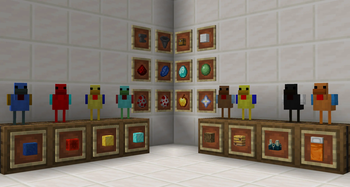
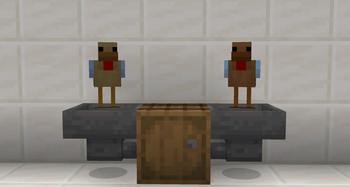
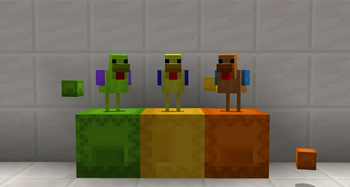
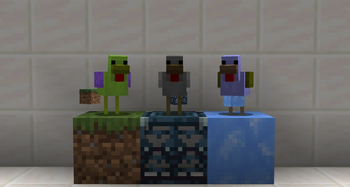
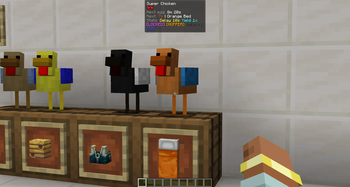
CHIC is an upgradable Minecraft mod featuring a Super Chicken entity that dynamically camouflages its color to match the block it stands on and lays that same block as an egg.
Screenshots

About this Mod
CHIC adds a utility mob to the game: the Super Chicken. It is a lag-friendly, highly configurable resource generator designed to duplicate blocks and items without complex machinery.

Getting Started
To get started, simply right-click a vanilla Chicken with a Golden Apple. The chicken will transform into a Super Chicken. By default, it will drop an item corresponding to the block it is standing on.
- Stand on Log -> Drops Log
- Stand on Diamond Ore -> Drops Diamond
Upgrades & Mechanics
The chicken is fully upgradable. Right-click the entity with the following items to improve its stats.
Spoiler
Core Stats
- Redstone (Speed): Reduces the time between drops. Can be stacked to make drops nearly instant.
- Lapis Lazuli (Yield): Increases the number of items dropped per cycle.
- Diamond (Memory Lock): Locks the chicken to the current block it is standing on. Once locked, you can move the chicken anywhere, and it will keep producing the original block.
Automation & Utility
- Hopper (Auto Export): Requires Memory Lock. The chicken will automatically push items into adjacent inventories (Chests, Barrels, etc.) instead of dropping them on the ground.

- Wool (Mute): Silences the sound effects.
Advanced Features
- Slime Ball (Silk Touch): Forces the chicken to drop the block itself.

- Nether Star (Data Capture): Allows the chicken to copy TileEntity data. Useful for duplicating Shulker Boxes while keeping their contents.

Mod Support
- Jade / Waila: Looking at a chicken shows exactly what it is mining, its tier, speed, and lock status.

- JEI: Full support for viewing upgrade recipes and mechanics.

- Tags: All upgrade items use Item Tags, meaning modpack developers can easily change "Redstone" to any other item via Data Packs.
Configuration
Everything is configurable. You can adjust the max speed, drop caps, and global tick rates in the chic-common.toml config file to balance the mod for your specific modpack.
This is Beta 0.1. We are actively asking for feedback!
Available Versions
How to Install CHIC on Your Server
Order Server
Order a Minecraft Java server with at least 3 GB RAM (4 GB recommended).
Set neoforge Loader
In the panel under "Egg", select the neoforge loader and matching Minecraft version (1.21.1).
Install Mod
Open the mod browser in the dashboard and search for "CHIC". Click "Install" – done! Alternatively, upload the .jar via SFTP to the /mods folder.
Compatibility
Mod Loaders
Minecraft Versions
1.21.1
Server-side
✓ RequiredRecommended RAM
4 GB(min. 3 GB)Frequently Asked Questions
CHIC server crashes on startup – what to do?
Most common cause: wrong neoforge version or insufficient RAM. Check the server log (latest.log) for "OutOfMemoryError" or "Mixin" errors. With Mado Hosting: ensure at least 3 GB RAM is allocated and the loader matches the mod version (1.21.1). You can switch loaders with one click in the panel.
Is CHIC compatible with neoforge?
CHIC officially supports neoforge for Minecraft 1.21.1. The Mado dashboard automatically detects incompatible loader combinations.
Server lagging with CHIC – how to optimize performance?
Recommended RAM: 4 GB (per 8 players). Use /spark profiler to check if CHIC consumes the most tick time. Common fixes: reduce server view-distance to 8-10, install "performant" or "starlight" as supplementary mods on Forge. With Mado Hosting, your server runs on NVMe SSDs with dedicated CPU cores for minimal latency.
Similar Mods
![[EMF] Entity Model Features](https://cdn.modrinth.com/data/4I1XuqiY/6e5bbd0d06b1741bfdab6c0cfab6de8fdaf0064c_96.webp)


Rent Modded Server
Install CHIC with just one click on your server.