Chips
A simple mod that allows for a sub-grid of blocks for finer details in builds.
Screenshots

About this Mod
Chips
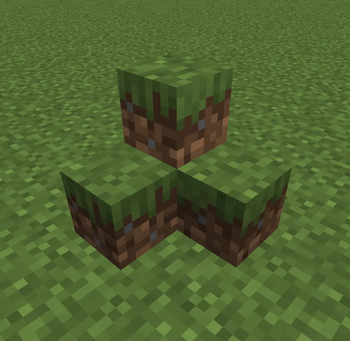
Chips is a mod that lets you build with smaller blocks in eighths!
Only full cube blocks can be divided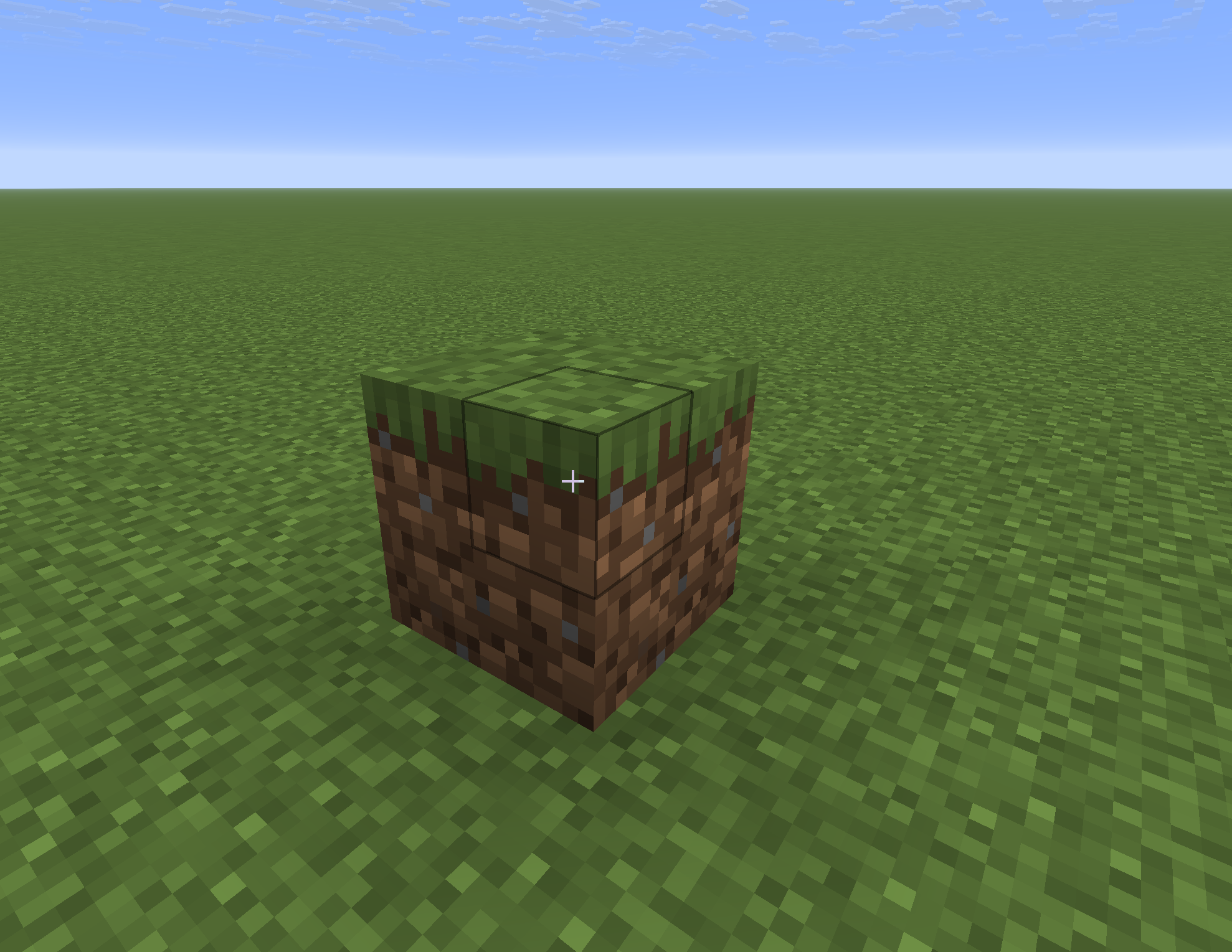
Some examples of blocks that cannot be divided:
Doors, trapdoors, fences, dragon egg, etc.
Chisel
The chisel is what allows you to chisel blocks.
it can be crafted like this!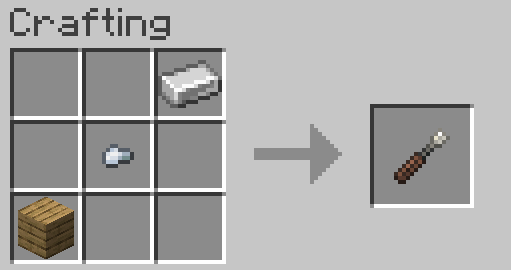
The chisel can be used by holding right click on a full cube block, it will start an animation, and eventually divide a block into eigths.
Once a block is divided into eigths, the chisel will be able to remove individual chips from the block.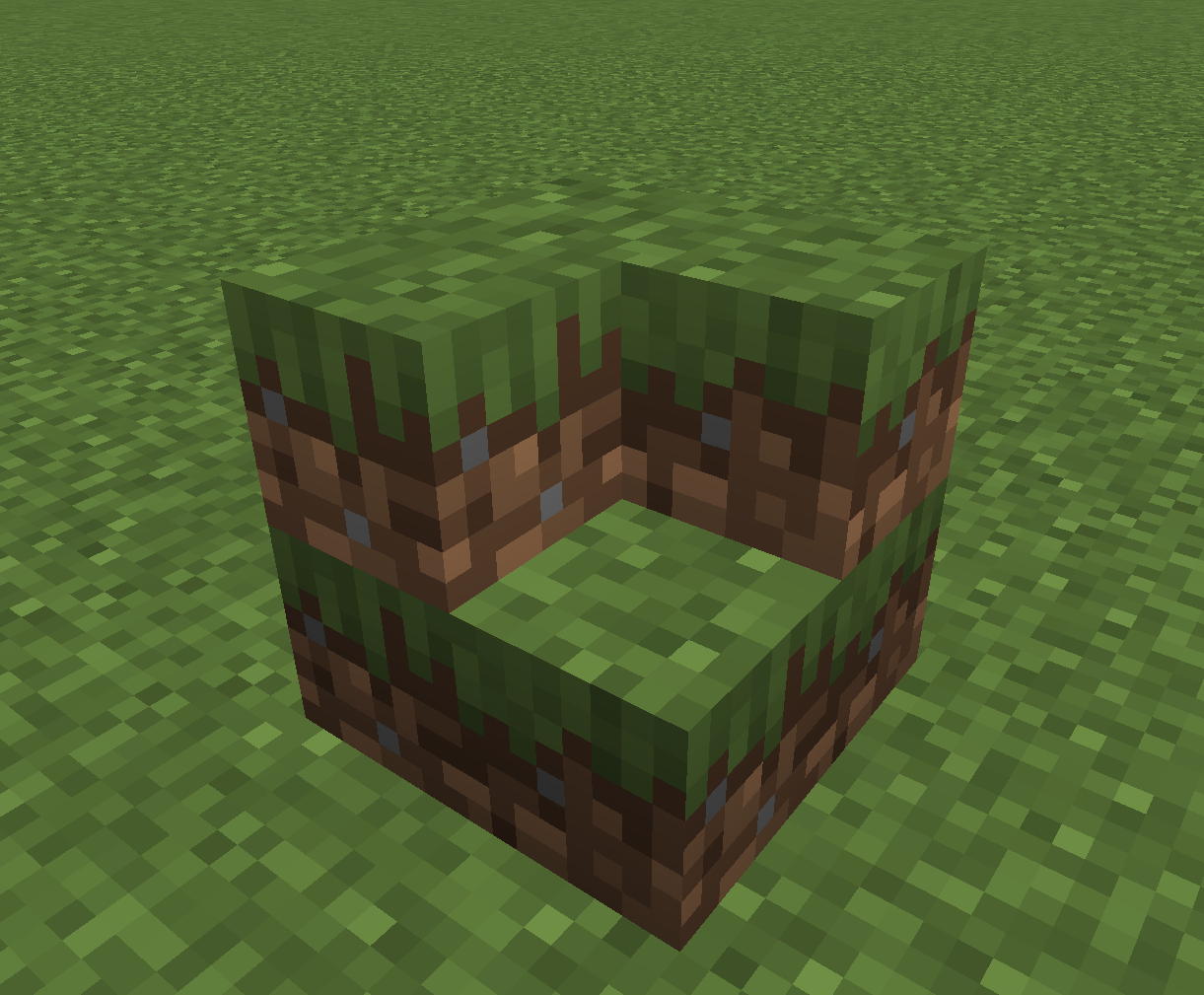
To break a chipped block without individually removing every chip, you can simply break the block with anything besides the chisel.
Note: I intend to make the chiseled block require tools to mine, but for now you can break it with anything
Placing chips is simple, it works similar to how a normal block is placed, but on a smaller scale.
To put a block together from its constituent 8 chips, you can use this crafting recipe: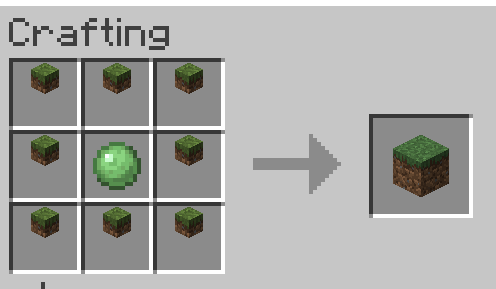
Quirks
Some blocks will not behave as expected when divided, this may be fixed in the future depending on the block and its issues
Each chips block also has a mode, this is because some blocks like the grass block behave differently from other blocks. To make this behavior look consistent, some changes to the textures are applied, which can make some blocks look weird.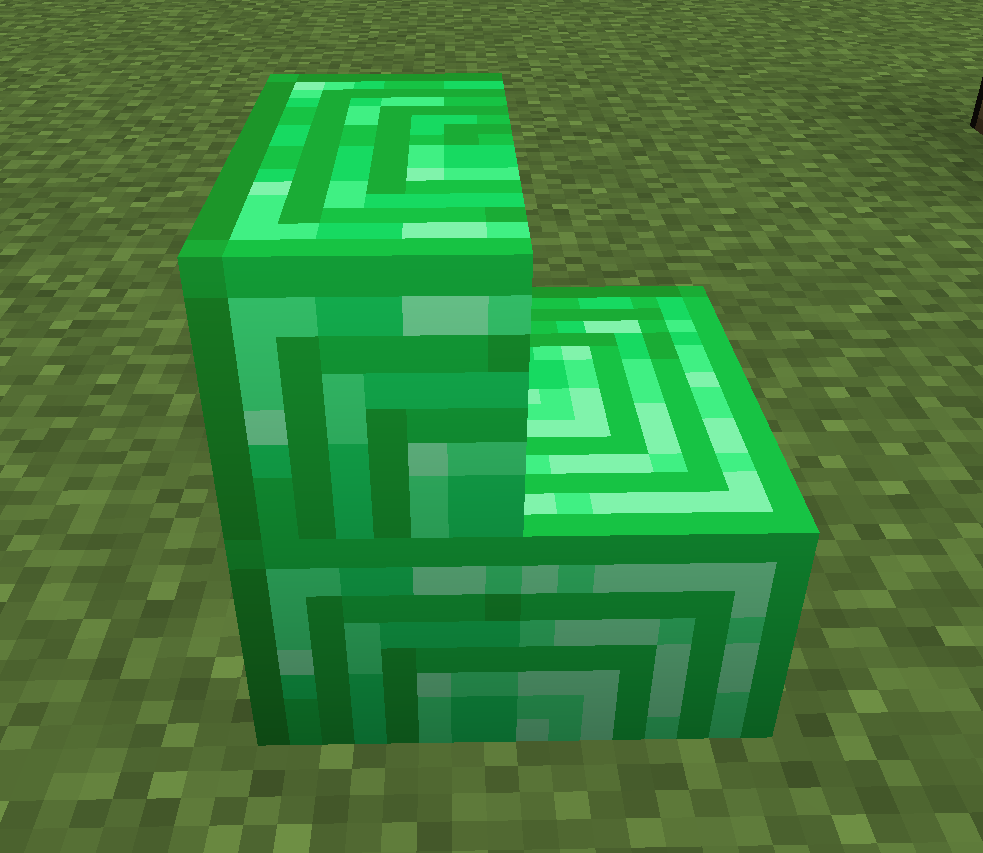
To fix this, simply shift right click the block with a chisel, and its texture will change!
As shown, the grass block will not have its side texture in the other mode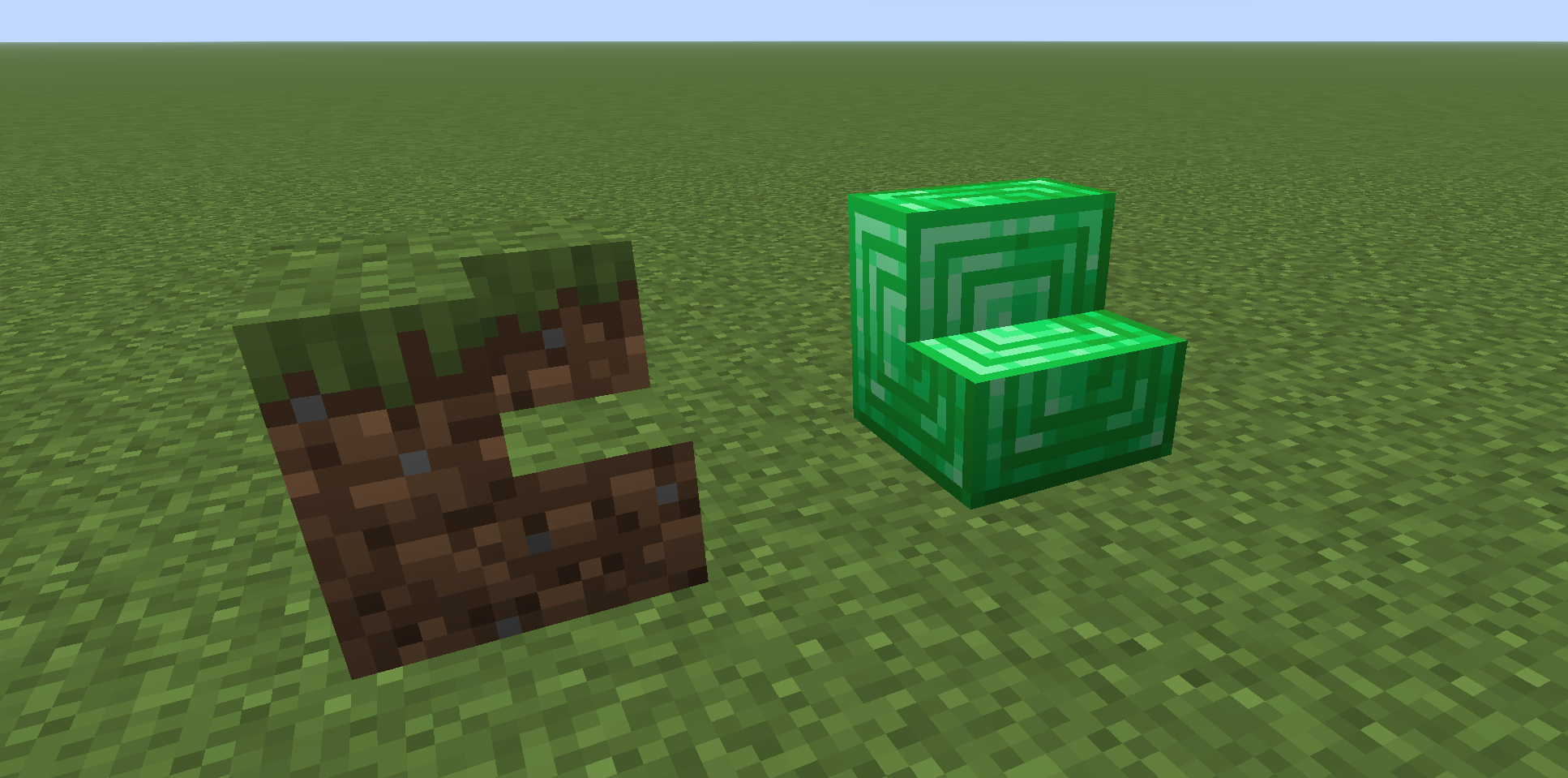
Sodium
If you are sane, you likely use sodium, however there is a bug in older version of Sodium that will cause a crash when breaking a chips block, so make sure to update your version of Sodium!
Textures
The chisel texture was made by Autumnly, support her here:
https://ko-fi.com/autumnly
Available Versions
How to Install Chips on Your Server
Order Server
Order a Minecraft Java server with at least 3 GB RAM (4 GB recommended).
Set fabric Loader
In the panel under "Egg", select the fabric loader and matching Minecraft version (1.21.8).
Install Mod
Open the mod browser in the dashboard and search for "Chips". Click "Install" – done! Alternatively, upload the .jar via SFTP to the /mods folder.
Compatibility
Mod Loaders
Minecraft Versions
1.21.8
Server-side
✓ RequiredRecommended RAM
4 GB(min. 3 GB)Frequently Asked Questions
Chips server crashes on startup – what to do?
Most common cause: wrong fabric version or insufficient RAM. Check the server log (latest.log) for "OutOfMemoryError" or "Mixin" errors. With Mado Hosting: ensure at least 3 GB RAM is allocated and the loader matches the mod version (1.21.8). You can switch loaders with one click in the panel.
Is Chips compatible with fabric?
Chips officially supports fabric for Minecraft 1.21.8. The Mado dashboard automatically detects incompatible loader combinations.
Server lagging with Chips – how to optimize performance?
Recommended RAM: 4 GB (per 8 players). Use /spark profiler to check if Chips consumes the most tick time. Common fixes: reduce server view-distance to 8-10, install "performant" or "starlight" as supplementary mods on Forge. With Mado Hosting, your server runs on NVMe SSDs with dedicated CPU cores for minimal latency.
Similar Mods




Rent Modded Server
Install Chips with just one click on your server.