
Chiselmon - Cobblemon QOL
Cobblemon alerts, tooltips, PC bookmarks, wallpapers, and much more. Fully customisable and client side.
Screenshots
About this Mod
Chiselmon

Sculpt your perfect Cobblemon experience with deeply customisable QOL tweaks!
Installation
Chiselmon is a fully client side Cobblemon sidemod for Fabric and NeoForge.
To use Chiselmon, make sure you have Cobblemon 1.7.0+ and Yet Another Config Lib installed. To get the most out of the mod, consider also installing Jade.
Customising Your Tweaks
If you haven't used Chiselmon before, I recommend exploring the config options beforehand so you can see what features are available.
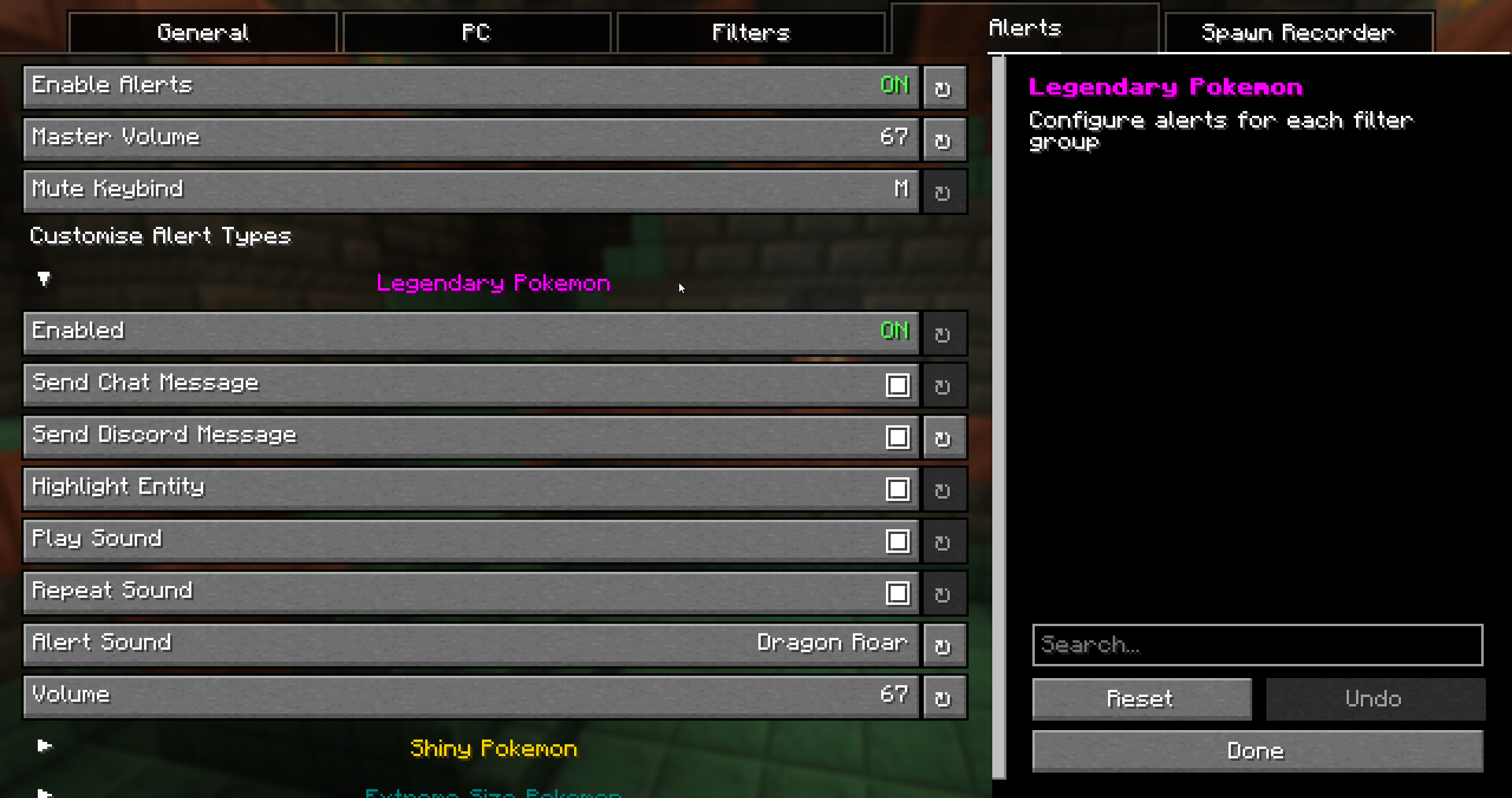
You can open the Chiselmon config in 3 ways:
- Click the Chiselmon icon in your mod menu.
- Use the
/ch configcommand in-game. - Press the hotkey. The default is
;, but this can be changed in the config.
Features
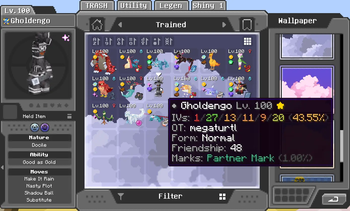
PC Overhaul:

- Bookmark up to 5 boxes and jump to them at any time.
- 10+ new wallpapers. Hold
Ctrlwhile choosing to apply a selected wallpaper to every box at once. - Add your own custom wallpapers. Upload your own PNG images as PC wallpapers!
- Quick-sort any box. Default hotkey is
Middle-Click. - 6 unique icons to easily identify special pokemon (shiny, high IVs, hidden ability, extreme size, marks, rideable).
- Detailed tooltips showing IVs, original trainer, form, friendship, ride styles, marks, and egg hatch progress.
- 2 new box sorting modes. Sort by Pokemon size and total IVs.
Egg Spy:
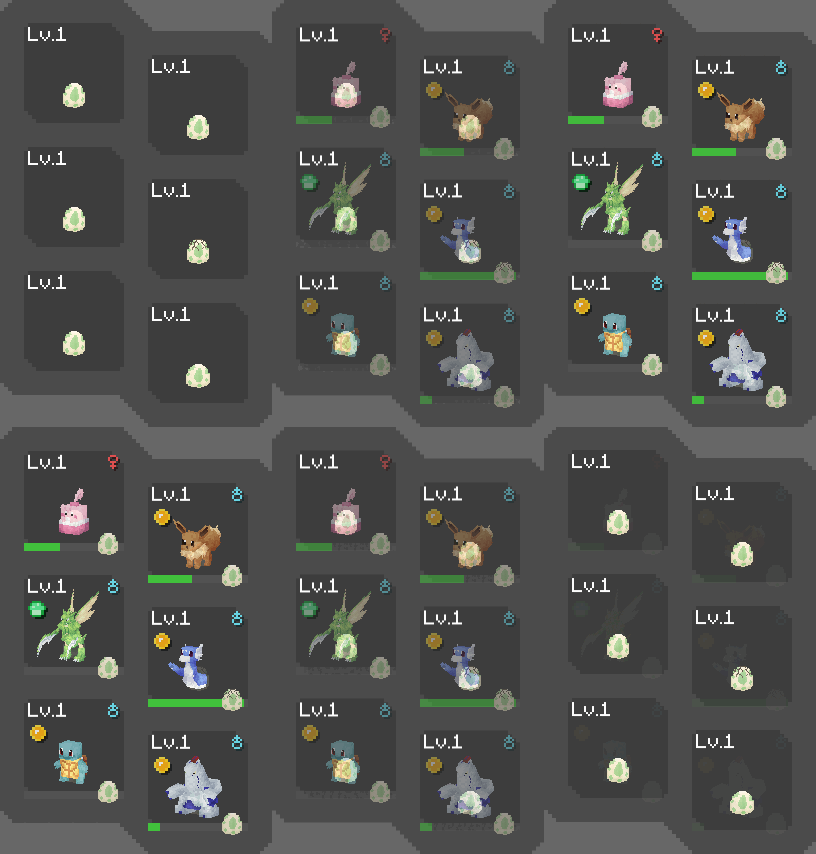

- Use Chiselmon's cutting edge ultrasound technology to preview what's inside pokemon eggs (NeoDaycare only).
- Optionally replaces the HP and XP bar of eggs in your party overlay with their hatch progress so you can easily keep track while hatching.
Spawn Alerts:

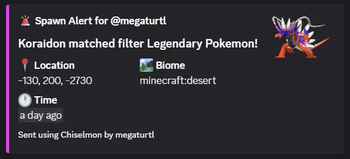
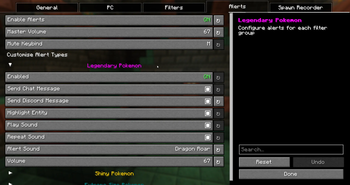
- Alert system for legendaries, shinies, size variations, or custom whitelisted pokemon that spawn around you.
- Create unlimited custom filters to receive alerts for with Chiselmon's logic building system.
- 4 Fully configurable alert types per filter - chat messages, Discord webhook messages, sounds, colored highlights.
- Mute all active alert sounds with the 'M' keybind (configurable in Minecraft controls and Chiselmon config).
Spawn Recorder:
- Records total pokemon spawns and the number of each species in the current session.
- Use the
/ch recorder start, stop, pause, and resumecommands to manage your session. - Optional action bar display: shows the total spawns and time passed since starting, and the number of currently loaded pokemon + how many are old enough to start despawning.
- Optional despawn glow: highlights loaded pokemon in green, turning red when they're ready to despawn.
Misc:
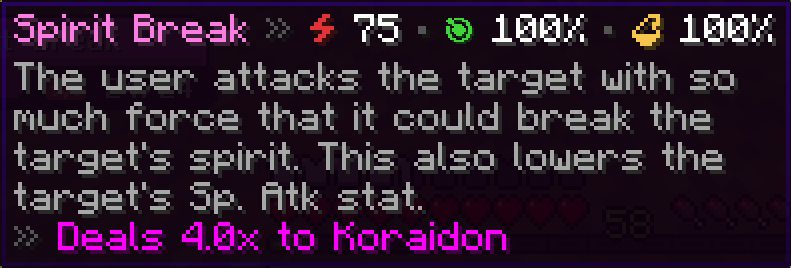
Move Tooltips

/checkspawn Improvemennts

/checkspawn results now have hoverable tooltips showing egg group and EV yield info to make cake hunting easier.
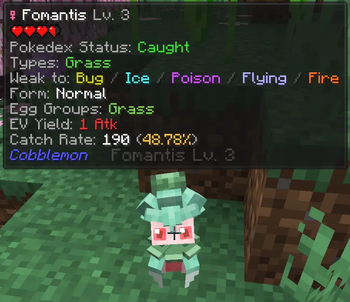
Jade Addons:
Pokemon Extra Info

- Types
- Weaknesses
- Form
- Pokedex status
- Egg groups
- EV yield
- Catch rate
- Catch chance % (when holding a Pokeball - considers level, status, etc!)
- Warnings for self-damaging moves - never lose a shiny to explosion again! </3
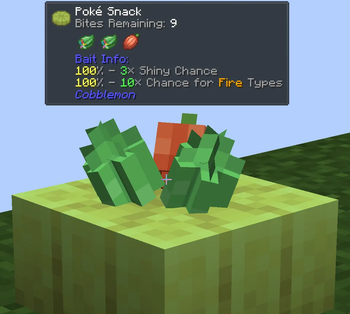
Poke Snack Extra Info:

- Bites remaining
- Ingredients
- Seasoning effects
Available Versions
How to Install Chiselmon - Cobblemon QOL on Your Server
Order Server
Order a Minecraft Java server with at least 3 GB RAM (4 GB recommended).
Set fabric Loader
In the panel under "Egg", select the fabric loader and matching Minecraft version (1.21.1).
Install Mod
Open the mod browser in the dashboard and search for "Chiselmon - Cobblemon QOL". Click "Install" – done! Alternatively, upload the .jar via SFTP to the /mods folder.
Compatibility
Mod Loaders
Minecraft Versions
1.21.1
Server-side
✗ UnsupportedRecommended RAM
4 GB(min. 3 GB)Frequently Asked Questions
Chiselmon - Cobblemon QOL server crashes on startup – what to do?
Most common cause: wrong fabric version or insufficient RAM. Check the server log (latest.log) for "OutOfMemoryError" or "Mixin" errors. With Mado Hosting: ensure at least 3 GB RAM is allocated and the loader matches the mod version (1.21.1). You can switch loaders with one click in the panel.
Is Chiselmon - Cobblemon QOL compatible with fabric and neoforge?
Chiselmon - Cobblemon QOL officially supports fabric, neoforge for Minecraft 1.21.1. The Mado dashboard automatically detects incompatible loader combinations.
Server lagging with Chiselmon - Cobblemon QOL – how to optimize performance?
Recommended RAM: 4 GB (per 8 players). Use /spark profiler to check if Chiselmon - Cobblemon QOL consumes the most tick time. Common fixes: reduce server view-distance to 8-10, install "performant" or "starlight" as supplementary mods on Forge. With Mado Hosting, your server runs on NVMe SSDs with dedicated CPU cores for minimal latency.
Similar Mods


Rent Modded Server
Install Chiselmon - Cobblemon QOL with just one click on your server.