
ChunkMap
A Minecraft mod to visualize chunk loading & generation.
Screenshots
About this Mod
ChunkMap
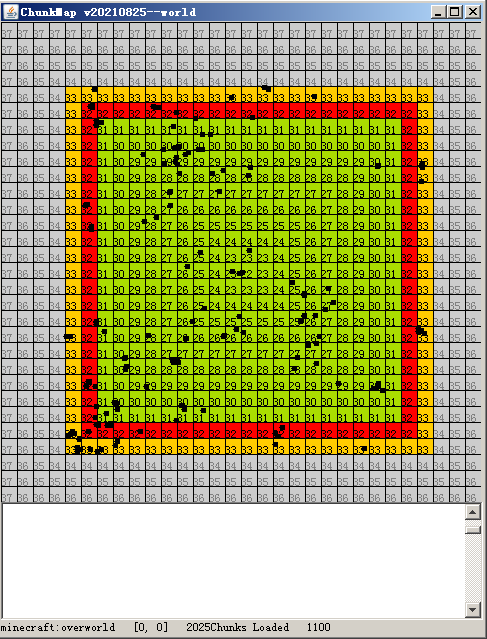
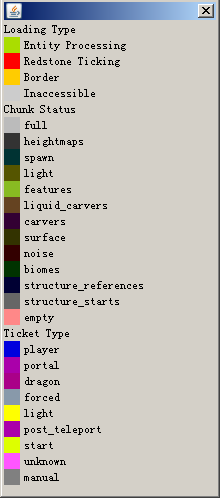
In the map, a chunk is displayed as a quad with a color which provides some information.
Basic Operations
L : Switch to chunk loading viewer mode.
G : Switch to chunk generation viewer mode.
T : Switch to ticket vierer mode.
E : Toggle the entity overlay.
W,A,S and D : Move the center of the map.If one of these keys are pressed while the Alt key is down,the center of the map will be moved to 16 instead of 1 chunks away.
M : Open a dialog where you can move the center of the map to a given chunkpos.
H : Help.
0 : Move to the Nether
1 : Move to the Overworld.
2 : Move to the End.
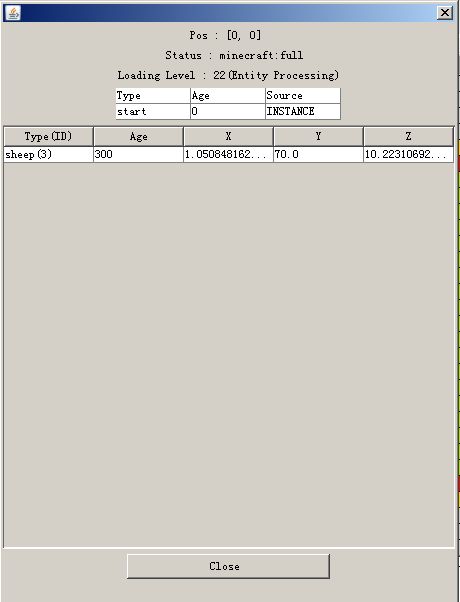
Double click a chunk : Get more information about the chunk,or load the chunk to a given level (31,or entity processing bydefault).
Known Problems
The MSPT it uses up may be too high(about 12).
If you want to interact with the window of the map,it is necessary to open the game to the LAN (Maybe it can never be fixed).
The manually loaded chunks may fail to be unloaded beacuse of a problem related to the synchornization of the ticket list.
Available Versions
How to Install ChunkMap on Your Server
Order Server
Order a Minecraft Java server with at least 3 GB RAM (4 GB recommended).
Set fabric Loader
In the panel under "Egg", select the fabric loader and matching Minecraft version (1.21.3).
Install Mod
Open the mod browser in the dashboard and search for "ChunkMap". Click "Install" – done! Alternatively, upload the .jar via SFTP to the /mods folder.
Compatibility
Mod Loaders
Minecraft Versions
1.21.3, 1.21.2, 1.20.1 (+17 more)
Server-side
✓ RequiredRecommended RAM
4 GB(min. 3 GB)Frequently Asked Questions
ChunkMap server crashes on startup – what to do?
Most common cause: wrong fabric version or insufficient RAM. Check the server log (latest.log) for "OutOfMemoryError" or "Mixin" errors. With Mado Hosting: ensure at least 3 GB RAM is allocated and the loader matches the mod version (1.21.3). You can switch loaders with one click in the panel.
Is ChunkMap compatible with fabric?
ChunkMap officially supports fabric for Minecraft 1.21.3, 1.21.2, 1.20.1. The Mado dashboard automatically detects incompatible loader combinations.
Server lagging with ChunkMap – how to optimize performance?
Recommended RAM: 4 GB (per 8 players). Use /spark profiler to check if ChunkMap consumes the most tick time. Common fixes: reduce server view-distance to 8-10, install "performant" or "starlight" as supplementary mods on Forge. With Mado Hosting, your server runs on NVMe SSDs with dedicated CPU cores for minimal latency.
Similar Mods




Rent Modded Server
Install ChunkMap with just one click on your server.