
Custom Item Durability Bar (CIDB)
Change colors of item durability bar to what you like!
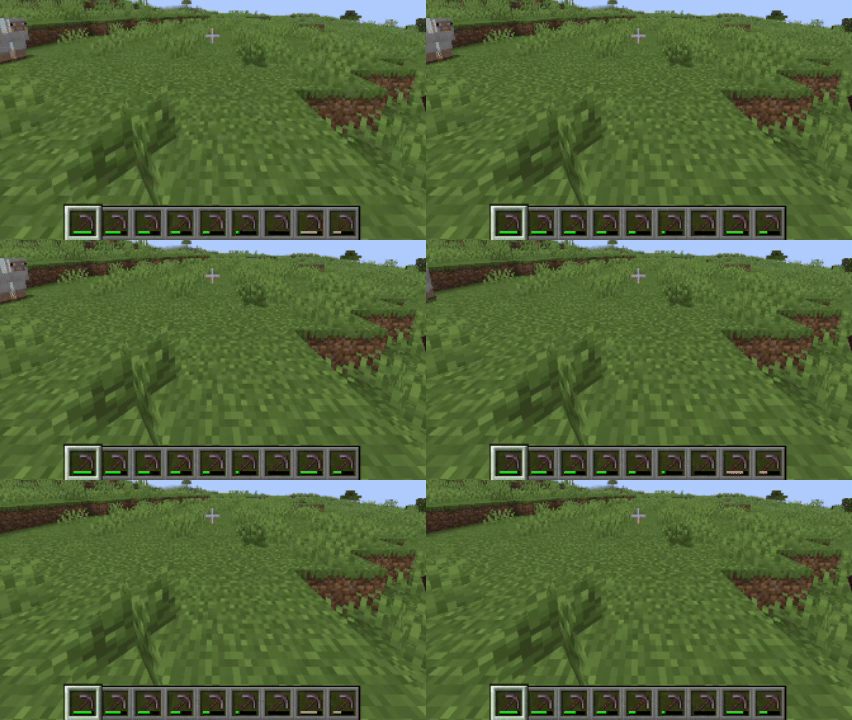
Screenshots
About this Mod
Did you want to change color of item durability?
CIDB (abbreviated from Custom Item Durability Bar) allows you to do not only that, but also make it twinkle at selected durability with selectable color through config!
Guide
This guide is here to help you with configure mod to how you like it.If you don't have imagination to create your own custom bar, use presets in bottom of config screen. Check bottom of this guide to know what presets are.
Colors
Durability Colors
A list of colors. They're used for color of durability bar (how unexpected!).
Warning! Color doesn't changes by HUE rotation. If you want from green to red, and expected yellow, it will be orange. Add yellow in middle of list if you want it.
Durability Flickering Color
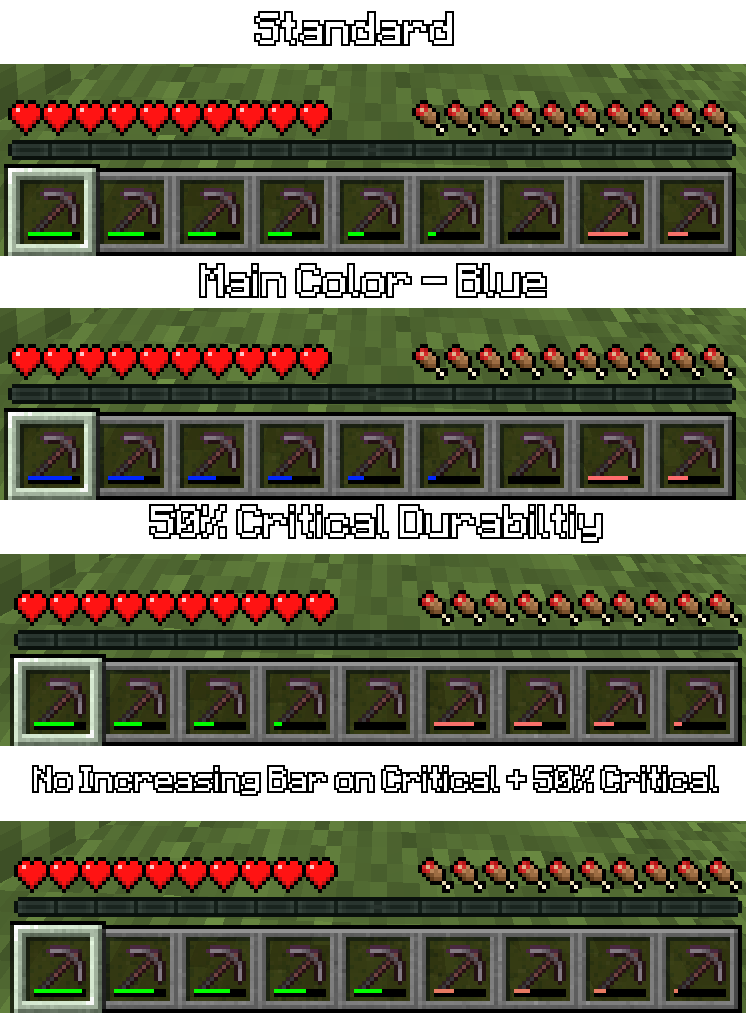
When durability of item is critical (Check Parameters), durabiltiy bar will flick with selected color.
Durability Bar Color Style (since 0.2.1)
Vanilla - vanilla.
Rainbow - Color changes with time. Speed is taken from Durability Flickering Speed.
Gradient - bar is now gradient. Doesn't affect Text Styles.
Full/Empty Bundle Bar Color
As name says, those are used for bundle bar.
Unique Item Color List (since 0.2.0)
If item in that map, mod will use spesified color, that were connected with item. Same color issue as in Durability Colors.
Parameters
Flickering Durability
If enabled, durability bar will flicker if durability is critical.
Increasing Durability bar on Critical
If enabled: as close bar is to critical point, bar will increase to maximum.
Durability Bar Style
Horizontal - vanilla, Vertical - well, vertical.
Absolute - displays durability as text, with short scales.
Percent - displays durability as text by percent.
Critical Percent
A part of durability, which considered critical. 50% - half, 25% - 1/4 of full.
Presets (since 0.2.1)
Rainbow style
Bar will be change with colors of rainbow with time.
Item style
Bar of item will depend on color of material (wood - brown, iron - white).
Suggest your own presets/styles on github of project!
Requires YetAnotherConfigLib only for versions 0.1.0 and 0.0.1.
Available Versions
How to Install Custom Item Durability Bar (CIDB) on Your Server
Order Server
Order a Minecraft Java server with at least 3 GB RAM (4 GB recommended).
Set fabric Loader
In the panel under "Egg", select the fabric loader and matching Minecraft version (1.21.10).
Install Mod
Open the mod browser in the dashboard and search for "Custom Item Durability Bar (CIDB)". Click "Install" – done! Alternatively, upload the .jar via SFTP to the /mods folder.
Compatibility
Mod Loaders
Minecraft Versions
1.21.10, 1.21.9, 1.21.8 (+8 more)
Server-side
✗ UnsupportedRecommended RAM
4 GB(min. 3 GB)Frequently Asked Questions
Custom Item Durability Bar (CIDB) server crashes on startup – what to do?
Most common cause: wrong fabric version or insufficient RAM. Check the server log (latest.log) for "OutOfMemoryError" or "Mixin" errors. With Mado Hosting: ensure at least 3 GB RAM is allocated and the loader matches the mod version (1.21.10). You can switch loaders with one click in the panel.
Is Custom Item Durability Bar (CIDB) compatible with fabric?
Custom Item Durability Bar (CIDB) officially supports fabric for Minecraft 1.21.10, 1.21.9, 1.21.8. The Mado dashboard automatically detects incompatible loader combinations.
Server lagging with Custom Item Durability Bar (CIDB) – how to optimize performance?
Recommended RAM: 4 GB (per 8 players). Use /spark profiler to check if Custom Item Durability Bar (CIDB) consumes the most tick time. Common fixes: reduce server view-distance to 8-10, install "performant" or "starlight" as supplementary mods on Forge. With Mado Hosting, your server runs on NVMe SSDs with dedicated CPU cores for minimal latency.
Similar Mods

![[ETF] Entity Texture Features](https://cdn.modrinth.com/data/BVzZfTc1/af683d206d50b05258d865b0d6e4aa2f2cee12f2_96.webp)
![[EMF] Entity Model Features](https://cdn.modrinth.com/data/4I1XuqiY/6e5bbd0d06b1741bfdab6c0cfab6de8fdaf0064c_96.webp)



Rent Modded Server
Install Custom Item Durability Bar (CIDB) with just one click on your server.
Details
- License
- Creative Commons Attribution Share Alike 4.0 International
- Server-side
- Unsupported