
CinematicTools
A Fabric port of CMDCam with an integrated cinematic NPC system and dynamic skins. Perfect for machinimas and scripted scenes.
Screenshots
About this Mod
🎬 CinematicTools – A Fabric Port of CMDCam with NPC Support
CinematicTools is a modern Fabric mod designed for creators, filmmakers, and developers who want to bring immersive cinematics to Minecraft.
It is based on the legendary CMDCam mod, faithfully ported to Fabric and expanded with new features to support more complex scenes.
✨ Key Features
- 🎥 Smooth Camera Paths
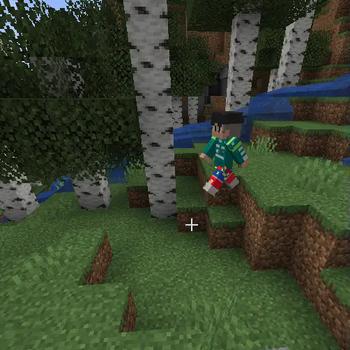
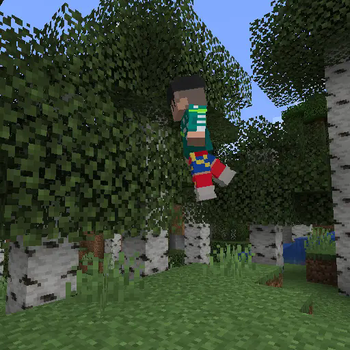
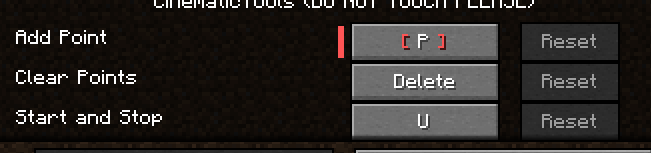
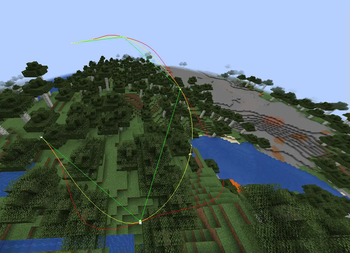
Define waypoints and create fluid, professional-looking camera movements — ideal for trailers, machinimas, and scripted sequences.
- 🧍 Built-in NPC System
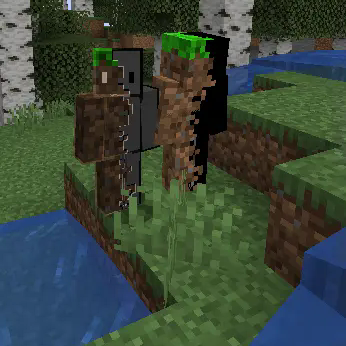
Easily place and control NPCs within your scenes, giving life to your world without needing third-party mods or external tools.
- 🧑🎨 Dynamic Skin Loading
NPCs automatically load the correct Minecraft skin based on their assigned name — no configuration required.
- 🧭 Command-Based Interface
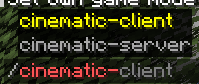
All tools and features are accessible via in-game commands, making it simple to create, tweak, and test scenes directly while playing.
⚙️ Compatibility & Requirements
✅ Mod Loader: Fabric
🧩 Minecraft Versions: Currently supports 1.20.1 and 1.20.4 & 1.21.1(thanks to IceGames23)
📦 Dependencies: Fabric API, CreativeCore & GeckoLib
🔧 Use Cases
🎬 Minecraft machinimas and films
📸 Cinematic trailers and intros
🧪 In-game cutscenes and scripted story events
🎭 Scene prototyping for map creators or adventure maps
📌 Notes
This mod is not affiliated with or endorsed by CMDCam’s original author, but follows the original concept with full credit.
Codebase has been adapted for Fabric, with additional systems like NPC handling and skin loading added.
🌐 Source Code & Contributions
This mod is open-source and available on GitHub.
Feel free to report issues, contribute, or fork the project!
Available Versions
How to Install CinematicTools on Your Server
Order Server
Order a Minecraft Java server with at least 3 GB RAM (4 GB recommended).
Set fabric Loader
In the panel under "Egg", select the fabric loader and matching Minecraft version (1.21.1).
Install Mod
Open the mod browser in the dashboard and search for "CinematicTools". Click "Install" – done! Alternatively, upload the .jar via SFTP to the /mods folder.
Compatibility
Mod Loaders
Minecraft Versions
1.21.1, 1.20.4, 1.20.1
Server-side
✓ RequiredRecommended RAM
4 GB(min. 3 GB)Frequently Asked Questions
CinematicTools server crashes on startup – what to do?
Most common cause: wrong fabric version or insufficient RAM. Check the server log (latest.log) for "OutOfMemoryError" or "Mixin" errors. With Mado Hosting: ensure at least 3 GB RAM is allocated and the loader matches the mod version (1.21.1). You can switch loaders with one click in the panel.
Is CinematicTools compatible with fabric?
CinematicTools officially supports fabric for Minecraft 1.21.1, 1.20.4, 1.20.1. The Mado dashboard automatically detects incompatible loader combinations.
Server lagging with CinematicTools – how to optimize performance?
Recommended RAM: 4 GB (per 8 players). Use /spark profiler to check if CinematicTools consumes the most tick time. Common fixes: reduce server view-distance to 8-10, install "performant" or "starlight" as supplementary mods on Forge. With Mado Hosting, your server runs on NVMe SSDs with dedicated CPU cores for minimal latency.
Similar Mods




![[ETF] Entity Texture Features](https://cdn.modrinth.com/data/BVzZfTc1/af683d206d50b05258d865b0d6e4aa2f2cee12f2_96.webp)
![[EMF] Entity Model Features](https://cdn.modrinth.com/data/4I1XuqiY/6e5bbd0d06b1741bfdab6c0cfab6de8fdaf0064c_96.webp)
Rent Modded Server
Install CinematicTools with just one click on your server.