
Classic Gamerule
Bring back the classic camel-case gamerules to MC 1.21.11+
Screenshots
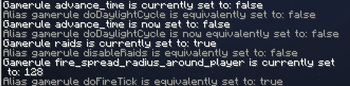
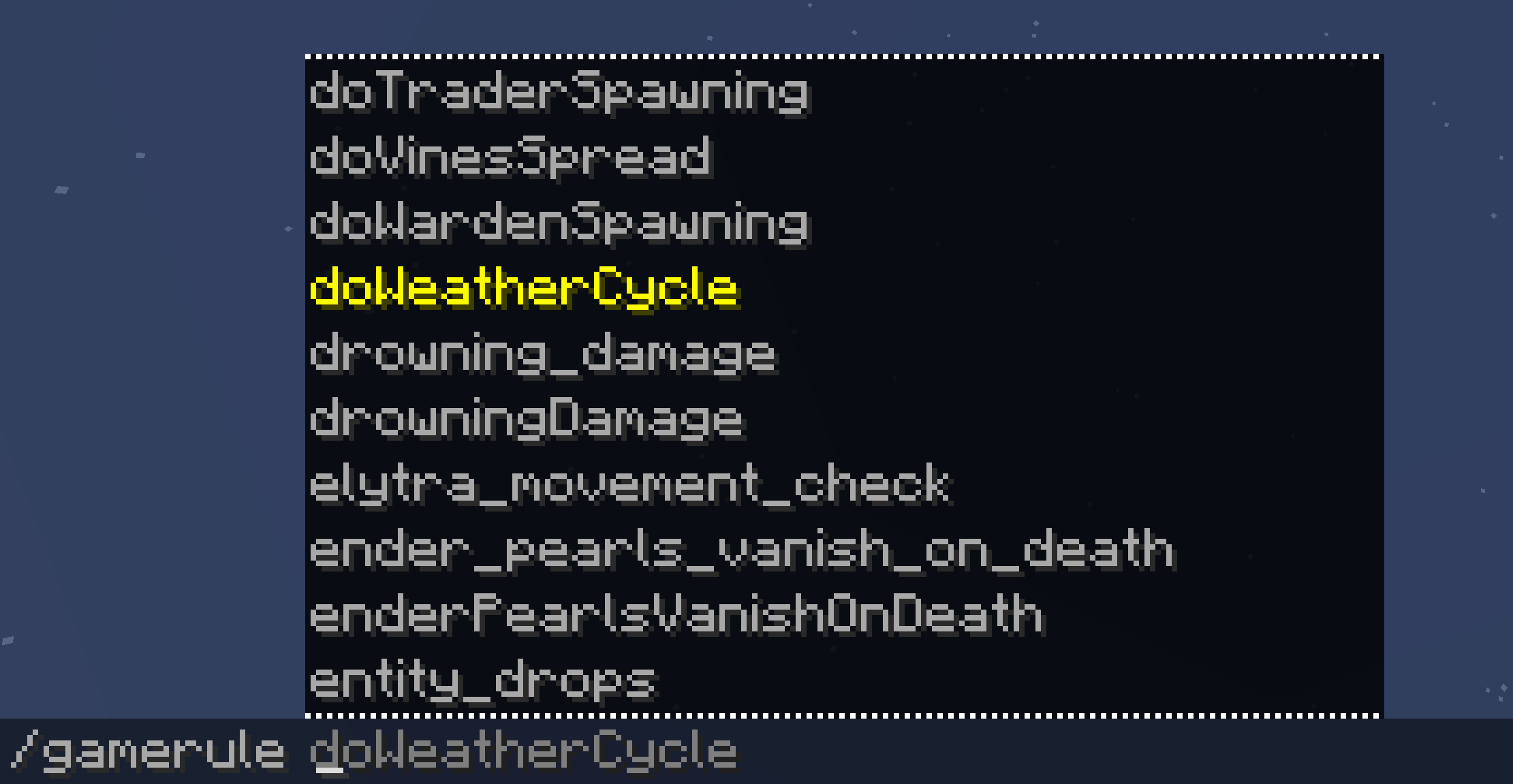
About this Mod
A simple mod that brings back the classic gamerule names to MC 1.21.11+
Minecraft renamed all gamerules from camelCase to namespaced:snake_case in 25w44a (1.21.11 snapshot),
and even reverted the values of some rules, which broke all existing usage of gamerules.
This is a poorly implemented incompatible change. Let's "revert" it by restoring the old names in Minecraft.
For example, classic gamerules like doDaylightCycle were changed to advance_time (actually minecraft:advance_time), and doMobSpawning became spawn_mobs
What This Mod Does
Functionalities:
- Add all camelCase names as aliases for existing gamerules, e.g.
/gamerule doMobSpawning falsewill work again now - Correctly mapped rule values that were inverted, e.g.,
disableElytraMovementCheckhas the opposite value ofminecraft:elytra_movement_check
Limitation:
- This mod only restores the classic naming conventions and value mappings.
It does not revert the newly added value constraints for certain gamerules (e.g.minecraft:max_entity_cramming) - Classic rule
doFireTickandallowFireTicksAwayFromPlayerare read-only now.
Since their successorminecraft:fire_spread_radius_around_playercannot perfectly express the intention of these 2 old rules
Requirement
This mod is server-side only (including single-player worlds) and requires no additional dependencies.
It supports all Minecraft versions since 1.21.11
Available Versions
How to Install Classic Gamerule on Your Server
Order Server
Order a Minecraft Java server with at least 3 GB RAM (4 GB recommended).
Set fabric Loader
In the panel under "Egg", select the fabric loader and matching Minecraft version (26.1.2).
Install Mod
Open the mod browser in the dashboard and search for "Classic Gamerule". Click "Install" – done! Alternatively, upload the .jar via SFTP to the /mods folder.
Compatibility
Mod Loaders
Minecraft Versions
26.1.2, 26.1.1, 26.1 (+5 more)
Server-side
✓ RequiredRecommended RAM
4 GB(min. 3 GB)Frequently Asked Questions
Classic Gamerule server crashes on startup – what to do?
Most common cause: wrong fabric version or insufficient RAM. Check the server log (latest.log) for "OutOfMemoryError" or "Mixin" errors. With Mado Hosting: ensure at least 3 GB RAM is allocated and the loader matches the mod version (26.1.2). You can switch loaders with one click in the panel.
Is Classic Gamerule compatible with fabric and forge and neoforge?
Classic Gamerule officially supports fabric, forge, neoforge for Minecraft 26.1.2, 26.1.1, 26.1. Note: Forge and Fabric mods are NOT cross-compatible – pick one loader and stick with it. The Mado dashboard automatically detects incompatible loader combinations.
Server lagging with Classic Gamerule – how to optimize performance?
Recommended RAM: 4 GB (per 8 players). Use /spark profiler to check if Classic Gamerule consumes the most tick time. Common fixes: reduce server view-distance to 8-10, install "performant" or "starlight" as supplementary mods on Forge. With Mado Hosting, your server runs on NVMe SSDs with dedicated CPU cores for minimal latency.
Similar Mods




![[ETF] Entity Texture Features](https://cdn.modrinth.com/data/BVzZfTc1/af683d206d50b05258d865b0d6e4aa2f2cee12f2_96.webp)
![[EMF] Entity Model Features](https://cdn.modrinth.com/data/4I1XuqiY/6e5bbd0d06b1741bfdab6c0cfab6de8fdaf0064c_96.webp)
Rent Modded Server
Install Classic Gamerule with just one click on your server.