
Claudecraft
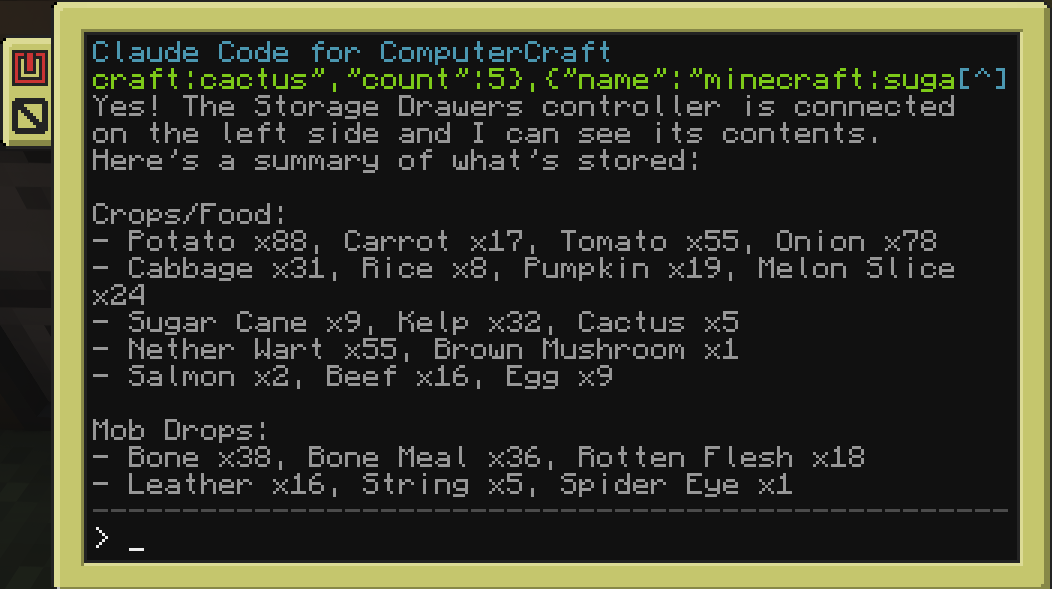
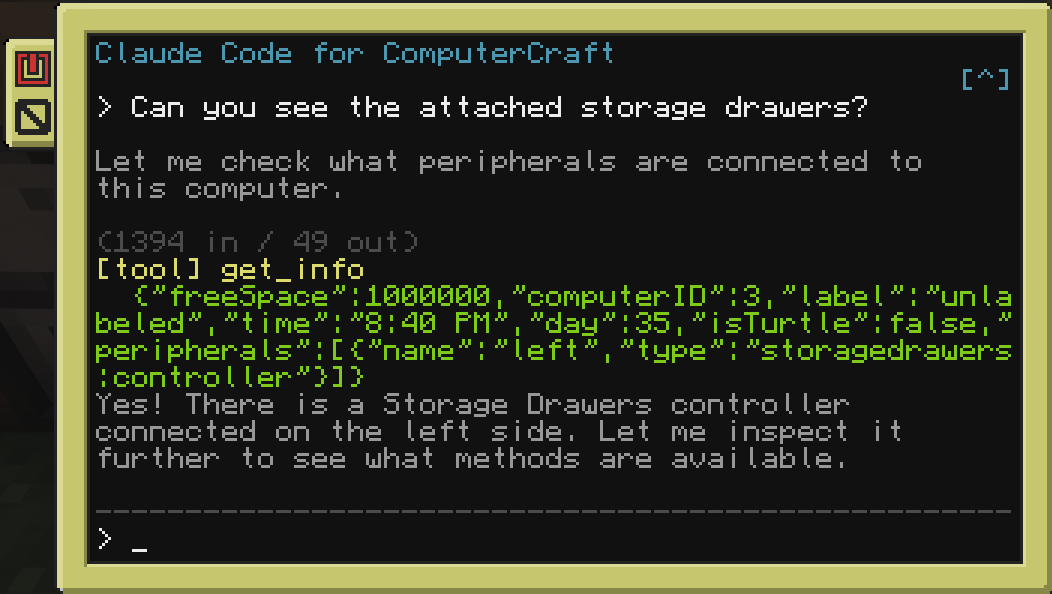
A Minecraft Forge mod that brings Claude AI into CC: Tweaked computers and turtles. Players interact with Claude through an in-game terminal - ask questions, run tools, automate tasks, and control turtles using natural language.
Screenshots
About this Mod
ClaudeCraft
A Forge & NeoForge mod that brings Claude AI into CC: Tweaked computers and turtles.
Players interact with Claude through an in-game terminal: ask questions, run tools, automate tasks, and control turtles using natural
language.
Connection Modes
Both modes expose the same claude program in-game; pick whichever fits your setup:
- API Key mode - connect straight to the Anthropic API with your own key. Real-time streaming, key stored safely server-side.
- Channel mode (Claude Code) - connect through a local Claude Code session instead. No API key needed - it rides your existing Claude Code login and brings the full Claude Code agent into the computer, with one isolated session per computer or turtle.
Requirements
- Minecraft with Forge or NeoForge - see the Versions tab for the build matching your version
- CC: Tweaked 1.117.1+
- One of the following:
- An Anthropic API key for API Key mode, or
- Claude Code + Bun installed on the server host (for Channel mode)
Features
- Streaming responses: see Claude's output in real time on the terminal (API Key mode).
- Tool use: Claude can read/write files, run shell commands, control redstone, interact with peripherals, and pilot turtles. Works with any peripheral mod automatically.
- Per-computer isolation: in Channel mode, every computer and turtle gets its own Claude Code session.
- Conversation history: persistent chat history stored per computer.
- Configurable: choose model, max tokens, system prompt, and concurrency limits.
In-Game Commands
Set your Anthropic API key (API Key mode):
/claudecraft setkey <key>
Change the Claude model:
/claudecraft model <model>
Show current configuration:
/claudecraft status
Available Versions
How to Install Claudecraft on Your Server
Order Server
Order a Minecraft Java server with at least 3 GB RAM (4 GB recommended).
Set forge Loader
In the panel under "Egg", select the forge loader and matching Minecraft version (1.21.11).
Install Mod
Open the mod browser in the dashboard and search for "Claudecraft". Click "Install" – done! Alternatively, upload the .jar via SFTP to the /mods folder.
Compatibility
Mod Loaders
Minecraft Versions
1.21.11, 1.21.10, 1.21.9 (+19 more)
Server-side
✓ RequiredRecommended RAM
4 GB(min. 3 GB)Frequently Asked Questions
Claudecraft server crashes on startup – what to do?
Most common cause: wrong forge version or insufficient RAM. Check the server log (latest.log) for "OutOfMemoryError" or "Mixin" errors. With Mado Hosting: ensure at least 3 GB RAM is allocated and the loader matches the mod version (1.21.11). You can switch loaders with one click in the panel.
Is Claudecraft compatible with forge and neoforge?
Claudecraft officially supports forge, neoforge for Minecraft 1.21.11, 1.21.10, 1.21.9. The Mado dashboard automatically detects incompatible loader combinations.
Server lagging with Claudecraft – how to optimize performance?
Recommended RAM: 4 GB (per 8 players). Use /spark profiler to check if Claudecraft consumes the most tick time. Common fixes: reduce server view-distance to 8-10, install "performant" or "starlight" as supplementary mods on Forge. With Mado Hosting, your server runs on NVMe SSDs with dedicated CPU cores for minimal latency.
Similar Mods




Rent Modded Server
Install Claudecraft with just one click on your server.