
Clear Gpu Cache
This mod solves some rendering problems by clearing the GPU cache. This mod is inspired by OptiFine's "Smooth FPS" feature, which should achieve the same effect.
About this Mod
这个模组通过清除 GPU 缓存来解决一些渲染问题。
This mod solves some rendering problems by clearing the GPU cache.
尤其在手机端,使用 zink 渲染器时造成的一些渲染错误。
Some rendering errors when using the zink renderer, especially on cell phones.
类似这样的:
Something like that:
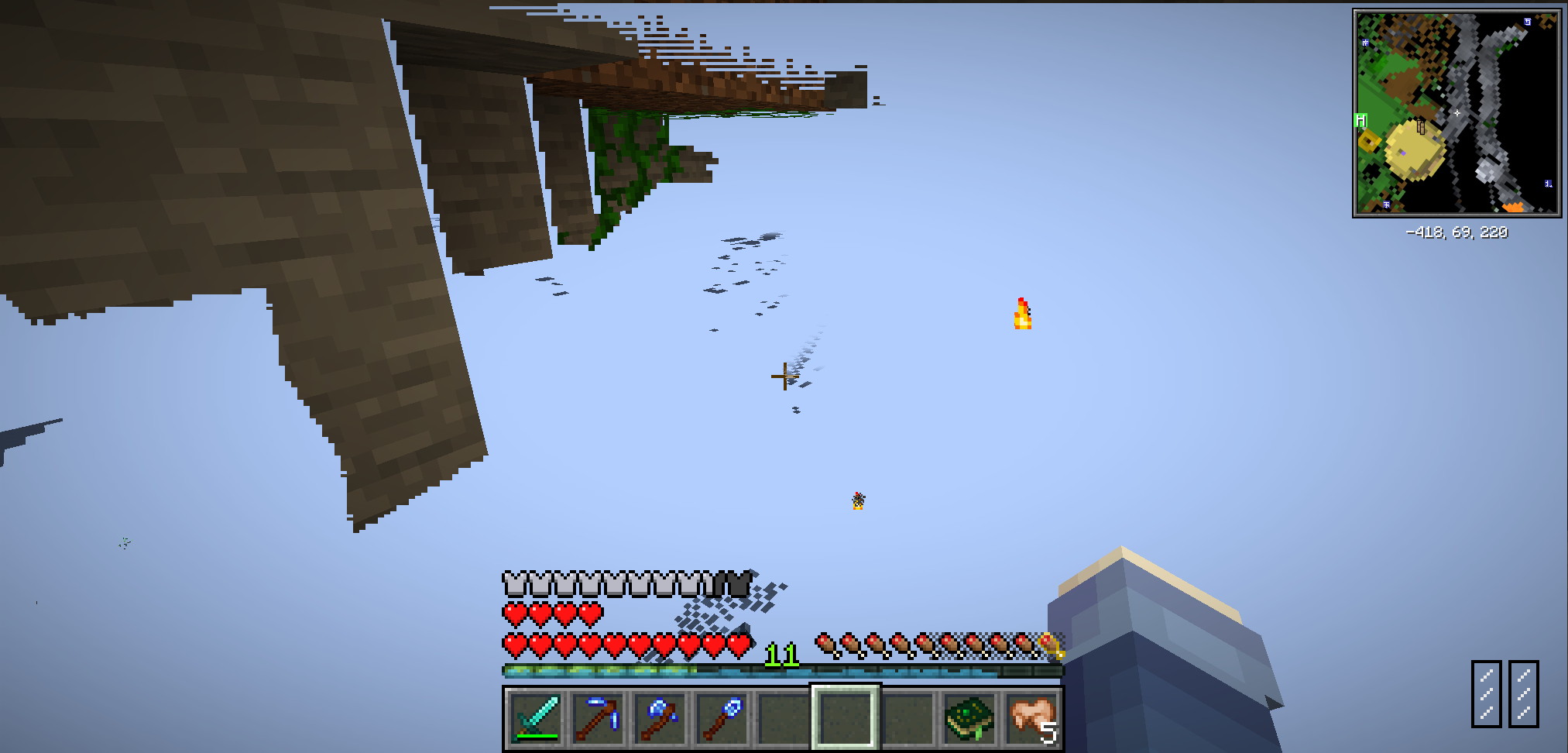
在使用此 Mod 后,修复此问题:
Fixed this issue after using this Mod:
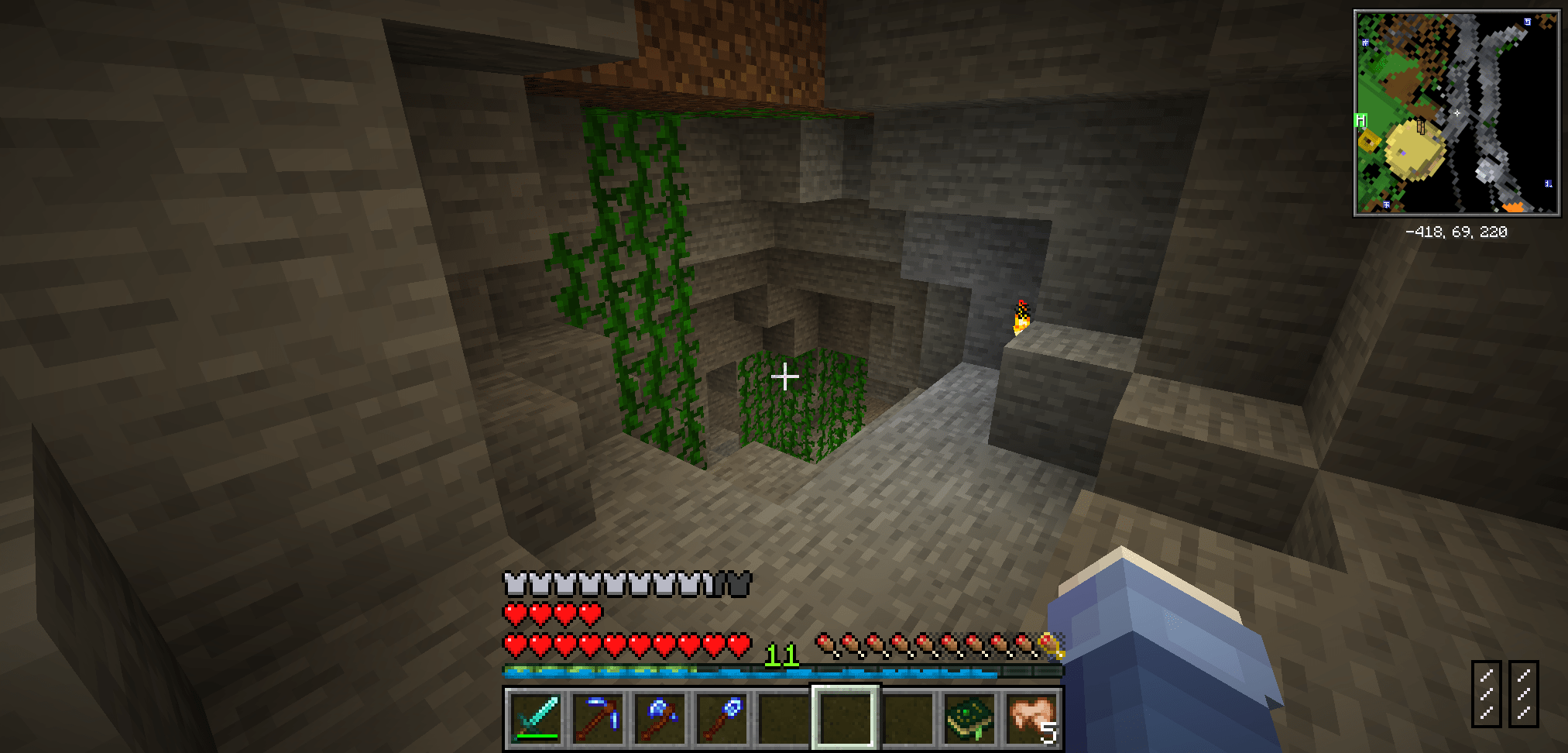
本Mod灵感来源于 OptiFine 的"平滑FPS"功能,应该能实现一样的效果,但是不会有OptiFine导致的Mod兼容性问题。
This mod is inspired by OptiFine's "Smooth FPS" feature, which should achieve the same effect, but without the mod compatibility issues caused by OptiFine.
另外,使用本Mod可能会导致略微的FPS下降。
Also, using this Mod may result in a slight FPS drop.
Available Versions
How to Install Clear Gpu Cache on Your Server
Order Server
Order a Minecraft Java server with at least 3 GB RAM (4 GB recommended).
Set forge Loader
In the panel under "Egg", select the forge loader and matching Minecraft version (1.21.11).
Install Mod
Open the mod browser in the dashboard and search for "Clear Gpu Cache". Click "Install" – done! Alternatively, upload the .jar via SFTP to the /mods folder.
Compatibility
Mod Loaders
Minecraft Versions
1.21.11, 1.21.10, 1.21.9 (+12 more)
Server-side
✗ UnsupportedRecommended RAM
4 GB(min. 3 GB)Frequently Asked Questions
Clear Gpu Cache server crashes on startup – what to do?
Most common cause: wrong forge version or insufficient RAM. Check the server log (latest.log) for "OutOfMemoryError" or "Mixin" errors. With Mado Hosting: ensure at least 3 GB RAM is allocated and the loader matches the mod version (1.21.11). You can switch loaders with one click in the panel.
Is Clear Gpu Cache compatible with forge and neoforge?
Clear Gpu Cache officially supports forge, neoforge for Minecraft 1.21.11, 1.21.10, 1.21.9. The Mado dashboard automatically detects incompatible loader combinations.
Server lagging with Clear Gpu Cache – how to optimize performance?
Recommended RAM: 4 GB (per 8 players). Use /spark profiler to check if Clear Gpu Cache consumes the most tick time. Common fixes: reduce server view-distance to 8-10, install "performant" or "starlight" as supplementary mods on Forge. With Mado Hosting, your server runs on NVMe SSDs with dedicated CPU cores for minimal latency.
Similar Mods


Rent Modded Server
Install Clear Gpu Cache with just one click on your server.