
ClearItems
A high-performance item cleanup mod for Fabric. > 专为 Fabric 打造的高性能掉落物清理模组。
Screenshots

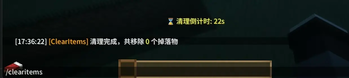

About this Mod
🧹 ClearItems - 自动化实体清理 / Automated Entity Cleanup
ClearItems 是一款专为 Fabric 生态构建的生产级清理模组。它在确保极端环境稳定性的同时,提供了更灵活的权限调用机制,是大型整合包与自动化管理服务器的理想选择。
ClearItems is a production-grade cleanup solution for the Fabric ecosystem. Engineered for stability in heavy modpacks, it features a flexible permission mechanism and lightweight feedback, ideal for automated server management.
💎 核心技术优势 / Technical Advantages
🛡️ 全环境兼容性架构 (Permission-Free Logic)
- 权限等级解耦:重构了指令触发逻辑,移除了底层对
isOp()的强制判定。允许通过自动化脚本、非 OP 玩家(需配合权限插件)或命令方块直接调用。 - Permission Decoupling: Refactored logic to remove
isOp()dependencies, allowing invocation via scripts, non-OP players (with permission mods), or command blocks. - 极速环境适配:针对重度混淆的服务器环境进行了深度调优,确保在大型模组环境下稳定运行。
- Seamless Adaptation: Deeply tuned for complex, heavily obfuscated server environments to ensure maximum uptime.
🟢 高兼容性渲染架构 (ActionBar-First)
- 零 UI 冲突:采用 ActionBar 文本注入 代替传统的 BossBar,彻底规避屏幕上方 UI 叠加导致的视觉冲突。
- Zero UI Conflict: Uses ActionBar text injection to avoid visual clutter and HUD overlaps common with BossBars in large modpacks.
- 原生感设计:彩色文字随时间动态切换(绿色 > 黄色 > 红色),视觉反馈直观且轻量。
- Native-Feel Feedback: Dynamic color transitions (Green > Yellow > Red) provide intuitive, lightweight alerts.
🚀 核心功能 / Core Features
- 📋 实时查询 (Whitelist Query):使用
/clearitems list随时监控受保护物品状态。 - 🛠️ 极致稳定 (Extreme Stability):针对高负载环境优化的防御性逻辑,清理周期精准不漂移。
- 📈 原子级战报 (Atomic Reporting):精准统计掉落物 实际总堆叠数量,而非仅统计实体个数。
- ⚙️ 极简开销 (Minimal Overhead):基于原生 Fabric API,与 Lithium、FerriteCore 等优化模组完美兼容。
🎮 指令参考手册 / Command Reference
| 指令 (Command) | 参数 (Parameters) | 描述 (Description) |
|---|---|---|
| set | <seconds> |
设置清理周期 / Set cleanup interval |
| add | <item_id> |
添加白名单 / Add item to whitelist |
| remove | <item_id> |
移除白名单 / Remove from whitelist |
| list | — | [New] 查看白名单 / View whitelist |
| clear | — | 立即执行清理 / Trigger immediate cleanup |
📦 安装与协议 / Installation & License
- Minecraft: 1.21.x
- Requirement: Fabric API
- License: MIT License
⚠️ 安全提示 / Security Notice:
由于移除了指令的权限等级要求,若您在公网服务器运行,请务必使用权限管理插件(如 LuckPerms)对
/clearitems指令进行节点控制,以确保服务器安全。Since mandatory permission level requirements have been removed, please ensure you use a permission management plugin (e.g., LuckPerms) to control access nodes for the
/clearitemscommand on public servers.
❓ 常见问题解答 / FAQ
Q: 为什么我看不到 BossBar 倒计时了?
Why can't I see the BossBar?
- 为了兼容 200+ 模组的重型整合包,自 v1.1.1 起我们将提示切换到了 ActionBar(快捷栏上方),有效规避了 UI 堆叠冲突。
- To ensure compatibility with massive modpacks (200+ mods), we migrated alerts to the ActionBar starting from v1.1.1. This prevents visual clutter from overlapping BossBars.
Q: 为什么非 OP 玩家也能使用指令?
Why can non-OP players use commands?
- 我们移除了硬性的 OP 权限检查以支持脚本自动化。在公网服务器上,请务必使用 LuckPerms 对权限节点进行控制,防止非法调用。
- Hardcoded OP checks were removed to support automation. On public servers, please use LuckPerms to restrict permission nodes for security.
Q: 会清理掉盔甲架或展示框里的装备吗?
Does it clear items on Armor Stands or Item Frames?
- 不会。 ClearItems 仅针对掉落物实体(Item Entity),不会影响任何已经放置的容器、盔甲架或展示框。
- No. ClearItems only targets dropped item entities and will not affect armor stands, item frames, or placed containers.
Q: 如何保护特定物品不被清理?
How to protect specific items?
- 使用指令
/clearitems add <item_id>(例如minecraft:diamond)将其加入白名单。白名单内的物品将永远受到保护。 - Use
/clearitems add <item_id>(e.g.,minecraft:diamond) to add specific items to the global whitelist for permanent protection.
Q: 兼容 Lithium、FerriteCore 等优化模组吗?
Is it compatible with Lithium or FerriteCore?
- 完美兼容。 模组基于原生 Fabric API 编写,不修改核心逻辑,与各类底层优化模组并行无压力。
- Fully compatible. Built on native Fabric API without core logic modification, ensuring seamless operation alongside major optimization mods.
👀 即将到来 / Coming Soon (v1.2.0)
我们正在全速开发全新的 显示切换系统 (Flexible HUD Engine)!在即将到来的 v1.2.0 版本中,您将拥有前所未有的自定义体验:
We are working on a new Display Toggle System (Flexible HUD Engine)! In the upcoming v1.2.0, you will have unprecedented customization options:
- 🚦 双模式渲染 (Dual-Mode Rendering):您将可以在经典的 BossBar(适合轻量整合包)与高性能的 ActionBar(适合 200+ 模组的重型整合包)之间自由切换。
Switch between classic BossBar (for light packs) and high-performance ActionBar (for heavy packs) freely. - ⚙️ 配置文件支持 (Config Support):引入
config.json,允许永久指定默认的显示模式,并支持动态加载。
Introducingconfig.jsonto permanently set the default display mode with hot-reload support. - 即时切换指令 (Hot-Swap Command):新增管理员指令,可在游戏内即时更改 UI 表现形式,无需重启。
New admin command to change UI style in-game instantly without a restart.
Available Versions
How to Install ClearItems on Your Server
Order Server
Order a Minecraft Java server with at least 3 GB RAM (4 GB recommended).
Set fabric Loader
In the panel under "Egg", select the fabric loader and matching Minecraft version (1.21.11).
Install Mod
Open the mod browser in the dashboard and search for "ClearItems". Click "Install" – done! Alternatively, upload the .jar via SFTP to the /mods folder.
Compatibility
Mod Loaders
Minecraft Versions
1.21.11, 1.21.10, 1.21.9 (+9 more)
Server-side
~ OptionalRecommended RAM
4 GB(min. 3 GB)Frequently Asked Questions
ClearItems server crashes on startup – what to do?
Most common cause: wrong fabric version or insufficient RAM. Check the server log (latest.log) for "OutOfMemoryError" or "Mixin" errors. With Mado Hosting: ensure at least 3 GB RAM is allocated and the loader matches the mod version (1.21.11). You can switch loaders with one click in the panel.
Is ClearItems compatible with fabric?
ClearItems officially supports fabric for Minecraft 1.21.11, 1.21.10, 1.21.9. The Mado dashboard automatically detects incompatible loader combinations.
Server lagging with ClearItems – how to optimize performance?
Recommended RAM: 4 GB (per 8 players). Use /spark profiler to check if ClearItems consumes the most tick time. Common fixes: reduce server view-distance to 8-10, install "performant" or "starlight" as supplementary mods on Forge. With Mado Hosting, your server runs on NVMe SSDs with dedicated CPU cores for minimal latency.
Similar Mods




Rent Modded Server
Install ClearItems with just one click on your server.