
Client Paintings
A mod that adds fully client side custom paintings without replacing vanilla ones.
Screenshots
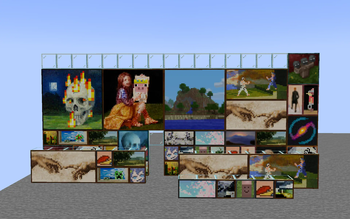
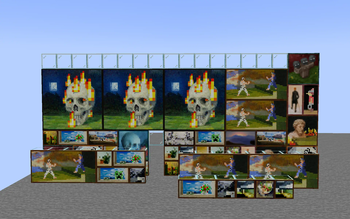
About this Mod
Client Paintings 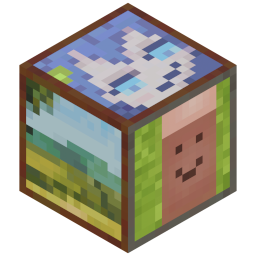
Client Paintings is a simple, fully client-side mod to add
new paintings via resource packs while keeping the vanilla paintings intact.
It achieves this by looking at the UUID of the painting entity and
applying a pseudo-random algorithm to it to determine which painting to render.
This mod uses a custom resource pack format to add new paintings,
you can use the Client Paintings Pack Generator on my website
to generate such a pack easily. Alternatively, see the resource pack format section below for technical instructions.
Features
- Add multiple new sets of paintings via resource packs
- Keep the vanilla paintings intact
- When a vanilla painting is shown, it will match the vanilla painting seen by players without the mod
- Custom paintings shown will match the custom paintings seen by other players with the mod
- Custom paintings are fully persistent between relogs and server restarts
Caveats
- Custom paintings will only match up between players if they both use the exact same painting sets
- Painting sets have to be added via a custom resource pack format, see below for details
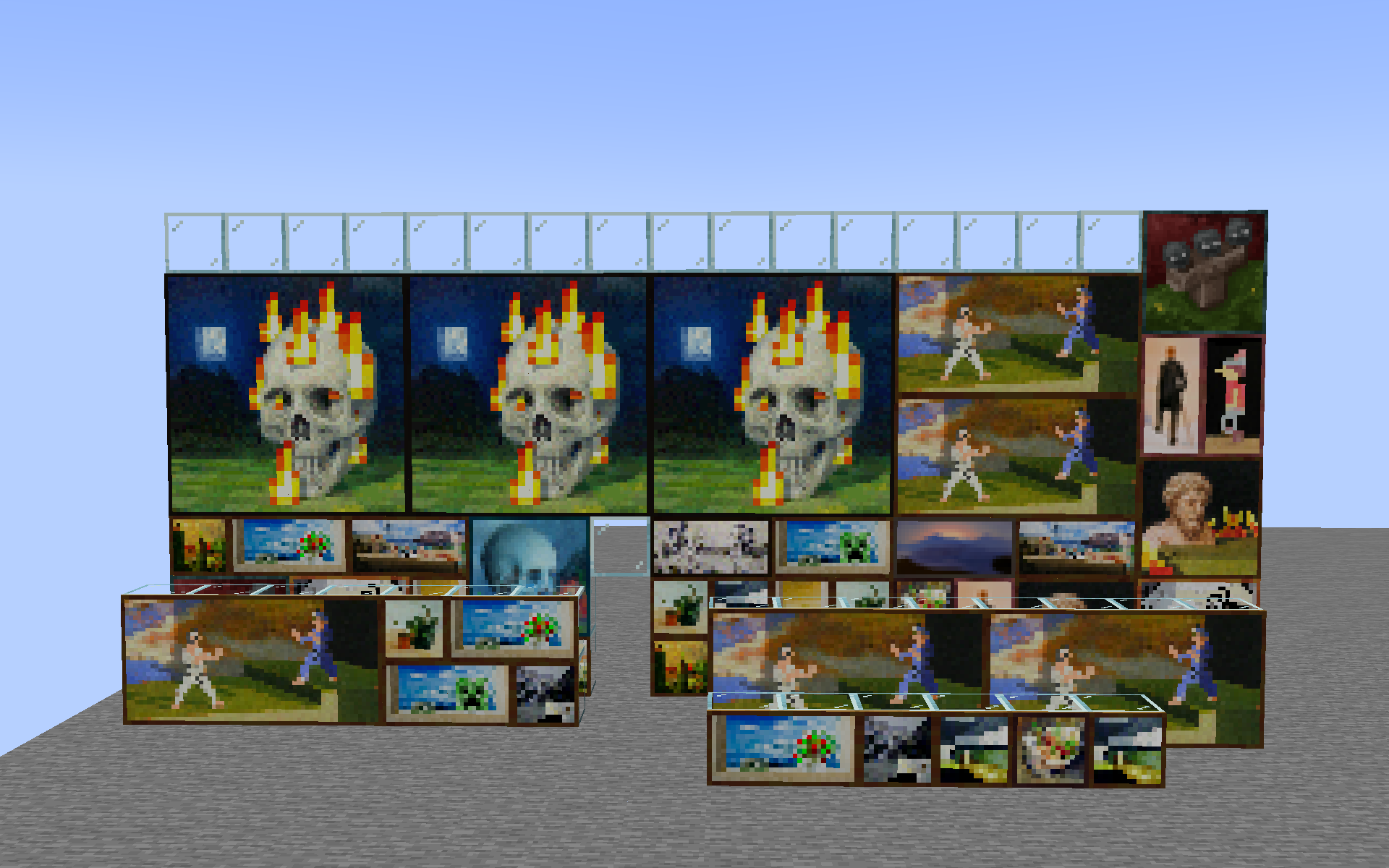
Example
With the included default resource pack:
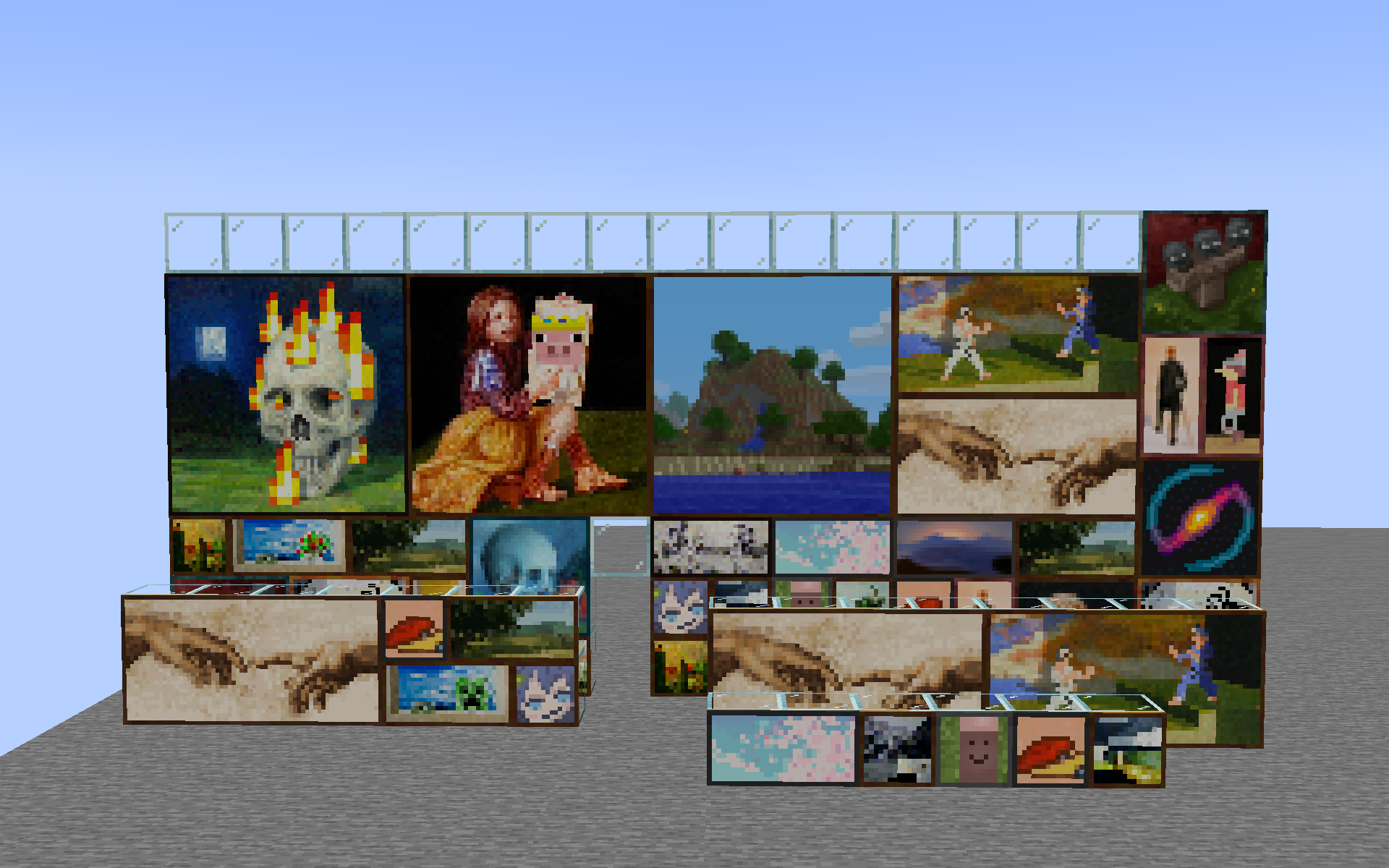
What vanilla players see:
Resource pack format
The resource pack format is very simple. It consists of a single client_paintings folder
located in the root of your resource pack namespace (e.g. assets/<namespace>/client_paintings).
Inside this folder, you can place any number of json files, each representing a custom painting.
Each json file must have the following structure:
{
  "texture": "<namespace>:client_paintings/painting_texture",
  "back": "<namespace>:client_paintings/painting_back_texture",
  "size": [2, 1]
}
textureis the texture of the painting, it must be a png image with a ratio matching thesizefield,
with width and height both being a multiple of 16. The texture has to be located within
theassets/<namespace>/textures/client_paintingsfolder.backis the texture of the back of the painting, it must be a square png image with similarly, a width and height
being a multiple of 16.sizeis the size of the painting in blocks, the first value is the width, the second value is the height.
Do note only 1x1, 1x2, 2x1, 2x2, 4x2, 4x4, and 4x3 size paintings are supported due to the need to replace
a vanilla painting.
An example resource pack structure would look as follows:
pack.mcmeta
assets
└── namespace
    ├── textures
    │   └── client_paintings
    │       ├── painting1.png
    │       ├── painting2.png
    │       ├── painting3.png
    │       └── backs
    │           ├── back1.png
    │           └── back2.png
    └── client_paintings
        ├── painting1.json
        ├── painting2.json
        └── painting3.json
The source for the default included pack can be easily browsed
here.
Available Versions
How to Install Client Paintings on Your Server
Order Server
Order a Minecraft Java server with at least 3 GB RAM (4 GB recommended).
Set fabric Loader
In the panel under "Egg", select the fabric loader and matching Minecraft version (1.20.2).
Install Mod
Open the mod browser in the dashboard and search for "Client Paintings". Click "Install" – done! Alternatively, upload the .jar via SFTP to the /mods folder.
Compatibility
Mod Loaders
Minecraft Versions
1.20.2, 1.20.1, 1.20 (+4 more)
Server-side
✗ UnsupportedRecommended RAM
4 GB(min. 3 GB)Frequently Asked Questions
Client Paintings server crashes on startup – what to do?
Most common cause: wrong fabric version or insufficient RAM. Check the server log (latest.log) for "OutOfMemoryError" or "Mixin" errors. With Mado Hosting: ensure at least 3 GB RAM is allocated and the loader matches the mod version (1.20.2). You can switch loaders with one click in the panel.
Is Client Paintings compatible with fabric?
Client Paintings officially supports fabric for Minecraft 1.20.2, 1.20.1, 1.20. The Mado dashboard automatically detects incompatible loader combinations.
Server lagging with Client Paintings – how to optimize performance?
Recommended RAM: 4 GB (per 8 players). Use /spark profiler to check if Client Paintings consumes the most tick time. Common fixes: reduce server view-distance to 8-10, install "performant" or "starlight" as supplementary mods on Forge. With Mado Hosting, your server runs on NVMe SSDs with dedicated CPU cores for minimal latency.
Similar Mods

![[ETF] Entity Texture Features](https://cdn.modrinth.com/data/BVzZfTc1/af683d206d50b05258d865b0d6e4aa2f2cee12f2_96.webp)
![[EMF] Entity Model Features](https://cdn.modrinth.com/data/4I1XuqiY/6e5bbd0d06b1741bfdab6c0cfab6de8fdaf0064c_96.webp)



Rent Modded Server
Install Client Paintings with just one click on your server.