
CloudeEngine
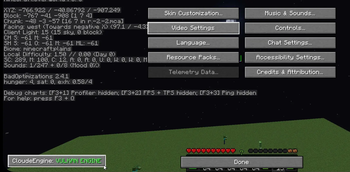
The ultimate performance upgrade for mobile players. This engine optimizes hardware efficiency under the hood to deliver a fluid, stutter-free experience while maintaining a 100% vanilla look.
Screenshots

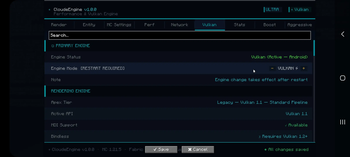
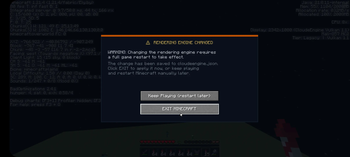
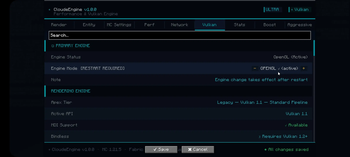
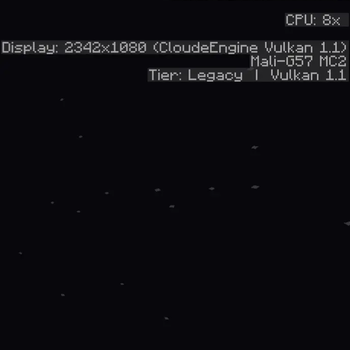
About this Mod
CloudeEngine
High-Performance Vulkan Rendering for Minecraft
Performance
CloudeEngine is a specialized rendering overhaul built to solve the performance bottlenecks of mobile hardware. By replacing the standard Minecraft pipeline with an architecture designed for ARM SoCs, the engine delivers significantly higher frame rates while maintaining 100% vanilla visual parity.
Adaptive Scaling
The engine scales dynamically based on the device's reported API version.
| Version | Features |
|---|---|
Vulkan 1.1 |
Instanced Batching • Subgroup Operations |
Vulkan 1.2 |
Timeline Semaphores • Device Addresses |
Vulkan 1.3 |
Dynamic Rendering • Synchronization 2 |
Vulkan 1.4+ |
Push Descriptors • Pipeline Libraries |
Mobile Optimization
- Mali GPU Fix: Resolves critical
0L handlecrashes on Mali-G57/G76 drivers. - MDI Batching: Reduces CPU driver overhead by up to 85% via draw-call collapsing.
- Vertex Packing: Uses 16-bit storage to halve memory bandwidth pressure.
Server Logic
The ServerFix suite addresses multiplayer instability and network-driven lag.
AsyncChunkUploadGate
Mesh uploads are spread across multiple frames to eliminate main-thread freezes during rapid chunk delivery.
Packet Management
Entity and lighting updates are deduplicated and throttled to prevent CPU spikes during heavy server events.
Specifications
- Platform: Fabric (Loader 0.16.10+)
- Environment: Client-Side Engine
- Hardware: ARMv8 (64-bit), ARMv7, x86_64
Legal
Engine Logic: All Rights Reserved
Copyright (c) 2024–2026 AntheticPlus Studios. Unauthorized redistribution or modification is prohibited.
Native Drivers: LGPL v3.0
Bundled native binaries (shaderc, VMA) are utilized under the LGPL v3.0 license. This applies exclusively to the external binaries.
Available Versions
How to Install CloudeEngine on Your Server
Order Server
Order a Minecraft Java server with at least 3 GB RAM (4 GB recommended).
Set fabric Loader
In the panel under "Egg", select the fabric loader and matching Minecraft version (1.21.4).
Install Mod
Open the mod browser in the dashboard and search for "CloudeEngine". Click "Install" – done! Alternatively, upload the .jar via SFTP to the /mods folder.
Compatibility
Mod Loaders
Minecraft Versions
1.21.4
Server-side
✗ UnsupportedRecommended RAM
4 GB(min. 3 GB)Frequently Asked Questions
CloudeEngine server crashes on startup – what to do?
Most common cause: wrong fabric version or insufficient RAM. Check the server log (latest.log) for "OutOfMemoryError" or "Mixin" errors. With Mado Hosting: ensure at least 3 GB RAM is allocated and the loader matches the mod version (1.21.4). You can switch loaders with one click in the panel.
Is CloudeEngine compatible with fabric?
CloudeEngine officially supports fabric for Minecraft 1.21.4. The Mado dashboard automatically detects incompatible loader combinations.
Server lagging with CloudeEngine – how to optimize performance?
Recommended RAM: 4 GB (per 8 players). Use /spark profiler to check if CloudeEngine consumes the most tick time. Common fixes: reduce server view-distance to 8-10, install "performant" or "starlight" as supplementary mods on Forge. With Mado Hosting, your server runs on NVMe SSDs with dedicated CPU cores for minimal latency.
Similar Mods




Rent Modded Server
Install CloudeEngine with just one click on your server.