
CobbleChat Continuity
Keeps CreatureChat memory persistent for Cobblemon Pokémon across recall and respawn.
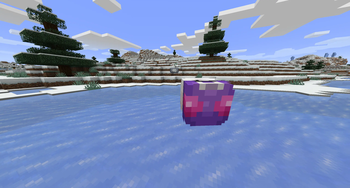
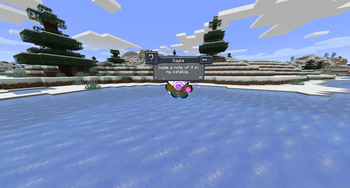
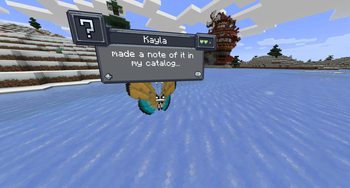
Screenshots
About this Mod
🧠 CobbleChat Continuity
CobbleChat Continuity is a lightweight compatibility mod that bridges Cobblemon and CreatureChat, ensuring your Pokémon retain their memory, personality, and relationships even after being recalled and sent back out.
⚠️ The Problem
In Cobblemon, Pokémon are despawned and respawned when recalled, which gives them a new entity UUID. CreatureChat stores all conversational memory using that UUID, causing Pokémon to forget everything each time they are sent out again.
✅ The Solution
CobbleChat Continuity links CreatureChat’s memory system to each Pokémon’s persistent internal UUID, allowing memory to follow the Pokémon instead of the temporary entity.
✨ Features
💬 Persistent conversations across recall
🧠 Retains learned facts and preferences
❤️ Preserves personality and relationships
🔁 Automatic memory reassignment on respawn
⚡ Lightweight and seamless—no config required
⚙️ How It Works
The mod detects when a Pokémon entity respawns and reassigns its previous CreatureChat memory to the new entity using the Pokémon’s stable identity. It also handles timing edge cases to ensure memory is correctly synced to the client.
📦 Requirements
Cobblemon
CreatureChat
NeoForge
📝 Notes
Does not modify either mod directly
Safely disables itself if dependencies are missing
Compatible with existing worlds
💡 Why use this?
Because your Pokémon shouldn’t forget who they are—or who you are—every time you put them away.
Available Versions
How to Install CobbleChat Continuity on Your Server
Order Server
Order a Minecraft Java server with at least 3 GB RAM (4 GB recommended).
Set neoforge Loader
In the panel under "Egg", select the neoforge loader and matching Minecraft version (1.21.1).
Install Mod
Open the mod browser in the dashboard and search for "CobbleChat Continuity". Click "Install" – done! Alternatively, upload the .jar via SFTP to the /mods folder.
Compatibility
Mod Loaders
Minecraft Versions
1.21.1
Server-side
✓ RequiredRecommended RAM
4 GB(min. 3 GB)Frequently Asked Questions
CobbleChat Continuity server crashes on startup – what to do?
Most common cause: wrong neoforge version or insufficient RAM. Check the server log (latest.log) for "OutOfMemoryError" or "Mixin" errors. With Mado Hosting: ensure at least 3 GB RAM is allocated and the loader matches the mod version (1.21.1). You can switch loaders with one click in the panel.
Is CobbleChat Continuity compatible with neoforge?
CobbleChat Continuity officially supports neoforge for Minecraft 1.21.1. The Mado dashboard automatically detects incompatible loader combinations.
Server lagging with CobbleChat Continuity – how to optimize performance?
Recommended RAM: 4 GB (per 8 players). Use /spark profiler to check if CobbleChat Continuity consumes the most tick time. Common fixes: reduce server view-distance to 8-10, install "performant" or "starlight" as supplementary mods on Forge. With Mado Hosting, your server runs on NVMe SSDs with dedicated CPU cores for minimal latency.
Similar Mods




Rent Modded Server
Install CobbleChat Continuity with just one click on your server.